
Afinia DLF220: A Practical Guide to Digital Label Finishing
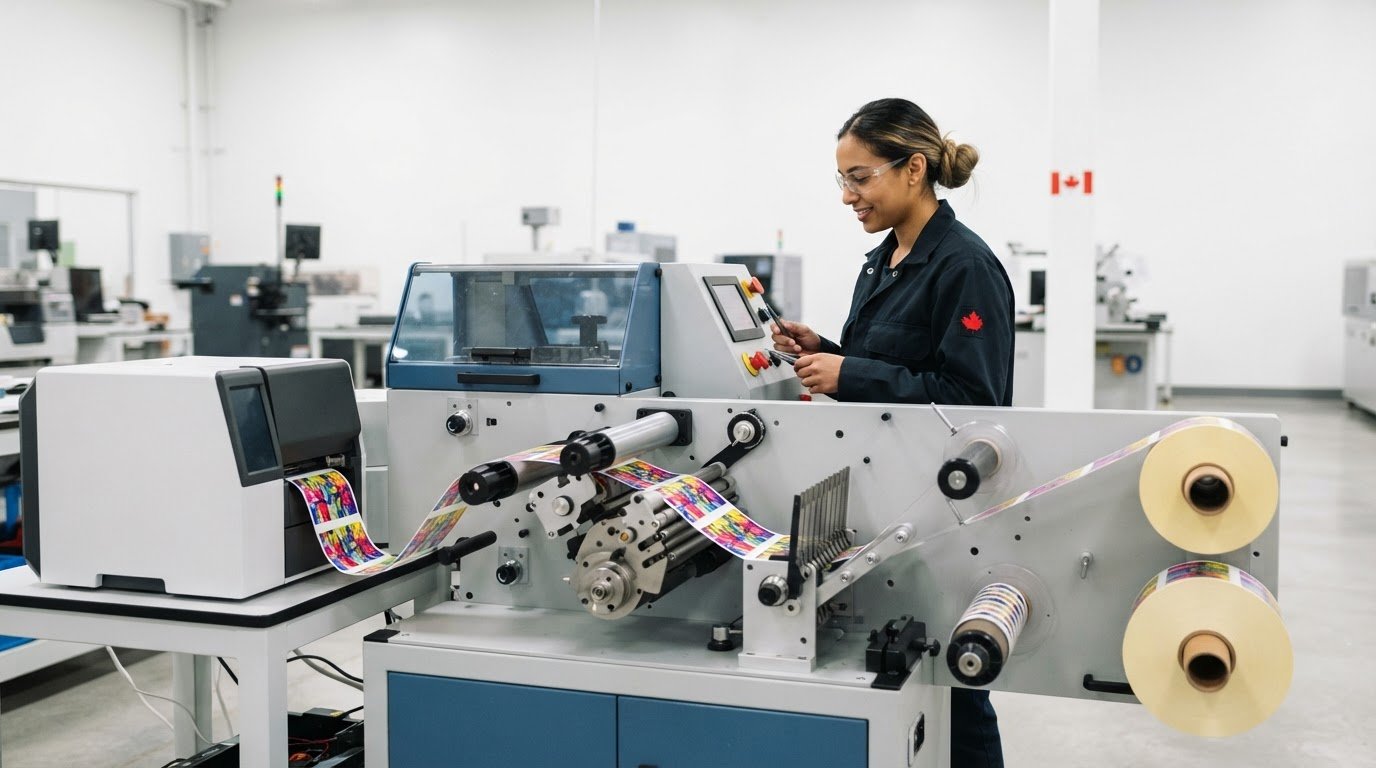
Will a label finisher remove a production bottleneck, or add another piece of equipment to coordinate? The afinia dlf220 belongs after printing in the workflow: it is designed to finish printed labels, not replace the colour label printer that produces them. That distinction helps you assess what the equipment can do and how it may fit your operation.
Before investing, compare the finisher’s requirements with your printer, label media, roll setup and production process. These details affect whether the equipment fits the jobs you run. Model-specific specifications matter, so use current product documentation rather than relying on the name alone.
This guide explains the DLF220’s role in a print-and-finish workflow and what to assess before sourcing equipment. You’ll learn how to compare specifications, consider the finisher alongside existing equipment and supplies, and prepare for a productive purchasing discussion in Canada. OptiMediaLabs Canada distributes Afinia printers, label cutters and finishers, labels and ink cartridges, helping Canadian businesses consider printing and finishing requirements together.
Key Takeaways
- The afinia dlf220 is a finishing system, so assess it as a step after printing rather than a replacement for your label printer.
- Map your print-to-finish workflow, including roll format, label dimensions and media, to identify potential fit issues.
- Compare your label formats, daily workflow, output handling and operator needs with the equipment requirements.
- Use official product documentation to review compatibility, supported media, footprint, power, environment and setup requirements.
- Prepare your printer details, media information, representative samples and intended finishing tasks for a more productive sourcing discussion.
What Is the Afinia DLF220, and Where Does It Fit in Label Production?
The afinia dlf220 is digital label-finishing equipment used downstream to process printed label material. It is not the printer: a printer applies artwork to label stock, while a finisher handles the printed material after that step. For teams producing labels in-house, this distinction clarifies where the equipment may fit and which requirements to assess.
A typical workflow moves from preparing artwork to printing it on compatible label media, then to finishing and handling the printed material. The precise steps depend on the equipment and the finished label format. Check Afinia’s official product documentation for the DLF220’s functions and operating requirements rather than assuming what it does based on the general term “finisher.”
What is a digital label finisher used for?
Finishing is the downstream processing that prepares printed label material for a particular production process or application. The desired result depends on factors such as label dimensions, how labels will be applied, the media in use and how the finished material will be handled. Start by defining that result, then compare it with the DLF220’s documented functions. Common finishing processes should not be treated as DLF220 capabilities unless the product documentation specifies them.
This distinction helps teams decide whether their current process needs a separate finishing stage. List the label formats you produce and the output you need, then match those requirements to the model’s documented functions.
How does the DLF220 relate to an Afinia printer?
A printer and finisher perform different jobs, so evaluate their requirements together. The printer’s output becomes the finisher’s input. Review documentation for printer compatibility, media type and format, roll requirements, and any software or setup requirements. Do not assume that the DLF220 works with every Afinia printer or with printers from other brands.
For a practical comparison, record your printer model and the label stock and roll format you use. Check each detail against the DLF220’s official specifications. This helps you assess the complete print-to-finish process rather than judging equipment by its model name alone. A general overview of how a label printer produces labels can also clarify the printer’s role in the sequence.
OptiMediaLabs distributes Afinia label cutters and finishers, alongside Afinia printers and related supplies. Considering the printer, media and finishing equipment together gives your workflow assessment a more practical starting point.
How the Afinia DLF220 Fits into a Print-to-Finish Workflow
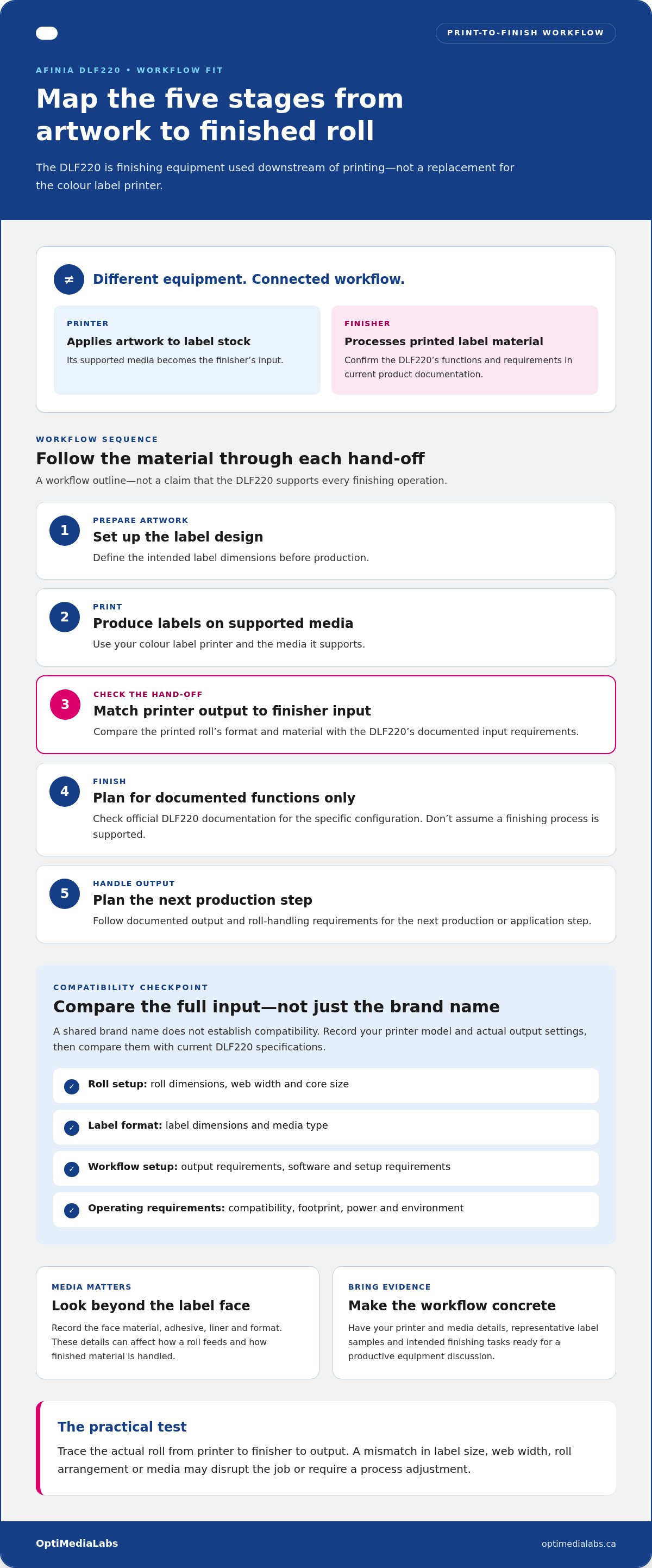
To assess the afinia dlf220 in context, map each stage from artwork to finished roll, then compare every hand-off with current product documentation. The sequence below outlines a workflow, not a claim that the DLF220 supports every finishing operation.
- 1. Prepare artwork: Set up the label design and intended dimensions.
- 2. Print: Produce the label material with your colour label printer and its supported media.
- 3. Compare the hand-off: Match the printed roll’s format and material to the finisher’s documented input requirements.
- 4. Finish: Plan only for the finishing steps listed in official DLF220 documentation for the specific configuration.
- 5. Handle output: Follow documented output and roll-handling requirements for the next production or application step.
Mapping the sequence can reveal mismatches before you add equipment. For example, artwork may be designed for one label size while the printer setup or finishing requirements call for a different web width or roll arrangement. Treat the workflow as a chain: a mismatch at any hand-off can disrupt the job or require a process adjustment.
What information should you compare between printer output and finisher input?
Build a side-by-side comparison using your printer documentation and the current DLF220 documentation. Record roll dimensions, web width, core size, label dimensions, media type and output requirements. Compare the printer’s actual output settings with the finisher’s supported input. A shared brand name does not, by itself, establish compatibility.
Review any differences between the specifications before designing the workflow around the equipment. The Tag and Label Manufacturers Institute describes work that includes developing standards of product performance, a useful reminder to define acceptable output quality as well as mechanical fit.
How do labels and consumables affect the finishing workflow?
Media details matter at the finishing stage. Label face material, adhesive, liner and format can affect how a roll feeds and how the finished material is handled. Two rolls with similar-looking labels may behave differently, so record the specific media you use and compare it with documented equipment requirements. OptiMediaLabs supplies Afinia labels and label media alongside Afinia printing and finishing equipment.
For a useful workflow discussion, bring printer and media details together with representative label samples. If you’re assessing an Afinia printer for the print stage, explore a Canadian Afinia Color Label Printers buyer’s guide as a separate research step, then share your documented workflow requirements with OptiMediaLabs.
How to Assess Whether the Afinia DLF220 Suits Your Operation
Evaluate the afinia dlf220 against your production records, not an assumed speed or capacity. Ask whether its documented functions and input requirements match the labels you print, the finishing steps you need and the way work moves between operators. If the fit depends on changing your process, identify those changes before planning an equipment purchase.
Which production requirements should you document first?
Build a baseline from current jobs. Record your printer model, label dimensions, media and roll specifications, finishing steps, output format and hand-off points. Note how often jobs change, how varied the label formats are and who handles each stage. Use production logs to understand job volumes and time spent on recurring tasks rather than relying on estimates when records are available.
| Factor | What to document | What to compare |
|---|---|---|
| Label format | Dimensions, layout and formats produced | Whether each format falls within documented equipment requirements |
| Printer and media | Printer model, media type and roll details | Verified printer compatibility and finisher input requirements |
| Daily workflow | Job variety, changeovers and hand-offs | Whether the documented finishing process suits the way jobs are scheduled |
| Output handling | How finished material is collected, stored or used | Documented output requirements and space for handling |
| Operators and checks | Who loads, monitors and inspects each job | Training, setup and quality checks needed for the intended process |
How can you compare manual and equipment-assisted finishing needs?
List the manual finishing tasks that recur, such as material handling, inspection or transferring rolls between stages. Compare those tasks with functions explicitly documented for the DLF220. This helps separate potential workflow improvements from assumptions about what the machine automates. Include quality checks in the comparison, with clear acceptance criteria and operator responsibilities for each process.
Consider whether the existing process needs adjustment first. Media or roll formats may need to match documented input requirements, and workstations or operator hand-offs may need reorganizing. Review official documentation for each model-specific function and requirement before building it into your workflow plan. The Afinia label cutters and finishers category from OptiMediaLabs provides a starting point for reviewing finishing equipment.
Define the label quality your operation needs, including legibility, consistency and inspection criteria, and include those measures in your assessment. For a focused equipment discussion, share your printer, media and production requirements with OptiMediaLabs.
Preparing to Add an Afinia DLF220 to Your Workflow
Preparation starts with matching the afinia dlf220’s documented requirements to your equipment, media and working environment. Use this checklist to spot gaps before changing your production process.
- 1. Equipment: Record your printer model, current output format and software used in the print-to-finish process. Compare these details with the DLF220’s official compatibility and software documentation.
- 2. Media: List the label materials and roll specifications used for representative jobs. Compare them with the finisher’s documented input requirements.
- 3. Space and utilities: Check the machine’s footprint, placement clearances, power requirements and environmental conditions in current official documentation. Include space for loading materials and handling output.
- 4. Setup and procedures: Review the manufacturer’s setup instructions and routine maintenance guidance. Identify the procedures operators will follow for each planned job.
- 5. Operator workflow: Assign responsibility for loading, inspection, changeovers and responding to interruptions. Make hand-offs clear so work does not stall between production steps.
Once you have these details together, discuss your Afinia finishing requirements with OptiMediaLabs as part of your equipment planning.
What should a representative workflow test include?
If a test run is part of your evaluation, choose sample jobs that reflect actual label formats, media and routine production variation. Follow the manufacturer’s documented procedures and keep test conditions consistent. Record setup steps, material handling, output observations, quality checks and interruptions. The aim is to gather comparable workflow information, not to assume a particular result.
Include a job with a typical changeover if your production uses different formats or media. Note where operators pause, adjust the process or inspect output. These observations can help distinguish a compatibility issue from a training or hand-off problem.
Which setup and training details need verification?
Use current manufacturer documentation for model-specific instructions on placement, power, setup and routine maintenance. Do not rely on assumptions or instructions for a different configuration. Before operation, make sure the team understands its responsibilities for loading, inspection, changeovers and following documented troubleshooting steps.
Keep procedures accessible to operators and record any workflow adjustments made during evaluation. A clear, repeatable process makes it easier to judge how the equipment fits your operation and what preparation remains.
How to Source the Afinia DLF220 and Plan Your Next Step
A productive sourcing discussion starts with a clear picture of your current print-to-finish process. Document the equipment and media you use, the label formats you produce and the finishing outcome you need. This context makes it easier to discuss the afinia dlf220 against your workflow requirements instead of relying on assumptions based on the model name.
What details should you bring to a DLF220 sourcing discussion?
Prepare a concise record of your production requirements. Include:
- Printer: The model producing your labels and relevant output settings.
- Media and format: Label material, dimensions, roll specifications and representative samples.
- Current process: The finishing steps performed today, including manual handling and operator hand-offs.
- Production pattern: The kinds of jobs you run, how formats vary, and where changeovers or interruptions occur.
- Intended outcome: The finishing tasks the equipment needs to support and how finished material will be handled.
- Reference documents: Current manufacturer specifications or operating guidance used to assess compatibility.
Samples make requirements more concrete. Pair them with specifications, and note which details come from your production records and which come from equipment documentation. This creates a practical starting point for discussing the questions that matter to your setup.
How can related Afinia equipment and supplies support planning?
Review the printer and finisher as connected parts of one workflow. OptiMediaLabs distributes Afinia finishing equipment, printers and related supplies. Its Afinia printers category can help you consider the print stage alongside finishing requirements. Include labels or other consumables in your discussion when they are part of your documented process, and compare each supply with the requirements of the job.
Keep the focus on fit: compare your printer output and media details with the DLF220’s official requirements, then identify any workflow changes that may be needed. Bringing this information together supports a more informed equipment-sourcing conversation. Contact OptiMediaLabs to discuss Afinia finishing equipment and your documented requirements.
Build a Clear Path to Label Finishing
Assess the afinia dlf220 as part of your complete print-and-finish workflow. Document your printer, media, label formats and intended finishing tasks, then compare them with current official specifications. Reviewing setup, space, operator responsibilities and representative samples can help identify practical fit questions before you source equipment.
OptiMediaLabs distributes Afinia label cutters and finishers, along with related Afinia printers, labels and ink cartridges. As a Canadian distributor serving customers nationally, OptiMediaLabs can help you consider equipment and supply requirements together in a sourcing discussion grounded in your workflow details.
Bring your documented requirements and sample labels to the next conversation. Contact OptiMediaLabs to discuss Afinia finishing equipment and take a practical next step towards a setup that fits your operation.
Frequently Asked Questions
What is the Afinia DLF220?
The Afinia DLF220 is an Afinia model associated with digital label finishing, a downstream stage after a label printer produces printed material. Use Afinia’s current product description for its precise purpose and functions rather than inferring capabilities from another model or general finishing terminology. To assess fit, compare the official DLF220 documentation with your printer output, label media, roll format and existing workflow.
What does the Afinia DLF220 do?
The DLF220 performs the finishing steps listed in its current manufacturer documentation. Do not assume that common processes such as cutting, laminating or rewinding are included unless the documentation says so. A finisher comes after label printing, but the specific workflow depends on the equipment configuration and media. Review the documentation before planning a particular finishing task or production sequence.
Can the Afinia DLF220 work with any label printer?
Do not assume universal printer compatibility. Fit depends on whether the printer’s output matches the DLF220’s documented input requirements, including relevant roll and media specifications. Compare the current technical documentation for both machines, paying attention to output format, roll dimensions and media type. Treat any combination not addressed in the documentation as a compatibility question to resolve in your equipment evaluation.
What information should I check before buying an Afinia DLF220?
Start with your printer model, label dimensions, media and liner details, roll specifications and the finishing steps your process requires. Compare these with the DLF220’s current official specifications, compatibility information and setup requirements. Document your existing workflow, including output handling and operator hand-offs. A representative test job can help identify practical issues when it uses suitable sample media and follows the manufacturer’s operating procedures.
How much does the Afinia DLF220 cost?
Cost depends on the purchasing configuration and project requirements, so avoid relying on an unverified figure or assuming a standard package. For a useful sourcing discussion, prepare your printer model, media and roll details, label formats, intended finishing tasks and relevant product documentation. OptiMediaLabs distributes Afinia finishing equipment and related supplies in Canada. Contact OptiMediaLabs to discuss Afinia finishing equipment and your workflow needs.
Does the Afinia DLF220 include label design or on-site repair services?
No. The DLF220 is finishing equipment, not a label design or on-site repair service. Keep equipment functions separate from services when planning your workflow. OptiMediaLabs is a hardware and supplies distributor, with Afinia printers, finishing equipment and related consumables in its product range. For questions about sourcing Afinia finishing equipment or planning around its documented requirements, contact OptiMediaLabs with your printer and media details.