
Afinia F502 Finisher vs Separate Cutter and Rewinder: Capacity Reference
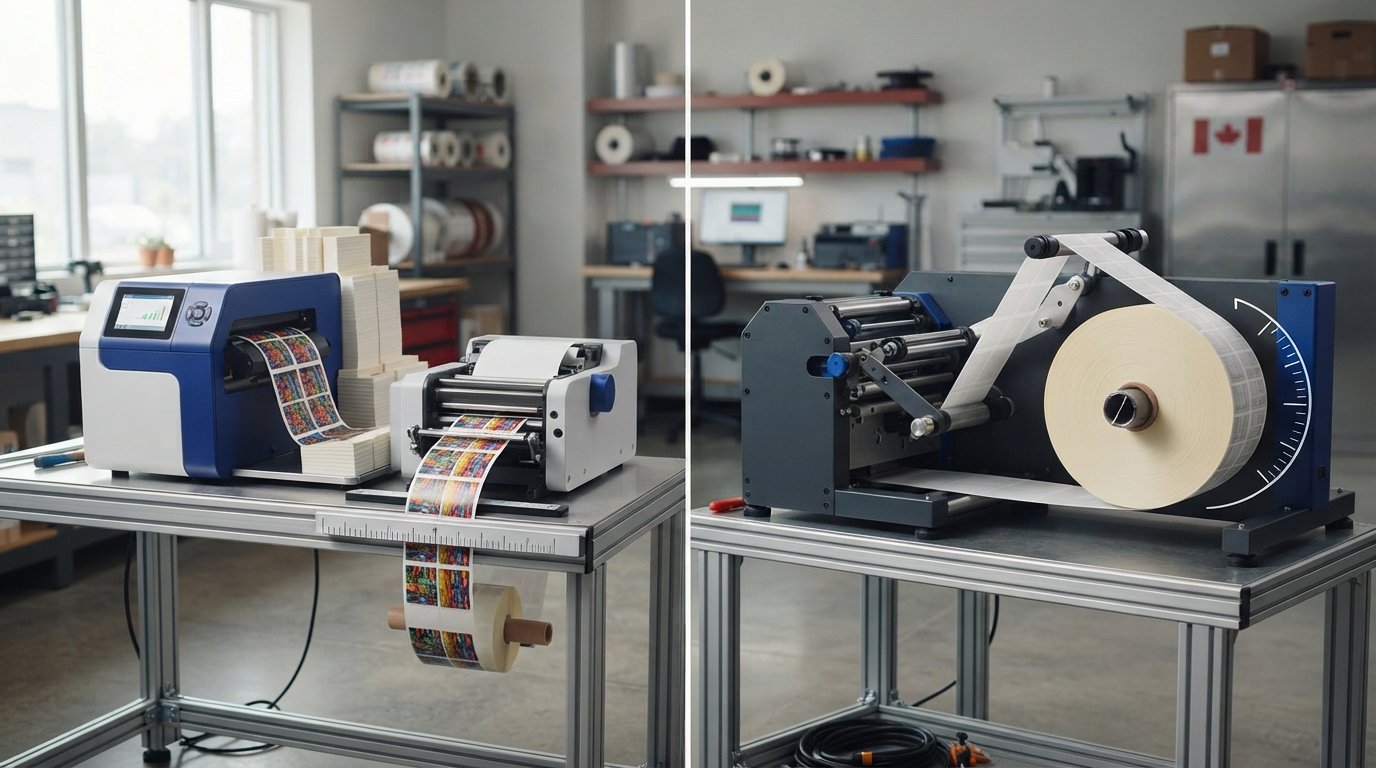
The separate rewinder’s capacity is defined by roll size and media width, while the F502 uses fanfold media. In an Afinia F502 finisher vs separate cutter and rewinder comparison, the RW300 XL handles rolls up to 250 mm in diameter and media up to 240 mm wide; the L502/L701 Rewinder accommodates rolls up to 203 mm in diameter on standard 76 mm cores. Those figures make the media format and finished-roll requirements central to the choice.
It’s easy to focus on equipment names and overlook the specifications that affect day-to-day handling. This reference lays out the roll diameter and media-width capacities, explains how the F502’s fanfold feed differs from separate roll handling, and points to the available manual guidance. The L502/F502 product-support page covers both fanfold label printers and lists User Manual version 1.0.5. Use these details to compare setups against your media and workflow needs.
Key Takeaways
- Match roll diameter and media width to your finished-label requirements before choosing a winding setup.
- Separate the F502’s fanfold printing role from the cutting and rewinding functions when comparing equipment.
- Assess ongoing operating and maintenance needs by looking at media handling, cutter care, and the equipment involved.
- Plan your workspace and setup around the number of separate components and how labels move through your workflow.
- Use the printer’s support documentation and software compatibility details to shape an integration plan.
Roll diameter and media-width capacities
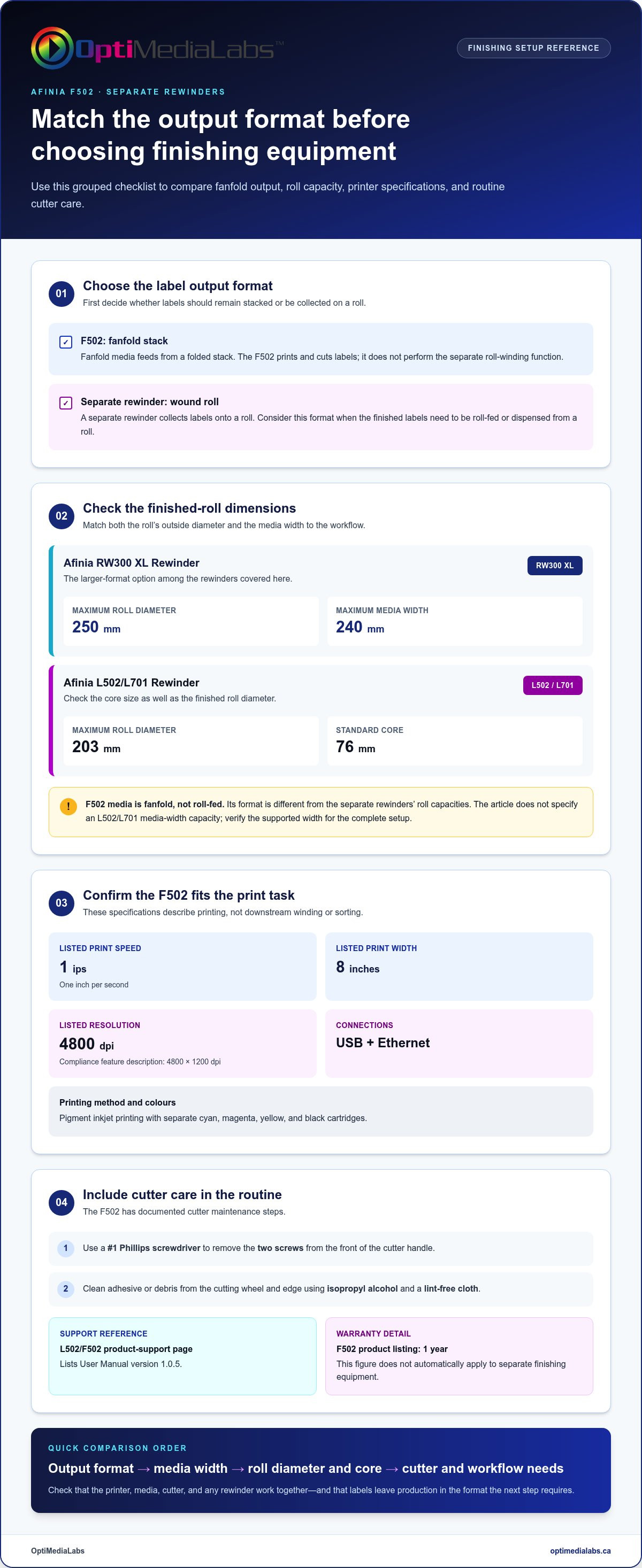
Roll diameter is the maximum outside diameter of a wound label roll. Media width is the maximum width of label stock that can pass through the equipment. Check both measurements to confirm that the finished roll fits the rewinder and the media fits the selected setup.
The Afinia RW300 XL Rewinder handles rolls up to 250 mm in diameter and media widths up to 240 mm. Its media-width capacity makes it the larger-format option among the rewinders covered here. A wider web or larger finished roll may suit this unit, provided the rest of the workflow supports those dimensions.
The Afinia L502/L701 Rewinder accommodates rolls up to 203 mm in diameter and winds labels onto standard 76 mm cores. The core is the cardboard or plastic tube at the centre of a finished roll. Match the core size and outer diameter to the packaging, dispenser, or next production step that will use the labels.
The F502 uses fanfold media, which stacks rather than unwinds from a supply roll. Its format is therefore different from the roll capacities listed for separate rewinders. Before choosing equipment, identify whether your labels need to remain fanfolded or be collected as a wound roll. Also compare the media width with the printer and any downstream equipment.
For low-volume production, choose the format that involves the least handling for your typical batches. Fanfold output can suit workflows that use stacked labels, while a separate rewinder is useful when labels need to be collected into rolls. For higher-volume work, compare continuous handling needs, roll capacity and media width, rather than relying on volume alone.
For Afinia finishing equipment in Canada, the F502 product listing states a warranty of 1 year. That figure applies to the F502 listing, not automatically to separate finishing equipment. Service and replacement-part options depend on the specific model and purchase channel.
Before choosing a finisher, check that its supported media width and roll format match the printer’s output. Consider how operators will load stock, collect labels, and handle the cutter during routine use. Afinia L501/L502/F502 cutter maintenance involves removing two screws from the front of the cutter handle; cleaning uses isopropyl alcohol and a lint-free cloth. These practical steps affect the workflow, alongside compatibility between the media, printer, cutter, and rewinder.
What are the specifications and finishing functions of the Afinia F502 finisher?
The Afinia F502 is a fanfold colour label printer with a cutter. Fanfold media feeds from a folded stack, rather than an unwinding roll. That distinction matters: the F502 prints and cuts labels, while a separate rewinder collects labels onto a roll. Treating the printer as a complete roll-finishing line can lead to a mismatch with your output needs.
Print speed is the rate at which the printer produces media. The F502 has a listed speed of 1 ips, or one inch per second. Print width is the maximum printable width; the listed width is 8 inches. These figures help assess whether the F502 suits your label dimensions and production pace. They don't describe the speed of downstream cutting, sorting, or winding.
Print resolution describes the detail the printer can reproduce. The F502 is listed at 4800 dpi, and its compliance feature description gives 4800 x 1200 dpi. It uses pigment inkjet printing with separate cyan, magenta, yellow, and black cartridges. USB and Ethernet connections provide two ways to connect the printer to a production computer or network.
A cutter separates printed labels from the continuous media. The F502 has cutter maintenance instructions, so cutter care forms part of its operating routine. The available maintenance steps specify a #1 Phillips screwdriver and removal of two screws from the cutter handle's front. Use isopropyl alcohol and a lint-free cloth to remove adhesive or debris from the cutting wheel and edge.
- Printing: Fanfold media, pigment inkjet, and four separate colour cartridges.
- Output: 1 ips listed speed and 8-inch listed print width.
- Detail: 4800 dpi listed resolution; the compliance description states 4800 x 1200 dpi.
- Connectivity: USB and Ethernet.
- Finishing: Cutter care is documented; roll winding is a separate function.
In the Afinia F502 finisher vs separate cutter and rewinder comparison, separate devices make sense when the finished product must be wound into rolls. The F502's fanfold feed serves a different output format. Choose based on how labels need to leave the production area, not print specifications alone. For example, a workflow that dispenses stacked labels differs from one requiring roll-fed application.
To align printer specifications with your label format and finishing workflow, discuss your label equipment requirements.
What are the operating and maintenance costs of the F502 compared with separate finishing equipment?
Operating cost is the ongoing expense of producing labels, including ink, media, and routine care. For the Afinia F502, assess printing and cutting together, then compare them with the added operating needs of separate finishing equipment. The right comparison depends on the labels produced, how often the equipment runs, and the required output format.
The F502 uses pigment inkjet printing and separate cyan, magenta, yellow, and black cartridges. Ink use varies with the label artwork: a design with broad colour coverage consumes ink differently from one with small coloured elements. Media choice and print volume also influence consumption. Track cartridge use alongside completed batches to understand your own operating pattern.
Maintenance cost is the time and materials required to keep equipment working as intended. The F502 cutter requires periodic cleaning: use isopropyl alcohol and a lint-free cloth to remove adhesive and debris from the cutting wheel and edge. Its maintenance procedure also involves removing two screws from the front of the cutter handle, using a #1 Phillips screwdriver.
Printer care also affects the workflow. If the printer instructions call for a lint-free cloth, avoid paper towels or ordinary cloth, which could damage the printer. Use a small, low-suction handheld vacuum or compressed air made for electronics to remove dust and debris. Do not use a high-suction vacuum. Keep the waste ink tray in place during printing to prevent ink leaks.
Separate finishing equipment creates additional operating points to manage. A cutter and rewinder each need setup, cleaning, and attention to their own media path. That can mean more routine tasks than a workflow using the F502’s cutter alone. However, separate equipment performs roll handling that fanfold output does not provide, so compare costs against the finished format your process requires.
- F502 workflow: Budget for pigment ink, fanfold media, and care of the printer and cutter.
- Separate finishing: Include the cutter and rewinder’s setup and upkeep in operating procedures.
- Cost tracking: Record ink use, media use, cleaning materials, and staff time by production batch.
To compare workflows, track one representative batch from printing through finished-label handling. Record the media format, ink coverage, cleaning steps and operator time. Then document the same batch using separate cutter and rewinder equipment. Comparing the actual steps helps reveal the trade-offs without assuming that fewer devices always reduce operating costs.
Use the batch record as a baseline, and update it when artwork, media or output handling changes. Include staff time for setup, cleaning and handling alongside consumables, so the comparison reflects the work the process actually requires, not just the equipment count.
The page identifies WHMIS 2015 as the Canadian workplace hazardous materials labeling regulation that the printer’s labels are compatible with. This compatibility is relevant when assessing label requirements, while ink, media, cleaning materials, and operator time remain part of the cost comparison. Maintenance guidance for Afinia L501/L502/F502 printers calls for a small, low-suction handheld vacuum or electronics compressed air to remove dust and debris; a high-suction vacuum should not be used.
How much floor space and setup time does each finishing option require?
Floor-space footprint is the area occupied by equipment during operation. The F502 combines fanfold printing with an integrated cutter, while a separate cutter and rewinder add individual units to the workflow. Compare the full working arrangement, not just the printer’s outer dimensions. Include media access, label collection, and room for routine cutter maintenance.
Setup time is the work needed to position equipment, prepare media, connect devices, and produce usable labels. The F502 workflow begins with placing the printer and positioning its fanfold stack for feeding. A separate setup also requires placing the cutter and rewinder, routing printed media between them, and preparing the finished-label collection point.
Measure the intended work surface before planning either layout. For the F502, reserve access to the fanfold media path and the cutter handle. The maintenance procedure involves removing two screws from the cutter handle’s front, so operators need room to reach that area. A nearby surface also helps keep the media stack aligned during loading.
For separate finishing equipment, map the media path from printer to cutter, then rewinder. The Afinia RW300 XL Rewinder and the L502/L701 Rewinder are examples of named units to account for in a layout. Position the printer, cutter, and rewinder in the order labels travel. Leave a clear route for the web, and avoid placing controls where an operator must reach across moving media.
- F502 arrangement: Place the printer, fanfold stack, and label collection area in sequence.
- Separate arrangement: Plan space for each device and the connecting media path.
- Access: Keep the cutter handle and media-loading points reachable.
- Connections: Include the F502’s USB or Ethernet cable route in the workstation plan.
A planned setup can reduce unnecessary repositioning. Mark where the printer and finishing equipment will sit, then place the fanfold stack or roll media beside its feed point. Route the media through the cutter or rewinder, run a short test, and adjust alignment before starting the production batch.
The better fit depends on the output format and work area. A compact bench with a fanfold workflow may favour the F502’s printer-and-cutter arrangement. A roll-based process requires room for separate equipment and a clear transfer path. Compare both layouts using the actual label stock, operator position, and collection method planned for your production area.
Can the F502 or separate equipment integrate with common Afinia printers and label design software
Integration means coordinating printer, software, media, and finishing steps into one production workflow. The F502 connects through USB or Ethernet, supporting a direct computer connection or network connection. Label design software prepares artwork and print data; the printer produces the label media. The cutter then separates the printed labels as required.
A print driver is software that passes a print job from an application to a printer. For the F502, configure the selected printer in the computer’s print settings, then prepare a test job. Confirm the label dimensions, orientation, colour output, and media feed before producing a full batch. This catches layout problems before labels reach the cutter.
Fanfold media is folded stock that feeds from a stack rather than a roll. The F502 uses fanfold media for continuous label feeding. That format affects how a print job moves into finishing: the media exits the printer as a continuous web, then the cutter separates labels. A rewinder handles a different task by winding output into rolls.
Separate finishing equipment integrates through physical media handling, not through the design file alone. Position the cutter after the printer, then route its output to the rewinder if roll collection is needed. Match the media width to each device’s capacity. For example, the RW300 XL supports media widths up to 240 mm, while the SR-100 slits and rewinds rolls up to 225 mm wide.
Check software and mechanical compatibility separately. Design software may create suitable print data, but media width, feed direction and output format determine whether the equipment can handle the job. A print file cannot make fanfold output function like a rewound roll, so plan printing and finishing as distinct stages.
The L502/F502 product-support page covers both fanfold label printers and lists User Manual version 1.0.5. Use the manual to understand printer operation, then map the complete job from software through output. Its shared support coverage is useful for printer documentation; it does not by itself define every finishing-device or software combination.
- Prepare: Set label dimensions and orientation in the design application.
- Connect: Use the F502’s USB or Ethernet connection for the print workflow.
- Test: Print a small job and check media movement and cut placement.
- Finish: Route output to separate equipment only when the required format calls for it.
For an Afinia F502 finisher vs separate cutter and rewinder decision, diagram the software, printer, media, and finishing stages. That workflow view shows where each connection or hand-off occurs, and whether the required output is cut labels or rewound rolls.
Capacity and run length can guide equipment comparisons: Afinia describes short-run label production as runs of fewer than 7,500 labels, while the Afinia DLP-2200 Digital Label Press processes labels at speeds of 18 m per minute.
These figures provide a comparison point when weighing a dedicated finishing system against separate cutter and rewinder equipment.
OptiMediaLabs Canada: Afinia Color Label Printers
OptiMediaLabs Canada offers Afinia Color Label Printers for businesses planning label production. If your workflow also requires separate cutting or rewinding, compare the printer's media format with the finished-label format your process needs. This helps narrow your equipment options before you plan the setup.
For related identification workflows, OptiMediaLabs Canada also offers RFID Label Printers, Thermal Transfer Ribbons, and Barcode Software. These options suit different printing and data needs, so focus on the offering that matches your labels and operating process.
Share your intended label format and equipment requirements when discussing your options. Contact OptiMediaLabs Canada to continue your equipment planning.
Plan your next label-production step
Turn the comparison into a workflow decision by defining the finished label format your operation needs. Consider how operators will handle output, where each production step belongs, and what the next process requires. The Afinia F502 finisher vs separate cutter and rewinder choice should support that real production path, not just a preferred equipment layout. If your shop also branches into architectural film installations or rolled decorative substrates, suppliers such as SolControl offer commercial matte speciality films and installation tools. A clear use case gives you a practical basis for selecting and configuring the right combination.
OptiMediaLabs Canada offers Afinia Color Label Printers, RFID label printers and high-performance label printing supplies. These products address different printing and identification requirements, so consider your equipment and consumables together when planning your workflow.
Share your label workflow and equipment goals with OptiMediaLabs Canada’s team to discuss a suitable next step. A well-defined workflow makes the path forward clearer and more manageable.
Frequently Asked Questions
How does the F502 compare with separate cutter and rewinder setups for speed, accuracy, and waste?
The F502’s listed print speed is 1 ips, while separate finishing equipment has its own processing speed, so the figures don’t directly measure the same task. For example, the SR-100 slits and rewinds at speeds up to 60 m per minute. Cutting accuracy depends on media alignment and setup; waste depends on test runs, feed errors, and cut placement. Run a representative label job through the full workflow to assess both.
What are the current prices of the Afinia F502 versus compatible cutters and rewinders in Canada?
Pricing for the Afinia F502 and separate systems varies depending on current exchange rates, shipping, and specific hardware bundles. Generally, an all-in-one desktop unit like the F502 requires a lower initial investment compared to purchasing a dedicated industrial slitter, cutter, and rewinder setup separately. For exact pricing in Canadian dollars tailored to your production volume, contact OptiMediaLabs Canada for a formal quote.