
B-ext2 ribbons for your printer
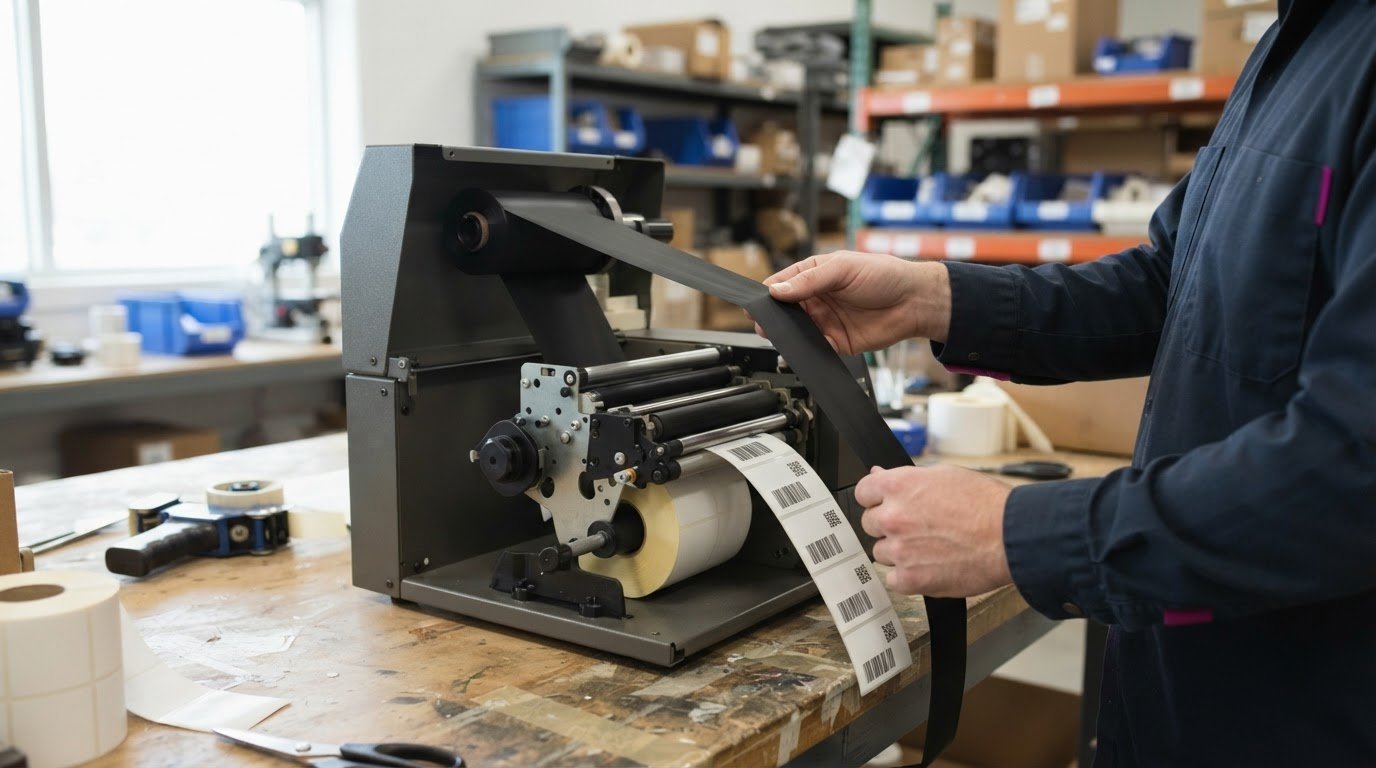
The ribbon that fits the printer isn’t automatically the right one for the job. A 110 mm × 300 m P3 wax-resin ribbon is listed for Toshiba B-FV4T or B-EX4T2 printers, giving you a specific starting point when assessing b-ext2 ribbons.
When choosing a ribbon, match its width, roll length and material to your printer and label requirements. Checking these details alongside the printer model helps you select a supply suited to your setup.
This article explains what B-EXT2 ribbons are and how to identify a suitable option. You’ll learn which printer and ribbon specifications to compare, how wax-resin ribbon fits into the choice, and what to consider for your application. The aim is a clear, practical way to narrow down the right ribbon without relying on the name alone.
Key Takeaways
- Start with the exact printer model, then compare the ribbon’s width, length and material with your printing requirements.
- A 110 mm × 300 m P3 wax-resin ribbon is listed for Toshiba B-FV4T and B-EX4T2 printers.
- Consider the label stock and print application when deciding whether a wax-resin ribbon is a suitable match.
- OptiMediaLabs Canada offers Thermal Transfer Ribbons for businesses choosing supplies for their printing setup.
B-ext2 ribbons
Start by matching the ribbon to the printer model, then compare the ribbon’s width, length and material with your printing requirements. One listed option is a 110 mm × 300 m P3 wax-resin ribbon for the Toshiba B-FV4T or B-EX4T2. That specification gives you a concrete reference point, but the printer name alone doesn’t describe every ribbon detail.
The term “B-EXT2” can be confused with a printer model designation. Toshiba B-EX4T2 is a printer model, while a ribbon is a separate consumable used in thermal transfer printing. The European Commission defines a consumable as a product integral to imaging equipment that is replaced, refilled or emptied during normal use. A thermal transfer ribbon fits that role because it is replaced as printing supplies are used.
Read the ribbon specifications
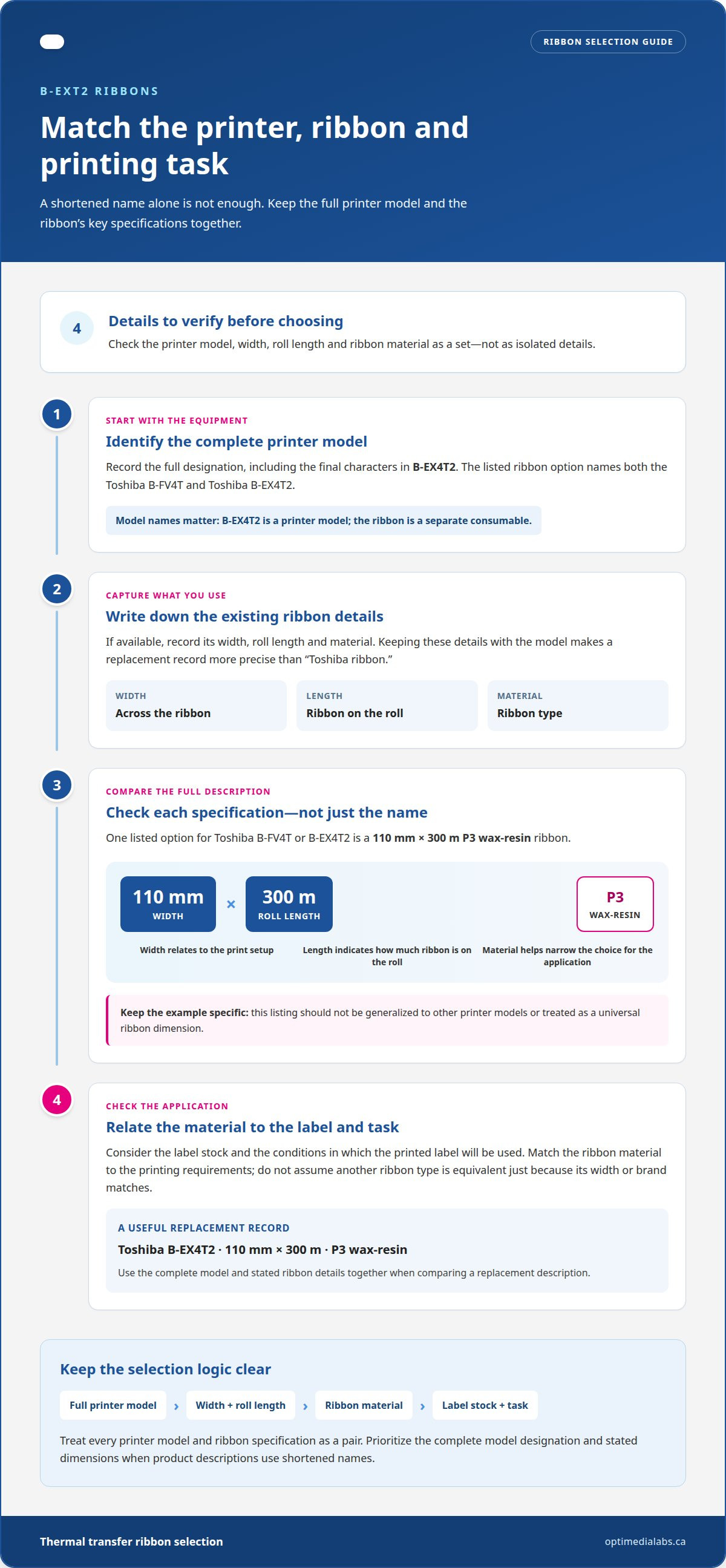
Use the listed 110 mm × 300 m P3 wax-resin option to understand the information a product description can contain. The first measurement is the ribbon width, the second is its length, and P3 wax-resin identifies its ribbon type. These details answer different questions: width relates to the print setup, length indicates how much ribbon is on the roll, and material helps narrow the choice for the application.
- Printer model: Match the full model name, such as Toshiba B-FV4T or Toshiba B-EX4T2.
- Width: Compare the listed ribbon width, such as 110 mm, with the width required by the setup.
- Length: Compare the roll length, such as 300 m, with the supply format you need.
- Ribbon type: Note whether the specification says P3 wax-resin rather than relying on a partial product name.
Keep these details together when identifying a replacement. For example, recording “Toshiba B-EX4T2, 110 mm × 300 m, P3 wax-resin” is more useful than writing only “Toshiba ribbon.” It preserves the printer model and the three ribbon attributes that distinguish the listed option. This is especially helpful when a purchasing record uses a shortened name.
Match the ribbon to the printing task
After confirming the printer model, consider the label stock and the conditions in which the printed label will be used. A material choice should reflect the application, not just the printer family. For instance, the listed P3 wax-resin option gives you a specific material description to compare against your printing requirements. Don’t assume another ribbon type is equivalent because it shares a width or brand.
Width deserves careful attention. A ribbon must suit the printer’s setup and the label-printing task; a 110 mm ribbon is a specific dimension, not a universal recommendation. Likewise, a 300 m roll tells you its length, but doesn’t establish that every printer or workflow uses that roll format. Use the full printer model and product specification together.
For a replacement decision, follow this sequence:
- Identify the printer’s complete model name, including the final characters in B-EX4T2.
- Write down the existing ribbon’s width, length and material, if available.
- Compare each detail with the replacement description, not just its shortened name.
- Relate the ribbon material to the label stock and the printing task.
This process helps distinguish a compatible-looking name from a properly specified ribbon. A Toshiba B-FV4T and Toshiba B-EX4T2 are both named for the listed 110 mm × 300 m P3 wax-resin option, but that example shouldn’t be generalized to other models. Treat every printer model and ribbon specification as a pair. When product descriptions use abbreviations, prioritize the complete model designation and stated dimensions.
The practical takeaway is straightforward: identify the exact printer first, then match the ribbon’s specifications to the task. The phrase b-ext2 ribbons may point readers toward Toshiba B-EX4T2 supplies, but the useful selection details are the full model, width, roll length and ribbon material. Keeping those details together makes the next ribbon choice more precise.
OptiMediaLabs Canada: Thermal Transfer Ribbons
OptiMediaLabs Canada offers Thermal Transfer Ribbons for businesses selecting ribbon supplies for their printing setup. If you’ve identified your printer model and the ribbon specifications you need, this is the natural next step for sourcing thermal transfer ribbon options.
Use the printer model, ribbon width, roll length and material as your key selection details. These specifications help distinguish a Toshiba ribbon requirement from other thermal transfer ribbon needs and keep your choice aligned with your equipment and application.
For other label-production needs, OptiMediaLabs also offers Afinia colour label printers, RFID label printers and Afinia label cutters and finishers. These products support different parts of a printing setup, while ribbons are a consumable supply. Browse OptiMediaLabs' thermal transfer ribbons for your printing needs.
Make your next ribbon choice part of a smoother supply plan
Use your printer and ribbon specifications as a consistent reference in future purchasing decisions. Keeping that information with your equipment and label-stock records can make reordering more straightforward, especially when different printers serve different tasks. For b-ext2 ribbons, the useful next step is to connect the right supply choice with the broader needs of your printing setup.
OptiMediaLabs Canada also offers Afinia Color Label Printers and RFID Label Printers. These options may be relevant when you’re planning equipment or supply needs alongside thermal transfer printing. Choose based on the equipment and application involved, rather than treating every printing requirement as the same.
If you’re ready to discuss a ribbon requirement or related printing needs, contact OptiMediaLabs Canada. A clear record of your printer model and application can help you take the next step with confidence.