
BarTender Software Canada: The Complete 2026 Implementation Guide
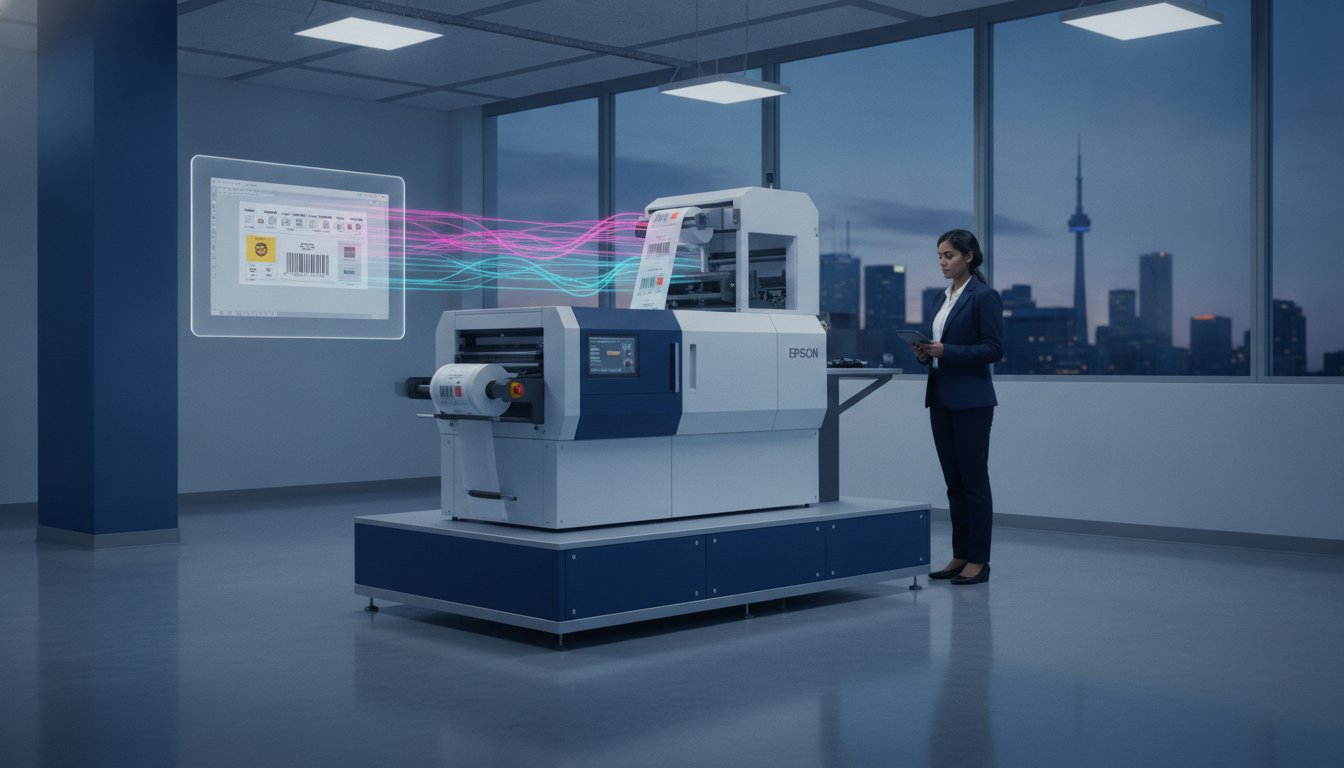
A single labelling error under Canada’s 2026 front-of-pack regulations can halt your entire production line and trigger costly retail rejections. You likely realize that manual data entry and rigid templates aren't just slow; they're a liability when using BarTender software Canada to meet GHS, GS1, or Health Canada mandates. Managing these complex requirements while trying to maintain printing speed is a constant challenge for any Canadian facility manager.
This guide shows you how to implement a centralized, automated system that integrates perfectly with your Afinia or Epson colour label printers. You'll learn how to select the right edition for your specific needs and set up seamless workflows that eliminate shipping delays. We'll explore the latest version 12.3 features, including hybrid cloud coordination and automated nutrition symbols, to ensure your business remains compliant and highly efficient.
Key Takeaways
- Understand why BarTender software Canada is the essential ecosystem for automating industrial labelling and reducing manual data entry errors in your facility.
- Identify the ideal edition for your business by comparing database connectivity and multi-site management features across Starter, Professional, and Enterprise tiers.
- Ensure full compliance with 2026 Canadian mandates, including the new front-of-pack nutrition symbols and GHS chemical safety standards.
- Streamline hardware integration with Afinia and Epson colour label printers using optimized Seagull drivers for superior print quality and media alignment.
- Leverage advanced 2026 capabilities like BarTender Cloud and RFID encoding to support decentralized teams and enhance real-time inventory tracking.
What is BarTender Software and Why is it the Canadian Industry Standard?
BarTender by Seagull Scientific is much more than a simple design tool; it's a comprehensive labelling ecosystem that centralizes design, printing, and management. For organizations sourcing BarTender software Canada, the platform represents a technical authority in data-driven production. Leading enterprises rely on BarTender barcode labeling software to manage complex information across massive printer fleets. It creates a unified environment where a label designed in a Montreal head office prints with perfect accuracy in a Calgary distribution centre. This reliability is why it remains the top choice for Canadian businesses that cannot afford downtime or compliance errors.
The software functions as an all-in-one solution for creating barcodes, QR codes, and RFID tags. It replaces fragmented workflows with a single, secure interface. By integrating directly with existing ERP and WMS systems, it removes the need for manual data entry. This specialized approach establishes immediate credibility with knowledgeable buyers who require precision and speed. It's the critical link that ensures your digital data translates perfectly into a physical, scannable asset on your production line.
The Evolution of Labelling in Canada
Labelling has moved from a manual back-office task to a mission-critical automated process. Previously, Canadian operators often typed variable data into static templates, leading to frequent shipping delays and expensive retail rejections. The modern shift toward cloud-based labelling now allows multi-site operations to synchronize their data in real-time. BarTender 2026 addresses these logistics challenges by offering hybrid architectures. These systems combine the high-speed performance of on-premises printing with the administrative flexibility of the cloud. This evolution ensures that Canadian supply chains remain resilient despite tightening labour markets and shifting international trade requirements.
Core Capabilities for Canadian Facilities
Canadian manufacturers prioritize BarTender over basic design tools because of its specialized technical depth. Intelligent Templates™ are a primary differentiator. These templates use conditional logic to adapt content based on specific database triggers, which drastically reduces document clutter. Instead of managing hundreds of separate files, you manage one dynamic template. BarTender serves as the essential bridge between complex business data and physical label output.
The software also provides industry-leading support for RFID encoding and sophisticated 2D barcodes. These features are increasingly mandatory for major Canadian retailers and healthcare providers. By leveraging its library of over 12,000 printer drivers, BarTender software Canada ensures that your hardware performs at its peak. This technical precision creates a secure, streamlined path to obtaining necessary resources and maintaining operational stability.
BarTender Editions: Comparing Starter, Professional, Automation, and Enterprise
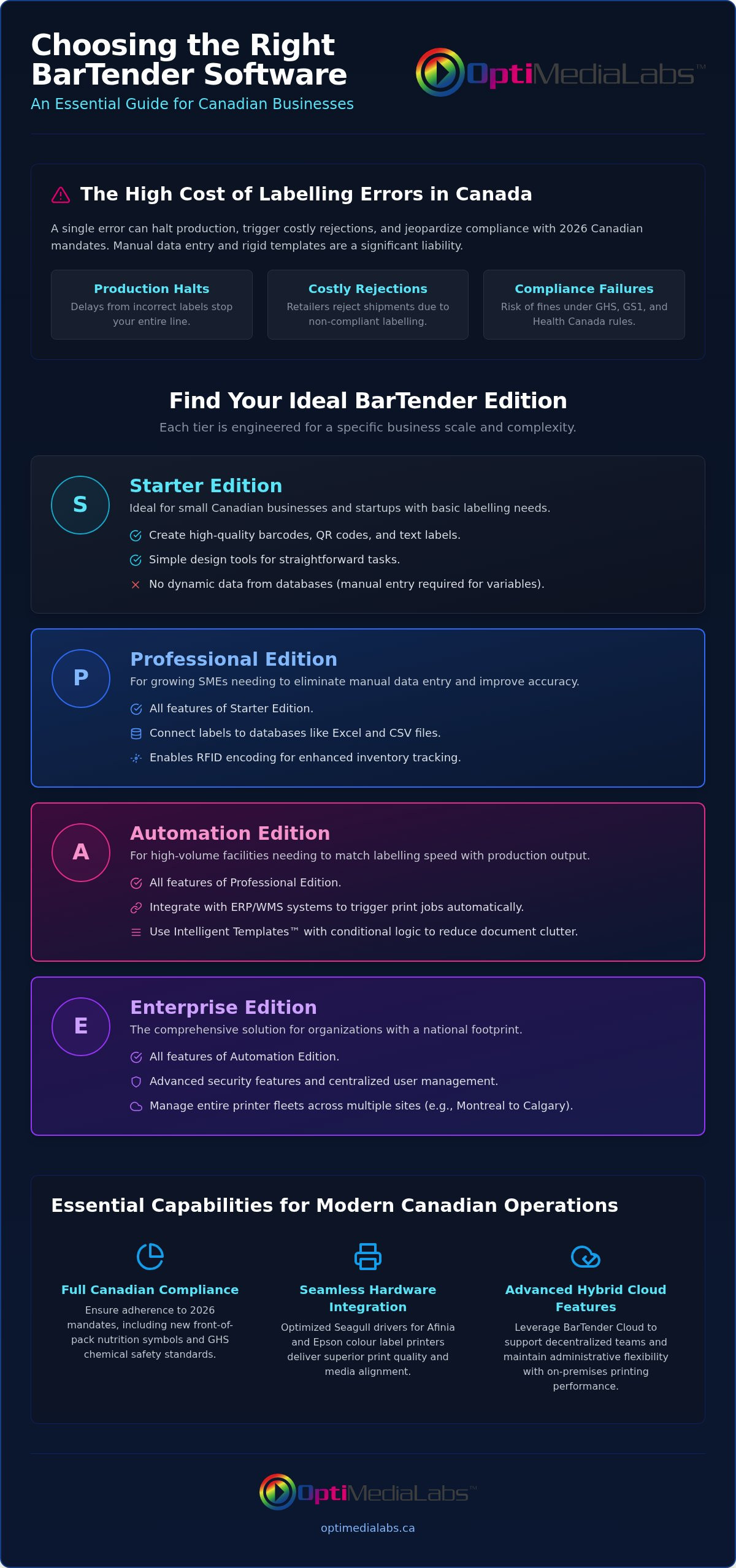
Selecting the appropriate edition of BarTender software Canada is the first step toward an optimized production line. Each tier is engineered to solve specific operational challenges, ranging from basic design needs to national, multi-site management. Understanding these distinctions ensures you don't overspend on unnecessary features while securing the tools required for your specific volume. This technical precision creates a stable foundation for your labelling operations.
Feature Breakdown by Business Scale
The Starter Edition is the entry point for small Canadian businesses that require high-quality barcodes without complex data needs. It's a practical choice for local boutiques or startups. However, most growing SMEs quickly transition to the Professional Edition. This tier introduces database connectivity, allowing you to link your designs to Excel or CSV files. This shift is critical because it eliminates the manual typing that frequently leads to shipping delays and errors. It's an efficient move for businesses that realize the value of data accuracy.
High-volume facilities typically require the Automation Edition. This version allows you to trigger print jobs directly from your ERP or WMS, ensuring your labelling speed matches your production output. For organizations with a national footprint, the Enterprise Edition provides comprehensive control. It includes advanced security features and centralized management for your entire printer fleet. This level of oversight is essential for maintaining Canadian regulatory compliance for labeling across diverse product categories and multiple provinces.
Licensing and Procurement in Canada
BarTender uses a printer-based licensing model. You license the software based on the number of physical printers you intend to use, which allows for an unlimited number of users across your network. This model provides excellent scalability as your business grows. Choosing the correct tier initially is vital for a fast ROI; while upgrading is possible, starting with the right features prevents immediate production bottlenecks. It's a grounded approach to resource management.
Purchasing through a national label printer distributor offers significant advantages. You gain access to specialized expertise in your own time zone and ensure your software is perfectly matched to your hardware. If you're unsure which edition of BarTender software Canada fits your 2026 growth strategy, consult with a technical expert to find the most efficient path forward. This partnership ensures you have the support needed to implement version 12.3 features like hybrid cloud coordination and real-time inventory tracking.
How to Set Up BarTender for Canadian Regulatory Compliance
Compliance in the Canadian market is a moving target that requires technical precision and constant vigilance. Using BarTender software Canada allows your facility to automate regulatory updates rather than reacting to them manually. Whether you're managing chemical safety or food packaging, the platform provides specialized wizards that align your output with federal mandates. This approach reduces the risk of costly penalties and retail rejections while maintaining high-speed production.
Integrating GS1 barcode label software is essential for businesses operating in the retail and medical sectors. By adhering to GS1 Canada barcode standards, you ensure your products move through the supply chain without friction. BarTender simplifies this by providing pre-configured templates that meet these exact specifications, allowing you to focus on output rather than formatting.
GHS and Chemical Safety Labels
Canadian GHS requirements demand specific pictograms and signal words derived from your Safety Data Sheets (SDS). BarTender's conditional logic automatically selects the correct hazard symbol based on your database information. It's vital to automate the inclusion of both French and English text to meet bilingual compliance standards in every province. This automation ensures that your labels remain accurate even as chemical formulations or regulations change. For harsh industrial environments, ensure your hardware and ribbons are rated for durability to prevent label degradation during transit or storage.
Food and Nutraceutical Compliance
As of January 1, 2026, new front-of-pack (FOP) nutrition labelling regulations are mandatory across Canada. Prepackaged foods exceeding specific thresholds for saturated fat, sugars, or sodium must display the black and white FOP nutrition symbol on the front of the package. BarTender software Canada handles these complex graphic requirements through dynamic templates that pull data directly from your nutritional analysis software, ensuring the symbol is sized and placed correctly every time.
Effective lot tracking and expiry date automation are equally critical for food safety and inventory management. The software allows you to implement real-time serialization, which is indispensable during a product recall. When choosing a label printer for health products, ensure it supports the high-resolution printing required for small, legible text on nutraceutical packaging. This technical synergy between software and hardware creates a reliable, compliant production environment that protects both the consumer and your brand.
Step-by-Step: Integrating BarTender with Your Industrial Hardware
Hardware integration is where your digital compliance strategy becomes a physical reality. For businesses using BarTender software Canada, the setup process must be methodical to ensure the software communicates correctly with high-performance printers. This technical alignment prevents media waste and ensures every barcode is retail-ready. Follow these five steps to establish a secure, streamlined path from design to print.
- Step 1: Install Seagull Drivers. These drivers are specifically engineered for BarTender to unlock advanced features in Afinia Color Label Printers. Standard Windows drivers often lack the bidirectional communication needed for real-time status monitoring.
- Step 2: Configure Page Setup. Match your digital canvas to your physical media dimensions exactly. Even a 1mm discrepancy can cause cumulative drift over a long print run.
- Step 3: Connect your data source. Link your template to an Excel sheet, SQL database, or ERP system. This step enables the automation of variable data, pulling information directly from your business records.
- Step 4: Design with Intelligent Templates. Use conditional logic to handle variable data. This ensures that elements like GHS pictograms or bilingual French text only appear when the specific data triggers them.
- Step 5: Execute a test print. Verify colour accuracy and scannability. Use a dedicated barcode verifier to ensure your output meets GS1 standards before starting a full production run.
Optimizing for Afinia and Epson Printers
High-end hardware requires precise software calibration to achieve professional-grade results. When using Epson ink cartridges, adjust the colour profiles within BarTender to match the specific ink and media type. This ensures vibrant output that remains legible and durable. For post-print processing, utilize specialized drivers to coordinate with Afinia label cutters & finishers. This integration allows the software to manage cut marks and registration, ensuring high-resolution output for small text and intricate logos is perfectly aligned during the finishing process.
Troubleshooting Common Integration Issues
Driver conflicts are the most common cause of communication errors. Always ensure you've uninstalled generic drivers before installing the Seagull versions to prevent system confusion. If you face alignment issues with pre-die-cut labels, check your sensor settings within the driver's media handling tab. It's essential to match your software DPI settings to your printer hardware resolution to avoid pixelated barcodes or distorted text. If you need assistance configuring your BarTender software Canada environment for specific industrial hardware, contact our technical support team for expert guidance.
Maximizing Efficiency: Advanced BarTender Features for 2026
Operational efficiency in 2026 relies on moving beyond static, local software installations. BarTender software Canada version 12.3 offers a hybrid architecture that bridges the gap between on-premises speed and cloud flexibility. This allows managers to deploy the BarTender Print Portal, a secure, browser-based interface that enables authorized staff to print labels from any location across the country. It's a practical solution for companies with remote warehouses that need to maintain strict version control without installing full software suites at every site. This technical authority ensures that your labelling remains consistent regardless of where the print job is triggered.
The BarTender Integration Builder further enhances this by automating complex workflows. You can trigger print jobs automatically from CSV, XML, or JSON files dropped into a watched folder. This "File Drop Automation" removes the human element from the printing process, which significantly reduces the risk of manual data entry errors. It creates a frictionless experience where your labelling system reacts instantly to new data from your WMS or ERP. This specialized approach reinforces your position as a premium provider that values precision and speed.
RFID and Next-Gen Tracking
Implementing RFID encoding is a technical requirement for modern logistics and asset tracking in the Canadian supply chain. When setting up RFID label printers, BarTender allows you to encode the tag's memory chip while simultaneously printing visual barcodes and text. This dual-layer approach ensures that your items remain trackable even if the physical label is damaged. Best practices for 2026 include utilizing high-speed RFID tag verification within the software to confirm every chip is written correctly before it leaves the facility. This level of precision is essential for maintaining a secure and transparent supply chain that meets international standards.
Centralized Management for National Operations
National organizations must standardize their labelling to ensure brand consistency and regulatory compliance across all provinces. BarTender software Canada provides the tools to monitor printer status and ink levels remotely, allowing IT teams to troubleshoot issues without being on-site. You can manage your entire printer fleet from a single dashboard, ensuring that every facility uses the most current, approved templates. This centralized oversight minimizes the risk of local operators using outdated designs that could lead to compliance failures. It feels like a stable, established path to maintaining quality across diverse locations. To begin modernizing your labelling environment, explore our BarTender software options and find the edition that supports your 2026 automation goals today.
Future-Proof Your Labelling Operations
Secure your production line by moving beyond manual data entry and fragmented systems. Selecting the right edition of BarTender software Canada ensures your facility remains compliant with 2026 GHS and Health Canada mandates. You've learned how version 12.3 features like hybrid cloud coordination and Intelligent Templates drive printing efficiency. This technical alignment is the foundation of a resilient Canadian supply chain. It protects your brand from retail rejections and ensures operational stability.
OptiMediaLabs is an authorized Seagull Scientific partner. We provide expert technical support for Canadian manufacturers and a full suite of compatible Afinia and Epson hardware. Our goal is to facilitate a secure, streamlined path to your labelling resources. We're ready to assist with your specific configuration needs. We value precision and customer satisfaction in every partnership.
Contact our technical team today to start your automation journey. Let's optimize your facility for the year ahead and ensure your printing environment is ready for 2026.
Frequently Asked Questions
Is BarTender software compatible with all thermal printers in Canada?
Yes, BarTender supports over 12,000 printer models through its extensive Seagull Driver library. This includes major brands like Zebra, TSC, and Toshiba commonly found in Canadian distribution centres. While it works with virtually any thermal printer, utilizing these optimized drivers ensures you access specific hardware features like media sensors and high-speed throughput. This technical precision prevents media waste and ensures consistent print quality across your entire fleet.
What is the difference between BarTender and NiceLabel for Canadian businesses?
BarTender is widely recognized for its deep Seagull Driver integration and robust Intelligent Templates, while NiceLabel focuses on a familiar Microsoft-like interface. Both platforms offer enterprise-grade automation and reliability. For many organizations, the choice depends on existing hardware compatibility and whether you require the specific hybrid cloud features found in the latest version of BarTender software Canada to manage multi-site operations efficiently.
Can I use BarTender to print GHS-compliant chemical labels?
Yes, BarTender includes built-in GHS compliance wizards and specialized templates designed for chemical labelling. The software automatically handles the placement of mandatory pictograms, signal words, and hazard statements based on your SDS database. This automation is critical for meeting Canadian safety standards without managing hundreds of static files. It ensures that every label remains accurate even as chemical formulations or federal regulations change.
Does BarTender support bilingual French and English label design?
Yes, BarTender handles bilingual labelling requirements efficiently through conditional logic and database connectivity. You can store French and English text in your ERP and have the software automatically populate both on a single template. This feature is essential for any BarTender software Canada implementation, as it ensures compliance with federal bilingual packaging mandates across all provinces without requiring separate designs for different regions.
How does BarTender licensing work for multiple printers?
BarTender uses a printer-based licensing model that allows for an unlimited number of users and workstations on your network. You only pay for the number of physical printers that actually execute print jobs. This model is highly scalable for growing Canadian organizations. You can easily add more printer seats to your license as your production volume increases, making it a cost-effective solution for facilities with expanding hardware requirements.
Can I integrate BarTender with my existing ERP system like SAP or Oracle?
Yes, BarTender integrates seamlessly with SAP, Oracle, and other major ERP systems using the Integration Builder tool. This allows you to trigger print jobs automatically when data is updated in your business system. The Automation and Enterprise editions are required to unlock these sophisticated workflows. These integrations eliminate the need for manual intervention on the production floor, which significantly reduces the risk of data entry errors.
Is there a free version of BarTender available for trial in Canada?
Yes, a 30-day fully functional trial version is available for Canadian users to test all features, including Enterprise-level automation. This trial allows you to verify compatibility with your Afinia or Epson hardware before committing to a subscription. It's a practical way to ensure the software meets your specific workflow needs. Once the trial period ends, the software can still be used in a limited capacity for basic design tasks.
What kind of support is available when I buy BarTender through a Canadian distributor?
Purchasing through an authorized Canadian distributor provides access to local technical support in your own time zone. You receive specialized assistance with initial setup, driver configuration, and hardware integration for industrial printers. This partnership ensures you have a dependable expert available to resolve technical issues quickly. It creates a secure, streamlined path to maintaining operational stability and maximizing the return on your software investment.