
Choosing a Label Printer: Guide for Canadian Businesses
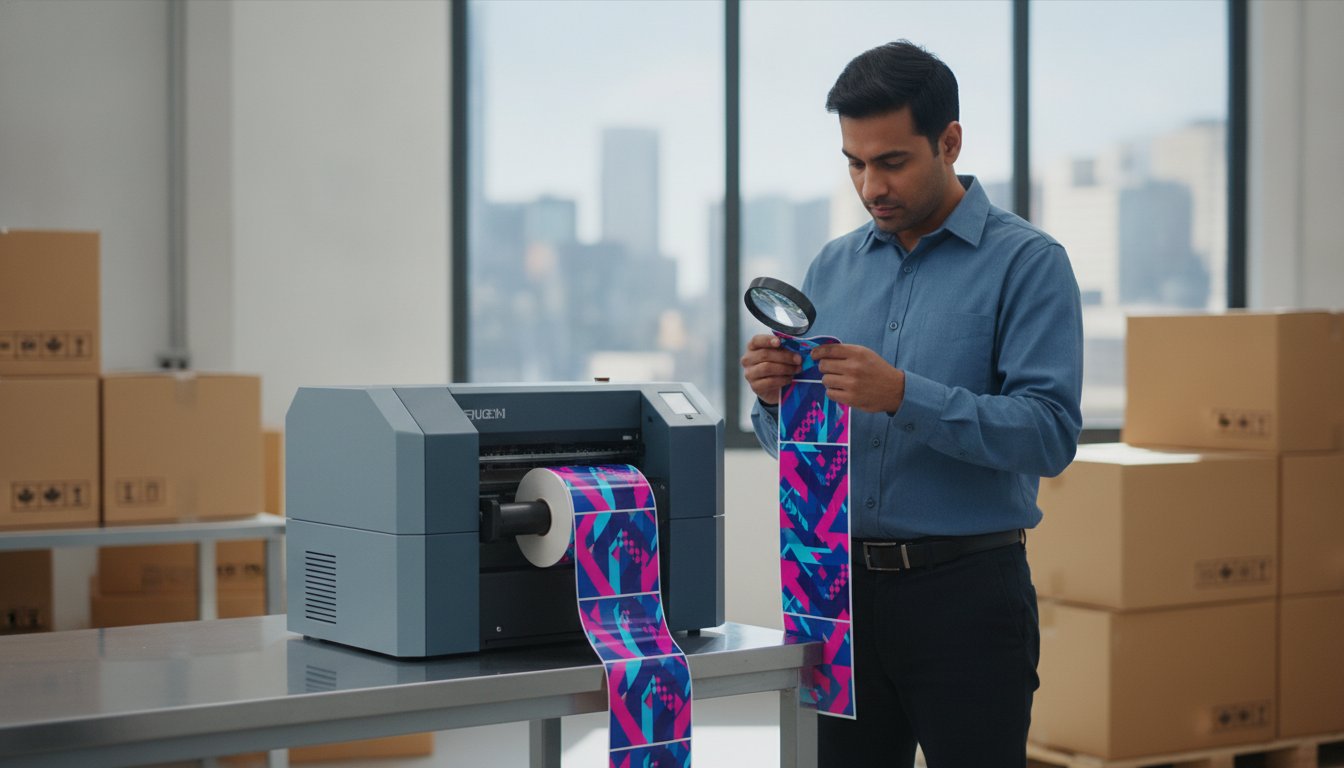
The 40 billion dollar e-commerce market in Canada is forcing local businesses to rethink their packaging strategy. If you're still outsourcing your labels, you're likely paying a significant markup for the convenience of someone else's production schedule. Understanding how to choose a label printer is no longer just a basic procurement task. It is a strategic move to protect your margins and gain control over your supply chain. You likely feel the frustration of high per-label costs and the technical confusion between thermal transfer and inkjet systems. We recognize the pressure of meeting the January 1, 2026, front-of-package nutrition labelling deadline while trying to scale your operations.
You'll learn how to evaluate printing technology, volume requirements, and total cost of ownership to select the ideal label printer for your specific environment. We provide a clear framework for comparing industrial hardware from brands like Afinia and other trusted manufacturers. This guide covers everything from GHS compliance to workflow automation. By the end, you'll have the technical insight needed to ensure your investment supports long-term growth without unnecessary technical debt.
Key Takeaways
- Identify specific environmental factors and application surfaces to ensure your labels remain legible and secure in any Canadian climate.
- Learn how to choose a label printer by evaluating the trade-offs between monochrome thermal transfer durability and professional-grade inkjet colour.
- Match your production volume to the correct form factor to avoid overspending on industrial hardware or outgrowing a desktop unit too quickly.
- Determine your true per-label cost by comparing consumable requirements for specialized materials like thermal ribbons, ink, and synthetic media.
- Streamline your procurement process by prioritizing local Canadian availability for hardware and supplies to prevent costly production downtime.
Step 1: Define Your Label Requirements and Environment
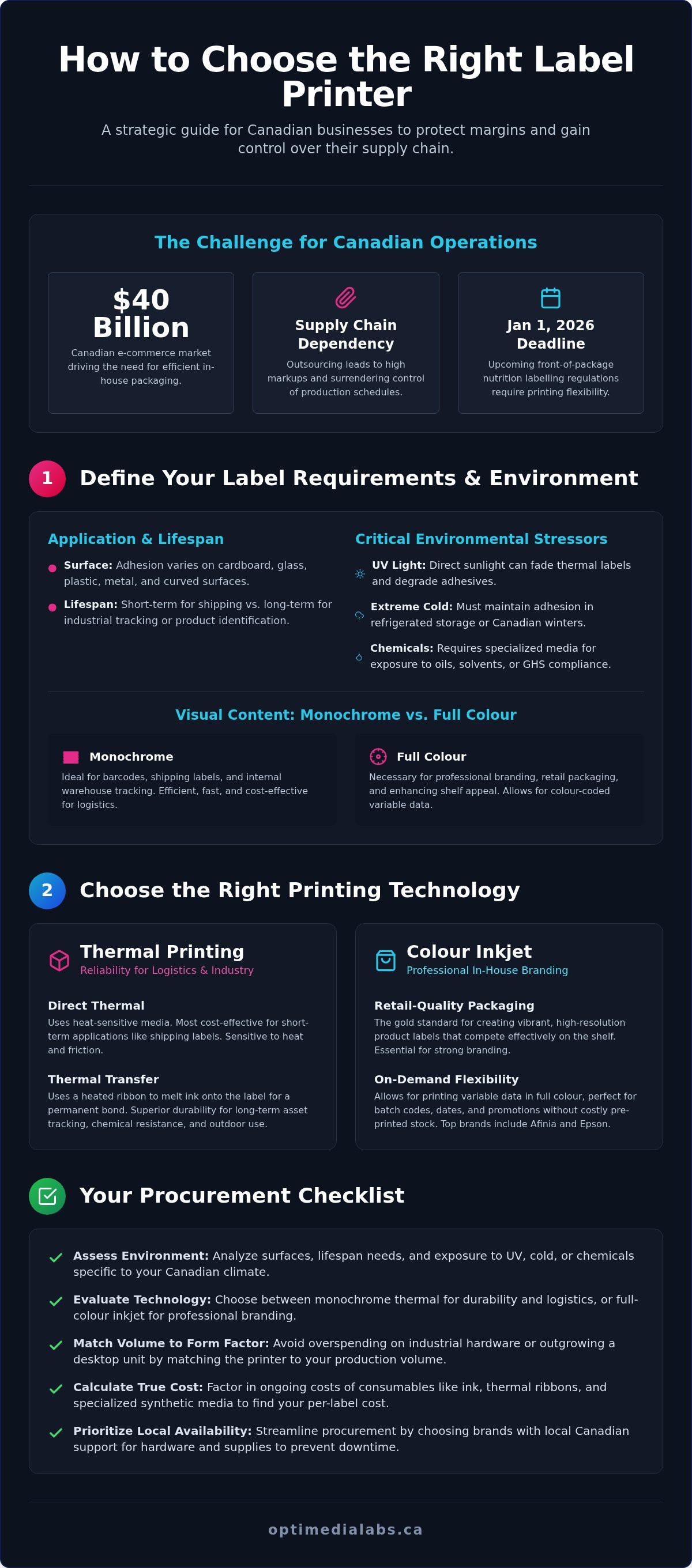
Before browsing hardware, you must audit your specific operational needs. Learning how to choose a label printer starts with identifying the primary function of your labels. A shipping label for a cardboard box requires different adhesive and print technology than a high-resolution branding label for a glass bottle. Each application dictates the necessary durability and print quality.
Evaluate your application surface carefully. Adhesives react differently to plastic, metal, and curved glass. A label that adheres to flat cardboard might peel away from a small-diameter vial or a textured container. When determining how to choose a label printer, you also need to assess the required lifespan. Shipping labels only need to survive a few days in transit. In contrast, industrial tracking labels or product identification tags must remain legible for years to ensure traceability.
Environmental stressors are a critical factor for Canadian businesses operating in diverse climates. Consider these variables during your evaluation:
- Exposure to UV light: Direct sunlight can fade thermal labels and degrade certain adhesives over time.
- Extreme cold: Labels must maintain adhesion in refrigerated warehouses or during winter transport across Canada.
- Chemical contact: Exposure to oils, cleaning agents, or industrial solvents requires specialized topcoats and compatible ribbons.
Determining Visual Content: Text vs. Full Colour
Decide if your operation relies on simple monochrome barcodes or high-resolution branding. Monochrome thermal printers are efficient for warehouse tracking and logistics. However, if you want to enhance shelf appeal for retail packaging, color label printers are necessary. Retail environments demand professional-grade aesthetics to compete effectively on the shelf.
Analyze your need for variable data. If you require colour-coded lot numbers or expiration dates to streamline inventory management, digital inkjet technology provides the flexibility you need. This allows for on-demand changes without the high cost of maintaining a large inventory of pre-printed stock.
Environmental Durability Standards
Durability requirements often dictate your technology choice. For instance, GHS compliance for chemical labelling in Canada mandates specific resistance to abrasion and chemical exposure. If your labels will face high-moisture environments, such as craft beer cold storage or outdoor nursery applications, you need pigment-based inks or thermal transfer label printers that resist smudging.
Selecting the wrong combination of media and ink leads to compliance failures and brand damage. Focus on matching your material to the specific rigours of your supply chain. This foundational step ensures you don't overspend on features you don't need while securing a unit that performs under pressure.
Step 2: Choose the Right Printing Technology
Selecting the right print engine is the most critical technical decision in your procurement process. It determines your ongoing consumable costs and the physical resilience of your labels. When researching how to choose a label printer, you will primarily encounter two categories: thermal and inkjet. Each serves a distinct operational purpose based on the required output and environment.
Thermal Printing: Reliability for Logistics
Thermal technology remains the standard for logistics and warehouse management due to its reliability and low maintenance. Direct Thermal printing is the most cost-effective solution for short-term applications. It uses heat-sensitive media that darkens when it passes under the print head. This method is ideal for shipping labels that only need to remain legible for the duration of a delivery. However, these labels are sensitive to heat and friction, which can cause them to darken or fade over time.
For industrial applications requiring longevity, thermal transfer is the superior choice. This technology uses a heated ribbon to melt ink onto the label surface, creating a permanent bond. These labels resist smudging, chemicals, and extreme temperatures. If your operations involve long-term asset tracking or outdoor storage, you should explore options for thermal transfer label printers.
Colour Inkjet: Professional In-House Branding
If your goal is retail-quality packaging, colour inkjet technology is the gold standard. Brands like Afinia and Epson lead the market by offering high-speed, high-resolution output that rivals traditional press printing. This technology allows businesses to eliminate the need for large inventories of pre-printed labels. Knowing how to choose a label printer for branding involves evaluating the trade-off between production speed and ink durability.
The choice of ink chemistry is vital here. Dye-based inks offer the most vibrant colours and are perfect for high-end retail products where visual impact is the priority. Pigment-based inks provide better resistance to moisture and UV light, making them the preferred choice for GHS-compliant chemical labels. For high-volume production, MEMJET technology offers incredible speeds without sacrificing clarity. You can find more details in our Afinia Color Label Printers Guide.
Beyond standard visuals, consider if your logistics chain requires RFID encoding. RFID-enabled printers can program chips embedded in labels, allowing for automated tracking without line-of-sight scanning. If you aren't sure which technology fits your current workflow, speak with our technical team for a tailored recommendation.
Step 3: Match Form Factor to Production Volume
Selecting the physical footprint of your hardware is as vital as choosing the print engine itself. When determining how to choose a label printer, you must evaluate your daily throughput and the physical environment where the unit will reside. Hardware is generally categorized into three form factors: desktop, industrial, and portable. Each is engineered for a specific duty cycle, which refers to the number of labels the machine can reliably produce in a day without mechanical failure.
Desktop printers are ideal for small batches and light-duty office environments. These units typically handle a few hundred labels per day and utilize smaller media rolls. For businesses seeking specialized desktop solutions, DymoOnline provides a comprehensive range of hardware and accessories designed for these light-duty tasks. If your production requirements involve thousands of labels per shift, an industrial model is required. Industrial printers feature internal metal frames instead of plastic housings, making them resilient on harsh warehouse floors. They are built for 24/7 operation and accommodate high-capacity rolls, which significantly reduces the time spent on media changes. Understanding how to choose a label printer requires a realistic look at your growth projections to avoid outgrowing your hardware within months.
For on-site labelling and warehouse tracking, portable or handheld printers are essential. These allow staff to generate barcodes at the point of application, reducing errors and improving workflow efficiency. However, these units have limited battery life and media capacity, so they should supplement, rather than replace, your primary stationary units.
When to Upgrade to an Industrial Model
You'll know it's time to upgrade when your current desktop unit fails to keep up with demand. Common signs include frequent mechanical jams, overheating, or excessive downtime for roll changes. Upgrading to an industrial unit provides more than just speed. It offers better tension control for larger media rolls and more robust print heads that can withstand continuous friction. Investing in industrial hardware prevents the hidden costs associated with overworking light-duty equipment.
Finishing and Cutting Requirements
Consider how you will process the labels once they leave the printer. You can choose pre-die-cut labels on a roll or use continuous media with a built-in cutter. For high-volume branding, a digital label finisher allows you to laminate and cut custom shapes without the need for physical dies. This provides ultimate flexibility for short-run product variations. You can learn more about Afinia label cutters and finishers to see how these systems streamline post-print workflows. Integrating a cutter or finisher ensures your packaging looks professional while reducing manual labour in the warehouse.
Step 4: Calculate Consumables and Software Costs
Calculating the Total Cost of Ownership (TCO) is a critical step in learning how to choose a label printer. While the initial hardware price is a visible expense, the long-term costs of ink, ribbons, and media often exceed the purchase price of the printer within the first year of operation. You must analyze the cost-per-label based on your specific design and volume. Inkjet systems require a breakdown of ink consumption per square inch, while thermal transfer systems depend on the matching ribbon length for every roll of labels used.
Selecting the right label media is equally important for cost efficiency and performance. Standard paper labels are the most economical for indoor applications. However, if your products face moisture or refrigeration, you need synthetic materials like BOPP (Biaxially Oriented Polypropylene). For industrial environments with high heat or chemical exposure, polyester or vinyl labels provide the necessary resilience. Ensure your chosen hardware is compatible with these specialized liners and face stocks to avoid mechanical wear.
Factor in the availability of maintenance parts within Canada. Printheads are consumable items that eventually require replacement. Using low-quality ribbons or abrasive media can shorten a printhead's lifespan, leading to premature expenses. Securing a reliable Canadian source for brand-specific parts ensures your production line remains active without waiting for international shipments.
Choosing Thermal Transfer Ribbons
If you select a thermal transfer system, your choice of ribbon determines the durability of the print. Wax ribbons are the most economical option, designed for standard paper labels and shipping tasks. For applications requiring smudge resistance on synthetic materials, a wax-resin blend is appropriate. Resin ribbons provide the maximum durability needed for chemical labelling and extreme environmental conditions. You can browse our selection of Zebra ribbons to find the exact formulation for your industrial hardware.
Label Design and Management Software
Hardware alone cannot manage complex labelling tasks. Professional software like BarTender or NiceLabel is essential for maintaining compliance with Canadian retail and industrial standards. These platforms allow you to automate your workflow by linking your printer directly to an Excel spreadsheet or an ERP database. This reduces manual data entry errors and ensures every label features accurate lot numbers and expiration dates. For a deeper dive into these tools, see our Professional Guide to Barcode Labeling Software.
Understanding how to choose a label printer involves looking beyond the spec sheet to the software ecosystem that supports it. If you need assistance calculating your projected TCO or selecting compatible software, contact our specialists for a detailed cost analysis.
Step 5: Final Evaluation and Procurement in Canada
Learning how to choose a label printer concludes with a rigorous evaluation of your supplier and the logistics of your procurement. Before committing capital, request a physical printed sample using your specific artwork and media. This step is vital to verify colour accuracy and adhesive strength on your containers. Digital proofs often fail to represent how ink interacts with textured or synthetic surfaces. Testing the label in its actual environment, such as a cold storage facility or a retail shelf, prevents expensive errors after the hardware arrives.
Confirm the local availability of consumables to avoid production bottlenecks. If you purchase hardware from a foreign retailer, you risk high customs duties and border delays when ordering replacement ink or labels. Maintaining a consistent supply chain within Canada ensures your production line remains active. Evaluate the warranty and technical support options provided by your distributor. A robust support agreement should include access to technical experts who can troubleshoot software integration or mechanical issues without requiring international shipping.
Finalize your total budget by including more than just the hardware. Your initial investment should cover the printer, professional software licenses, and at least a three-month stock of media. Knowing how to choose a label printer means accounting for these startup costs to ensure a smooth transition to in-house production. Factor in the cost of a spare printhead if your facility operates on a 24/7 schedule to minimize potential downtime.
The Importance of Local Canadian Support
Purchasing from a Canadian distributor allows you to avoid border delays and unpredictable customs duties. It also gives you access to expert advice regarding Canadian labelling regulations, such as the front-of-package nutrition requirements. OptiMediaLabs Canada provides national support across Canada, ensuring you have a reliable partner for hardware, ink, and technical assistance. This local presence simplifies the warranty process and ensures you receive supplies quickly from domestic inventory.
Final Checklist Before Purchase
Perform a final audit of your facility and infrastructure before placing your order. Use this checklist to ensure the hardware integrates seamlessly into your existing workflow:
- Physical Space: Does the unit fit the designated area with enough clearance to change media rolls and perform maintenance?
- Connectivity: Is the printer compatible with your network? Confirm if you require USB, Ethernet, or Wi-Fi connectivity.
- Software Compatibility: Does the hardware support your current ERP or database management system?
Taking these final steps secures your investment and streamlines your packaging workflow. If you are ready to finalize your selection, contact our team to receive a personalized recommendation based on your specific production volume.
Secure Your Production Line with the Right Hardware
Selecting a printer is a long-term investment in your brand's operational efficiency. By prioritizing ink chemistry, environmental durability, and total cost of ownership as discussed, you protect your margins and ensure compliance with Canadian regulations. Understanding how to choose a label printer involves balancing your current production volume with realistic growth projections to avoid early mechanical failure or technical debt. This strategic approach transforms your labelling from a recurring expense into a streamlined, in-house asset.
As an authorized Afinia and Epson distributor, OptiMediaLabs Canada provides specialized technical support and national Canadian shipping from domestic inventory. We help you navigate complex software integrations and media selection to secure your supply chain. Speak with a Canadian labelling expert today to finalize your procurement strategy with confidence. Your transition to high-quality, cost-effective production starts with a partner who understands the unique requirements of the Canadian market.
Frequently Asked Questions
What is the difference between direct thermal and thermal transfer printers?
Direct thermal printers apply heat directly to sensitive media, while thermal transfer printers use a heated ribbon to melt ink onto the label. Direct thermal is ideal for short-lived items like shipping labels. Thermal transfer provides the durability required for long-term storage or harsh environments. Understanding these mechanical differences is a core part of learning how to choose a label printer that fits your specific application.
Do I need a special printer for GHS compliant chemical labels?
GHS compliance requires labels that resist chemicals, abrasion, and saltwater exposure. You need a printer that uses pigment-based inks, such as specific Epson or Afinia models, or a thermal transfer unit with resin ribbons. These combinations must be tested on BS5609-certified media to ensure the labels remain legible under extreme conditions. Standard dye-based inkjet printers are generally not suitable for these rigorous industrial safety requirements.
Can I use any ink or ribbon in my label printer?
You cannot use universal inks or ribbons without risking damage to your hardware. Manufacturers design printheads to work with specific ink chemistries and ribbon formulations. Using third-party consumables often leads to poor print quality, clogged nozzles, or premature printhead failure. Always verify compatibility with your specific model to maintain your warranty and ensure consistent output across every production run in your facility.
Is it cheaper to print labels in-house or outsource them?
What is the best label printer for a small business starting out?
The best starter unit depends on whether you prioritize logistics or branding. For shipping and basic barcodes, a desktop thermal printer offers the best value. If you are launching a retail product, an entry-level colour inkjet printer allows you to produce professional labels in small batches. Evaluating your primary output is the first step in determining how to choose a label printer for a new venture.
Which software is best for designing barcode labels in Canada?
BarTender and NiceLabel are the premier choices for designing labels in Canada. These platforms offer robust tools for barcode generation, serialized data, and GHS compliance. They integrate seamlessly with most professional hardware and allow you to link label templates directly to your existing Excel or ERP databases. This automation reduces manual entry errors and ensures your packaging meets all Canadian retail and industrial standards.
How do I choose between an inkjet and a thermal label printer?
Use colour inkjet printers for high-resolution product branding and retail packaging where visual appeal is critical. Thermal printers are better suited for high-speed monochrome tasks like shipping, asset tracking, and warehouse management. Inkjet systems provide vibrant colours, while thermal systems offer superior durability and lower maintenance for industrial environments. Your choice should align with the required lifespan and visual complexity of your labels.
Are Afinia printers better than Epson for high-volume colour labels?
Afinia and Epson are both industry leaders, but they serve slightly different needs. Afinia models often utilize MEMJET technology to achieve incredible print speeds for high-volume colour production. Epson printers are highly regarded for their pigment ink technology, which offers exceptional durability and moisture resistance. The better choice depends on whether your workflow prioritizes raw output speed or the physical resilience of the finished label.