
Choosing Monthly Output and Scale-Up Needs for the VP600 or VP700
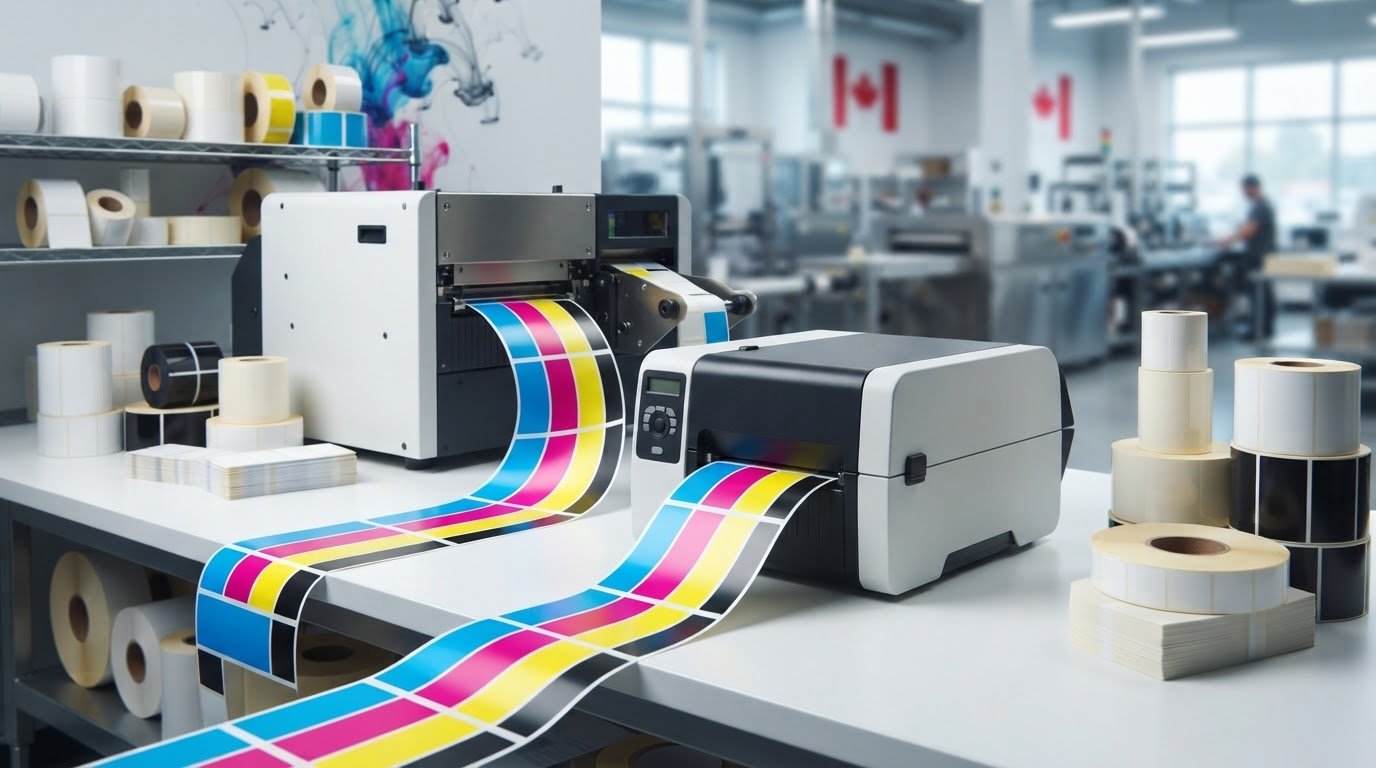
The VP700 is the recommended option for Canadian businesses producing more than 10,000 labels per month. The VIPColor VP600 vs VP700 production capacity benchmark starts with monthly volume, then considers run length and the print settings each label requires.
It makes sense to focus on output when orders are growing, but a monthly label count is only part of the decision. Print speed ranges from 6 to 12 inches per second, depending on model and quality settings, so label size, colour coverage and print quality also affect throughput. Two businesses with the same monthly volume may have different production needs if one prints long, frequent runs and the other produces shorter, varied batches.
This comparison explains how to use the monthly benchmark, where the VP600 and VP700 fit, and what to weigh when planning a scale-up. You’ll get a practical way to compare production needs with printer capacity, understand why a higher-output model may suit a growing workload, and identify when monthly volume points to a different fit.
Key Takeaways
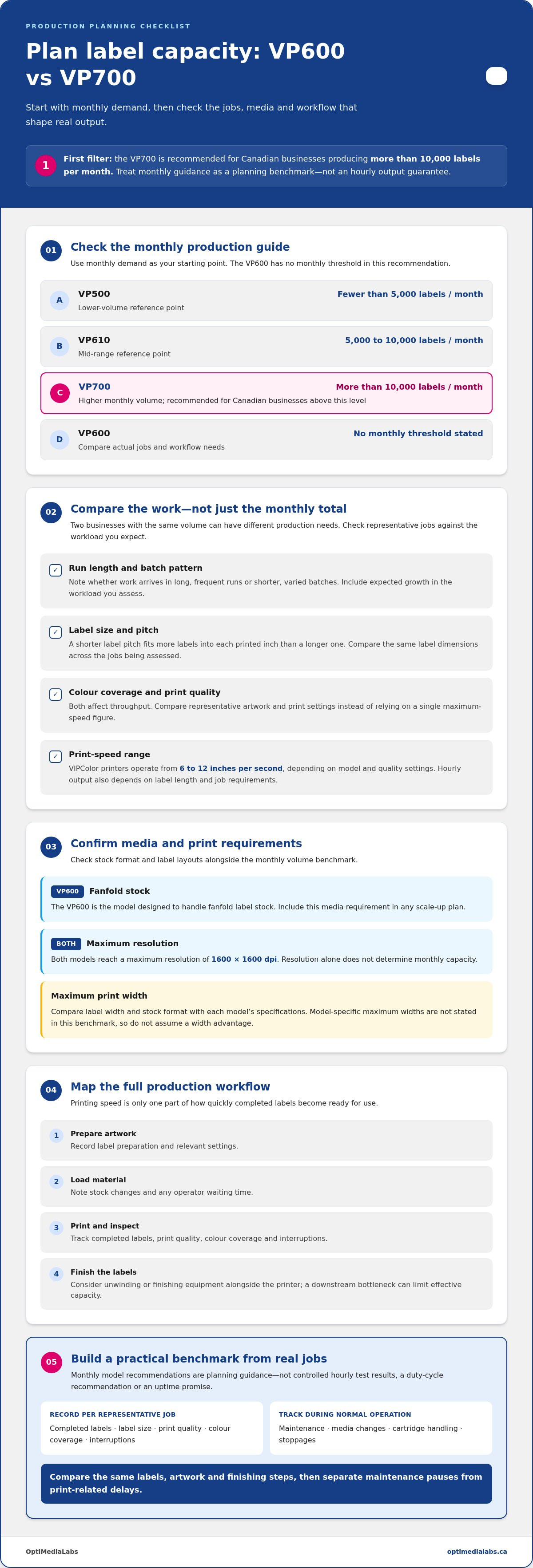
- Use monthly demand as a starting point: the VP700 is recommended for Canadian businesses producing more than 10,000 labels per month.
- Before scaling up, compare your current run lengths and label requirements with the workload you expect to add.
- Estimate hourly output using label length and print speed; the listed range is 6 to 12 inches per second, depending on model and quality settings.
- Check media needs alongside resolution: the VP600 is the model designed to handle fanfold label stock.
- Account for print quality and colour coverage when comparing throughput, since settings and label size affect production speed.
Monthly production-volume recommendations
Use monthly demand as your first filter, then consider job patterns, media needs, and expected growth. The VIPColor VP600 vs VP700 production capacity benchmark is a planning aid, not a substitute for matching your actual workflow.
VP600 hourly output and throughput factors
The VP600’s hourly output depends on label length and selected print speed. VIPColor printers operate from 6 to 12 inches per second, depending on model and quality settings. A shorter label pitch fits more labels into each printed inch than a longer one. Colour coverage and print quality also affect throughput, so compare representative jobs rather than relying on one maximum-speed figure.
VP700 hourly output and throughput factors
The VP700 is recommended for Canadian businesses producing more than 10,000 labels per month. Its hourly output still depends on label length, colour coverage, and quality settings. The monthly recommendation helps identify when to consider the model, but it isn’t a per-hour output guarantee. Compare the same label dimensions and artwork across expected runs to assess how the printer fits your workload.
Independent VP600 and VP700 production benchmarks
What are independent real-world production benchmarks for the VIPColor VP600 and VP700? Treat monthly model recommendations as planning benchmarks, not controlled hourly test results. For an operational comparison, record completed labels, label size, print quality, colour coverage, and interruptions during representative jobs. A useful VIPColor VP600 vs VP700 production capacity benchmark reflects your actual mix of steady repeat runs and shorter, varied batches.
VP600 and VP700 duty cycle and uptime
What are the VP600 and VP700 duty-cycle recommendations, maintenance needs, and expected uptime? Monthly recommendations don’t establish a duty cycle or expected uptime. Track routine maintenance, media changes, cartridge handling, and stoppages during normal operation. Separate maintenance pauses from print-related delays to build a practical view of each model’s workflow without treating monthly output guidance as a promise of uninterrupted production.
Use these monthly production recommendations as a starting point:
| Model | Monthly production guidance | Planning use |
|---|---|---|
| VP500 | Fewer than 5,000 labels per month | Lower-volume reference point |
| VP610 | 5,000 to 10,000 labels per month | Mid-range reference point |
| VP700 | More than 10,000 labels per month | Higher monthly volume |
| VP600 | No monthly threshold in this recommendation | Compare actual jobs and workflow needs |
Choose by matching monthly demand to the guidance, then compare representative jobs with your workflow requirements.
A 10,000-label order may help a business obtain a lower unit price, but ordering labels and printing them in-house are different decisions. For in-house production, total monthly demand and assess whether work arrives in large batches or frequent short runs. Also account for media changes and packaging variations. Include pigment requirements, resistance to smudging, and stock handling where relevant. Memjet printheads have 1,600 nozzles per inch, but resolution alone doesn’t determine monthly capacity. Consider it alongside print settings, label dimensions, cartridges, and the pace of your operation.
Production scaling from VP600 to VP700
Scaling up means comparing the VP700’s production role with the VP600’s media and workflow requirements. Review the same labels, artwork, and finishing steps before changing models.
VP600 and VP700 print and media specifications
Both models reach a maximum resolution of 1600 x 1600 dpi. A key media distinction is that only the VP600 is designed to handle fanfold label stock. If your operation uses fanfold material, include that requirement in the scale-up plan rather than assuming the series handles media identically.
Maximum print width determines whether existing label layouts can transfer between printers without redesign. Before planning production, compare your label width and stock format with each model’s specifications. Do not infer maximum width from resolution or print speed. Since this benchmark does not state model-specific maximum widths, treat width as a configuration requirement, not an assumed advantage for either printer.
VP600 and VP700 production workflow requirements
Workflow can limit effective capacity, even when print speed increases. Map every stage: prepare artwork, load label material, print, inspect, and finish. Note where operators wait or change stock. If the line uses an unwinder or finishing equipment, consider its throughput alongside the printer. Faster printing will not remove a bottleneck downstream.
What workflow, software, and finishing equipment affect production capacity for the VP600 and VP700? Label preparation, print settings, material changes, and finishing determine how quickly printed labels become ready for use. Software updates and workflow changes should be assessed for compatibility with the production setup, not treated as automatic capacity gains.
What are the VP600 and VP700 ink consumption, cartridge capacity, and cost per label? Ink use and cost per label depend on artwork coverage, label dimensions, and print settings; track ink cartridges against completed jobs to build a relevant estimate. A cartridge capacity or model-specific consumption figure isn’t part of this comparison.
What warranty, service, and supply availability differences apply to the VP600 and VP700 in Canada? Compare the warranty terms, service coverage, and ink cartridge supply arrangements tied to each purchase. These are procurement factors, separate from print speed and media handling.
What are the current prices of the VIPColor VP600 and VP700 in Canada, including options and installation? Compare Canadian quotations using the same options and installation scope, since package contents affect the total. No price figure is included here.
For scale-up planning, compare current and projected label demand, then test representative files and materials. The VP700 series is described as 50 percent faster than the VP500 series’ standard speed, but that comparison does not establish a VP700-to-VP600 speed increase. VIPColor printers offer speeds from 6 to 12 inches per second, depending on model and quality settings. Check memjet technology, material compatibility, and the full production line before setting a new target. For a practical production planning discussion, bring your label formats and workflow requirements.
How many labels per hour can the VP600 and VP700 produce at common label sizes?
Hourly output depends on label length, the gap between labels, and the selected print speed. VIPColor printers have print speeds ranging from 6 to 12 inches per second, depending on model and quality settings. That range doesn’t translate into one fixed label count: a short label pitch uses less print length per label than a longer pitch.
Estimate a theoretical line rate with this formula: labels per hour = print speed in inches per second × 3,600 ÷ label pitch in inches. Label pitch is the label’s feed-direction length plus the gap before the next label. Use the VP600 or VP700 speed setting and the pitch from the actual stock for a job-specific estimate.
| Comparison | VP600 | VP700 |
|---|---|---|
| Speed basis | 6 to 12 inches per second, depending on model and quality settings | 6 to 12 inches per second, depending on model and quality settings |
| Short label pitch | More labels fit within each printed inch | More labels fit within each printed inch |
| Long label pitch | Fewer labels fit within each printed inch | Fewer labels fit within each printed inch |
| Practical comparison | Use the same stock, artwork, and quality setting | Use the same stock, artwork, and quality setting |
The table compares the calculation method, not a claim that the VP600 and VP700 produce identical output. The speed range is model- and setting-dependent, so use the selected printer’s actual setting when estimating.
For example, enter the pitch of a short packaging label in the formula, then repeat the calculation for a longer label. Keep print speed constant to isolate the effect of label length. Then use the same pitch to compare speed settings. This helps distinguish the effect of label size from the effect of print quality.
These are theoretical line rates. A production plan must also allow for loading stock, changing jobs, and handling finished rolls. Estimate each job separately, then add the hourly estimates for the planned run. If a design has heavier colour coverage or uses a higher quality setting, base the calculation on that setting rather than the maximum speed.
For a useful benchmark, record the stock pitch, model, quality setting, and completed labels during a representative run. Compare like with like: the same label material, dimensions, artwork, and settings on both printers. That makes the VP600-versus-VP700 result relevant to your own production mix, instead of relying on an assumed universal count for common label sizes.
Alongside a pitch-based estimate, the page recommends considering the 700 series when daily production exceeds several thousand labels. Treat that threshold as a reason to compare the planned run with the job-specific estimate, rather than as a guaranteed hourly output: the calculation still depends on the actual pitch and selected speed. A representative run can help show whether the theoretical rate fits the daily production requirement.
For a different planning scale, the page recommends the VP610 for Canadian businesses producing 5,000 to 10,000 labels per month. This monthly guidance is not interchangeable with an hourly comparison between the VP600 and VP700. Match the recommendation to the business’s stated monthly volume, while using the pitch formula to estimate output for a specific job. Keeping daily and monthly requirements distinct helps avoid treating a model recommendation as a fixed production count.
What are the VP600 and VP700 print resolution, maximum print width, and media specifications?
The VP600 and VP700 share a maximum resolution of 1600 x 1600 dpi. Their key stated media difference is specific: only the VP600 is designed to handle fanfold label stock. For print width, compare the printer’s supported printable area with the finished label layout and stock format before choosing a model.
| Model | Maximum resolution | Media distinction | Width planning |
|---|---|---|---|
| VP600 | 1600 x 1600 dpi | Designed for fanfold label stock | Match printable area to stock and artwork |
| VP700 | 1600 x 1600 dpi | Fanfold handling isn’t the stated distinction | Match printable area to stock and artwork |
Resolution describes the detail available for printed graphics and text. It doesn’t establish the maximum width of a label or roll. A fine barcode or small text may benefit from high-resolution output, while a wider package label still needs a suitable printable area. Keep those requirements separate when comparing the VP600 and VP700.
Use this practical media check before selecting a model:
- Confirm the feed format. Identify whether each job uses fanfold stock or another label format. The VP600 is the model specifically designed for fanfold media.
- Match the label layout. Compare the intended label width and artwork with the printer’s printable area. Don’t assume equal resolution means equal width capacity.
- Review stock handling. Check how the selected media feeds through the printer and fits the planned production workflow.
- Test a representative file. Print a sample containing the smallest text, barcode details, and colour elements used in the real job.
For example, a business printing a wide packaging label should verify the layout against the selected model’s printable area. A business using fanfold stock should consider the VP600’s stated media capability directly. These checks avoid choosing by resolution alone, which does not answer whether a particular stock format suits the operation.
Both models also have a 10/100 Base-T Ethernet interface, which can inform how the printer connects within a production environment. From a warm start, VIPColor printers have a standard time to first label of less than 10 seconds. These figures describe connectivity and start-up, not maximum width or media compatibility. Evaluate them as separate setup criteria.
Use the same label file and stock specifications when comparing samples from both models. Check edge placement, text clarity, barcode readability, and how the material feeds. Then confirm that the selected VP600 or VP700 fits the required stock format and finished label dimensions. This gives a more useful comparison than treating 1600 x 1600 dpi as a complete measure of print capability.
Operational checks can also help confirm that the printer fits the workload. VIPColor printers warn users when ink reaches 5% remaining, and the smaller VIPColor printer models are described as having 200 ml ink tanks. VIPColor printers have a rated life of 5,000,000 inches of printing, providing another planning point alongside stock fit and print quality.
For replacement planning, the shelf life of a VIPColor printhead is One year from its manufacturing date when stored at 0-45°C and 0-90% relative humidity. VIPColor printheads should be stored at 5-45°C and 5-95% relative humidity.
How do print speed and throughput vary by print quality setting, colour coverage, and label size on each model?
VIPColor printers have print speeds ranging from 6 to 12 inches per second, depending on model and quality settings. That range describes linear print speed, not a fixed count of finished labels per hour. Print quality, colour coverage, and label size also affect throughput, so compare the VP600 and VP700 using the settings and artwork your operation actually uses.
Start by selecting the print quality required for the job, then compare the resulting run time. A production test at one setting will not represent a job printed at another quality setting. Keep the artwork and label stock constant when comparing settings to isolate the effect of print quality.
Colour coverage also affects results. A design with broad areas of colour differs from one with sparse graphics and text. The stated speed range does not specify a separate rate for each coverage level. Test representative artwork on each model, recording completed labels and elapsed print time. This gives your estimate a practical basis without treating maximum speed as the everyday result.
| Test factor | What to hold constant | What to record |
|---|---|---|
| Print quality | Artwork, label stock, and size | Setting and completed output |
| Colour coverage | Label dimensions and quality setting | Artwork version and run time |
| Label size | Artwork coverage and quality setting | Label dimensions and completed output |
| Model comparison | Stock, file, and job conditions | VP600 or VP700 and observed results |
Label size determines how many labels fit along a given length of printed media. A longer label uses more feed length per item than a shorter one, so compare label counts only when dimensions and layout match. For mixed sizes, measure each job separately rather than applying one hourly estimate to the entire production schedule.
Use a simple test sequence for each model:
- Choose a representative label file and the stock used in production.
- Run the VP600 and VP700 at the required quality settings.
- Repeat with artwork showing the colour coverage typical of your jobs.
- Record printed output and elapsed print time for each test.
- Compare results by job type, rather than relying on one blended average.
The VP600-versus-VP700 comparison is most useful when both printers handle equivalent jobs. A change in stock, artwork, or quality setting can affect the result independently of model choice. Separate those factors in your records. Then identify which jobs benefit from a different speed setting and which remain limited by label dimensions or production workflow.
For capacity planning, use the observed results from recurring label jobs, then total the expected workload. Keep the stated 6-to-12-inches-per-second range as context, not a substitute for measured output. This approach distinguishes nominal print speed from practical throughput on the VP600 and VP700.
OptiMediaLabs Canada: Afinia Color Label Printers
OptiMediaLabs Canada offers professional colour label printers and supplies for businesses assessing production options and volume needs. Its range also includes RFID label printers, Afinia label cutters and finishers, and thermal transfer ribbons for related production workflows.
Use your label dimensions, stock format, colour requirements, and finishing workflow to identify which equipment categories fit your operation. For example, consider finishing equipment when printed labels need an additional production step, or thermal transfer ribbons when your workflow uses thermal transfer printing. These offerings address related label production needs, rather than serving as a direct VIPColor VP600 vs VP700 production capacity benchmark.
Contact OptiMediaLabs Canada to discuss your label production requirements.
Plan your next production step
Turn your capacity comparison into a flexible production plan. Map upcoming label jobs by format, artwork, and workflow, then identify where added equipment or a different production approach could support growth. For facilities looking beyond label production to expand digital fabrication and custom manufacturing workflows, suppliers like Additronix offer 3D printers and accessories designed for modern production environments. A practical VIPColor VP600-versus-VP700 production capacity benchmark is most useful when it informs that broader plan, rather than becoming a decision based on printer speed alone.
OptiMediaLabs offers colour label printers, ink cartridges, and RFID label printers for related labelling needs. Consider how these products fit your production environment, especially if your operation handles multiple label or identification workflows.
Bring your requirements and planned changes into the next discussion. Contact OptiMediaLabs Canada to discuss your needs and identify a practical next step for your label production.
With a clear view of your workflow and growth plans, you can choose equipment that fits your production needs. For businesses managing new product rollouts that require physical prototyping alongside packaging planning, VPrint3D Limited provides rapid prototyping and product development support to validate concepts before entering full-scale production.