
Epson ColorWorks C7500 vs C6500: Matte vs Gloss Label Testing
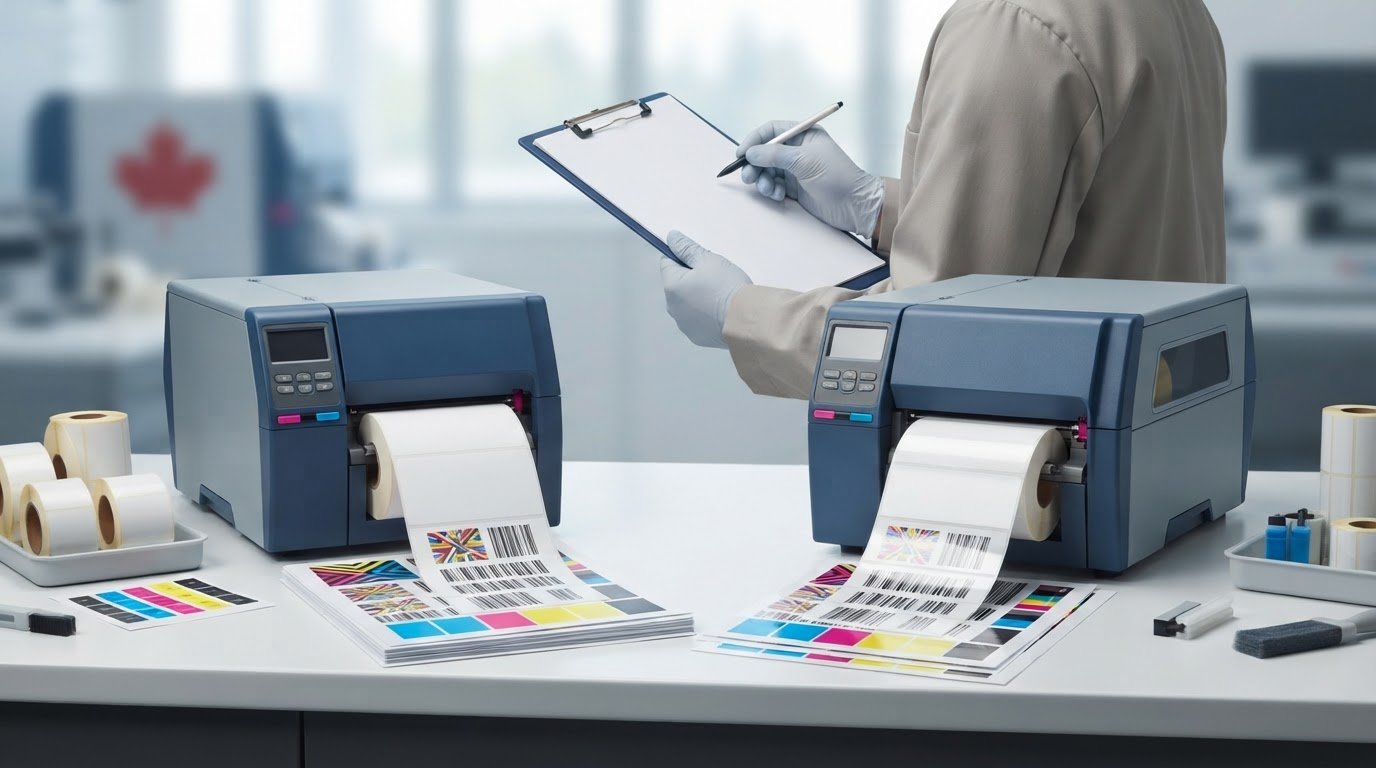
The label that looks best on a sample may not be the best choice for production. In Epson ColorWorks C7500 vs C6500 matte vs gloss label testing, differences can come from the printer, ink configuration, label stock, or print workflow. An informal side-by-side comparison can’t reliably separate those factors. A controlled test shows how each complete setup performs on the labels you use.
Compare like with like: keep the artwork, settings, and handling consistent, then record results for both finishes. Look beyond colour and fine detail to barcode readability, text clarity, and performance during handling. Matte and gloss versions use different black ink systems, so the complete printer, ink, and media combination matters. Also consider the product lifecycle: the C7500 series has been discontinued and replaced by the C8000 series, while the C6500 remains current.
This guide outlines a repeatable test and a practical way to interpret the results. Learn what to document, how to assess print quality and usability, and how to use your findings to choose a printer and compatible Epson media for your production requirements.
Key Takeaways
- Use the same artwork, print settings, and evaluation method to make each test condition comparable.
- In Epson ColorWorks C7500 vs C6500 matte vs gloss label testing, assess the full printer, ink, media, and workflow combination rather than ranking finishes alone.
- Score colour and fine detail separately from barcode readability, text clarity, and handling performance.
- Record observations for each printer-and-media pairing so your production choice reflects documented results, not a single sample impression.
- Match your shortlist to application requirements, then select compatible Epson equipment and labels based on the trade-offs your test reveals.
Epson ColorWorks C7500 vs C6500: What a Matte-versus-Gloss Test Can Tell You
A useful comparison evaluates the complete setup: printer model and variant, ink configuration, label stock, artwork, print settings, and handling workflow. If a sample looks different, the result may reflect the media surface or the ink-and-stock pairing, not the printer alone.
Printer comparison evaluates how different printer setups perform; media-finish testing evaluates how different label surfaces affect the result. In Epson ColorWorks C7500 vs C6500 matte vs gloss label testing, treat each printer-and-media pairing as a separate test condition. The results don’t prove that one model or finish is universally better.
Matte and gloss describe the label’s surface finish, not a guaranteed print outcome. The face material and coating can affect how colour appears, how much contrast you perceive, and whether reflected light creates glare. A glossy sample may look more saturated from one viewing angle, while reflections may make small text harder to inspect. Matte stock may reduce glare, but that doesn’t automatically mean it produces more accurate colour or greater durability. Results depend on the full combination and intended use.
Label printers use different printing mechanisms and support different material types. A general overview of label printer mechanisms provides useful context. For this comparison, focus on output from the specific ColorWorks configurations and media being evaluated. For media planning, review the Epson label options alongside your application requirements.
What changes when the same design prints on matte and gloss labels?
Keep the artwork constant to see how each surface affects its appearance. Compare colour blocks, fine text, thin lines, and barcode areas under consistent lighting and from consistent viewing angles. Record glare separately from legibility and colour impressions. Identify the label face material and coating as well: these are properties of the stock, distinct from the printer and ink system.
Why compare the C7500 and C6500 using your own application?
Your artwork, label stock, and production conditions determine which differences matter. A product label with small text needs a different assessment from one dominated by large colour fields. Published specifications describe a printer, but they don’t replace observations from your own samples. Record the exact model variant and matte or gloss ink configuration before testing. Check model details, ink requirements, and media compatibility against current Epson documentation, then repeat the test with consistent settings and conditions.
C7500 vs C6500: Match Printer, Ink Configuration, and Label Media
Before printing, create a record for every test condition. A matte sample from one printer isn’t a fair direct comparison with a gloss sample from another unless you also document the ink, media, artwork, and settings. In Epson ColorWorks C7500 vs C6500 matte vs gloss label testing, the goal is to identify which complete setup meets your application’s needs, not to declare a universal winner.
Which C7500 and C6500 details belong in the comparison table?
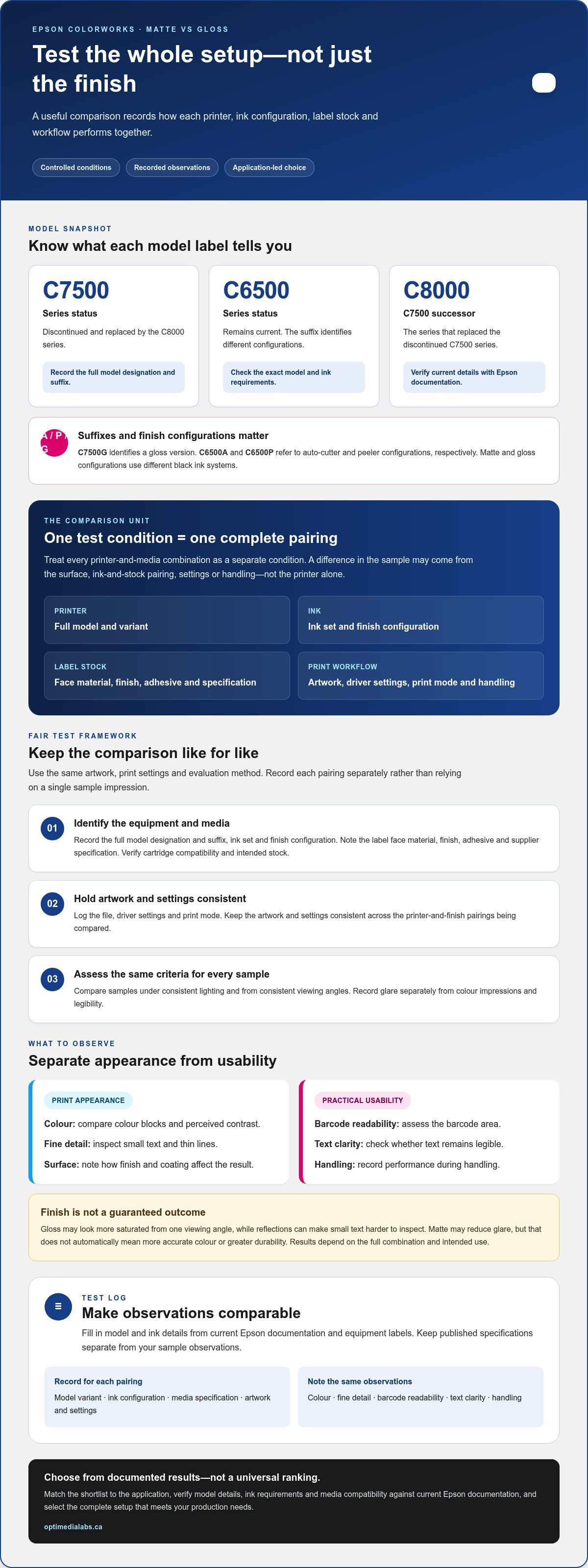
Use a table like this as a test log. Fill in model and ink details from current Epson documentation and the equipment labels, rather than relying on shorthand such as “C7500” or “matte model.”
| Model variant | Ink configuration | Media | Artwork and settings | Test observations |
|---|---|---|---|---|
| Record full designation and suffix | Record ink set and finish configuration | Record material, finish, adhesive, and specification | Record file, driver settings, and print mode | Note colour, fine detail, readability, and handling |
| Repeat for each printer-and-finish pairing | Verify cartridge compatibility | Identify stock intended for that setup | Keep artwork and settings consistent | Score against the same criteria |
Model suffixes matter. The C7500G designation identifies a gloss version, while C6500A and C6500P refer to configurations with an auto-cutter and peeler, respectively. Matte and gloss configurations also use different black ink systems. Check these details, along with approved media, against current Epson documentation for the exact printer. Record relevant published specifications separately from sample observations: specifications describe the machine, but don’t predict the appearance or readability of your particular label. For standardised testing context, consult the Association for PRINT Technologies’ graphic arts technologies standards.
How should matte and gloss label samples be selected?
Choose stock intended for the specific printer and ink configuration. For every roll or sample, record the face material, finish, adhesive, and supplier specification. A “gloss” description alone doesn’t identify the material or coating, and those differences can affect how the print looks and performs in your application. Review the Epson label media range as you identify suitable test stock.
Keep each pairing distinct in the log. OptiMediaLabs Canada supplies Epson label media and printer consumables for label-printing setups. Product inquiries can be directed through the OptiMediaLabs Canada contact page.
How to Run a Fair Epson Matte-versus-Gloss Label Test
A repeatable method makes sample differences easier to interpret. For Epson ColorWorks C7500 vs C6500 matte vs gloss label testing, keep conditions consistent, document unavoidable changes, and treat conclusions as specific to the printer, ink, media, settings, and workflow tested.
Test-method summary: Prepare representative artwork and compatible media, print under documented conditions, condition samples consistently, inspect against preset criteria, record observations, and repeat the test to see whether results hold.
What should stay constant between printer and finish samples?
Use the same source artwork and evaluation criteria for every condition. Include elements relevant to your labels, such as colour blocks, gradients, fine text, and barcodes. Record each printer’s full variant, ink configuration, media identification, print settings, test date, and environment during the run. If a setting or condition changes, log it instead of treating the samples as directly equivalent.
- Prepare: Confirm that each media sample is intended for the printer and ink configuration. Save one artwork file and note the settings you’ll use.
- Print: Run each printer-and-finish pairing using those settings where applicable. Handle samples consistently and label them immediately.
- Condition: Let every sample rest under the same conditions for the same length of time before inspection. Record the interval and environment.
- Inspect: Use the same lighting, viewing distance, and inspection method for each sample. Where practical, have the same person assess them.
- Record: Note observations against predefined criteria, including any print or handling anomalies.
- Repeat: Print and assess additional samples when practical. Consistent findings across runs provide stronger evidence than a single sample.
What should the operator inspect after printing?
Separate visual impressions from functional checks. Assess colour appearance, gradient transitions, small-text clarity, and edge definition. Check barcodes with the intended scanner and record whether they read reliably under the same conditions. Inspect glare and legibility under lighting similar to the label’s actual viewing environment. A finish that appears clear under one light may be harder to read under another.
For a more structured evaluation, the international printing standards overview discusses standards related to colour, gloss, and viewing conditions. Use it as context for choosing consistent assessment methods, not as evidence that an informal test is standards-compliant.
Test drying, smudge, moisture, or abrasion only when those factors matter to the application. Define the procedure in advance, apply it consistently, and record the conditions. Avoid broad durability claims from an informal check. Label every conclusion as specific to the tested setup, including the printer variant, ink configuration, media, settings, and inspection method.
Compare Print Quality, Readability, and Handling Without Guesswork
A sample can look appealing and still fail a practical requirement. In Epson ColorWorks C7500 vs C6500 matte vs gloss label testing, assess each print against criteria chosen before the test. Keep visual appearance, functional readability, handling, and workflow notes separate so one strong result doesn’t hide a production issue.
Choose the finish that meets the documented requirements of the application. Base that decision on recorded evidence, not on a general assumption that matte or gloss is always more durable, colour-accurate, or suitable.
How can teams assess colour, text, and barcode performance?
Use the same viewing conditions for all samples. Compare colour areas and gradients for visible shifts or uneven transitions, then inspect fine text and edges at the size they’ll appear on the finished label. If colour needs a more objective assessment, use suitable measurement equipment and record the method. Visual impressions alone aren’t colour measurements.
Set acceptance criteria in advance. For example, specify which text must remain legible and which barcode must scan using the equipment intended for the workflow. Record each scan as a pass or failure, along with any repeated scans or read delays. Don’t infer scanner performance from how sharp a barcode looks to the eye.
A simple team scorecard can use a consistent rating, such as 1 to 5, for appearance and text clarity, while recording barcode scans as results rather than subjective scores. Define what each rating means before reviewing samples. Keep measured results, such as a scanner read, distinct from observations such as “glare makes this harder to see.” This makes notes easier to compare across operators and test runs.
How should teams assess finish and handling requirements?
Consider where the label will be viewed and applied. Note whether reflected light interferes with reading, whether the surface appearance suits the product, and whether the stock applies cleanly to the intended surface. Include downstream steps such as dispensing, wiping, or packaging if they’re part of the real workflow. A finish preference is useful only when it supports those requirements.
Don’t make broad claims about moisture or abrasion from casual handling. If those conditions matter, define an application-specific procedure before testing. Keep the method, exposure, timing, and inspection consistent across samples, and record any visible change. Results apply only to the tested printer, ink configuration, media, and method.
OptiMediaLabs offers Epson ink cartridges and label media for printer setups. The OptiMediaLabs Canada contact page provides a way to send product inquiries about Epson printer and consumable categories.
Use Your Test Results to Select an Epson Label-Printing Setup
Turn your scorecard into a shortlist by starting with what the label must do. Separate must-pass requirements, such as readable text or a barcode that scans reliably, from preferences such as surface appearance. Then compare only printer, ink, and media combinations that meet the essential requirements. This makes Epson ColorWorks C7500 vs C6500 matte vs gloss label testing useful for a specific application, rather than a universal model ranking.
When do test results favour matte or gloss labels?
Interpret appearance scores in the conditions where labels will be seen. A glossy face may suit the intended presentation but create distracting reflections under certain lighting. Matte may reduce that glare, but your samples still need to meet colour, text, and scanning requirements. Prioritize functional readability and documented application needs over finish preference alone.
Summarize the result narrowly: name the tested printer variant, ink configuration, media, settings, and inspection method. For example, say that one specific pairing met the team’s barcode and legibility criteria under the conditions tested. Don’t extend that conclusion to other label stocks or workflows without testing them.
What should buyers document before requesting product guidance?
Bring a concise record of the full printer designation, matte or gloss configuration, ink system, label material and finish, adhesive, artwork, print settings, and observations. Include repeat-test results and note which requirements were essential. This information helps connect your evidence to relevant Epson printers, Epson labels, and compatible ink cartridges.
Also account for product lifecycle. Epson’s C7500 series has been discontinued and replaced by the C8000 series, while the C6500 series remains current. If you’re planning a new purchase, include that distinction in your shortlist and check model details and media compatibility against current Epson documentation. OptiMediaLabs supplies label-printing equipment and consumables, including color label printers, Epson ink cartridges, and Epson labels. Matte and gloss configurations use different black ink systems, so match the configuration to the printer and media being evaluated.
OptiMediaLabs’ contact page includes a channel for product inquiries about Epson label-printing equipment and consumables.
Turn Your Label Test Into a Confident Production Choice
A dependable decision comes from testing the full printer, ink, media, and workflow combination. In Epson ColorWorks C7500 vs C6500 matte vs gloss label testing, consistent settings and documented observations help you compare colour and appearance alongside text, barcode readability, handling, and production needs. The result isn’t a universal winner. It’s evidence about which tested setup best fits your application.
Before purchasing, match that evidence to a current printer and compatible supplies. The C7500 series has been discontinued and replaced by the C8000 series, while the C6500 series remains current. Check model and media compatibility against current Epson documentation. OptiMediaLabs supplies professional label-printing hardware and consumables, including Epson printers, Epson ink cartridges, and Epson labels.
Use your test notes to identify the printer and compatible supplies that fit your requirements, then contact OptiMediaLabs about Epson label-printing equipment and consumables.
Frequently Asked Questions
Is the Epson C7500 better than the C6500 for gloss labels?
Not automatically. The right choice depends on your production requirements and results from a compatible printer, ink, and gloss-media combination. The C7500 was designed for higher-volume, higher-speed production, while the C6500 supports wider label printing. However, the C7500 series has been discontinued and replaced by the C8000 series. Compare documented sample performance and current equipment options before deciding which setup fits your workflow.
Can the Epson ColorWorks C7500 and C6500 print on both matte and gloss labels?
Both series have matte and gloss configurations, but don’t assume one printer configuration can switch freely between the finishes. The matte and gloss models use different black ink systems, and the ink cartridges aren’t interchangeable. Use media compatible with the exact printer and ink configuration, and check model suffixes, ink requirements, and approved stock against current Epson documentation before testing or purchasing.
How do I compare matte and gloss labels fairly on Epson ColorWorks printers?
For Epson ColorWorks C7500 vs C6500 matte vs gloss label testing, keep the source artwork, print settings, viewing conditions, and assessment criteria consistent. Record the full printer variant, ink configuration, media material and finish, and test date for each sample. Compare results separately for appearance, readability, handling, and workflow. Repeat prints when practical, and note changes or anomalies rather than treating them as equivalent test conditions.
What should I test on a C7500 or C6500 label sample?
Test features that reflect your actual label requirements. Inspect colour areas, gradients, small text, and edge definition under consistent lighting. Scan representative barcodes with the equipment used in your workflow and record the results. Consider glare, application surface, and downstream handling. If moisture, smudging, or abrasion matters, define a consistent application-specific test first. Keep observations distinct from measurements, and tie conclusions to the tested setup.
Does a gloss label always make colours look brighter than a matte label?
No. A gloss surface can change how colour appears, but the perceived result depends on the label material, coating, ink configuration, lighting, and viewing angle. Reflections may make a gloss sample appear more vivid in one setting and harder to inspect in another. Matte stock may reduce glare, but that doesn’t guarantee better colour accuracy. Compare the actual label stock under the lighting where it will be used.
Should I choose the C7500 or C6500 based on the printer name or the test result?
Use both application needs and test results. Published specifications help you shortlist suitable equipment, but they don’t establish how a particular printer, ink, and media combination will perform with your artwork. Prioritize essential requirements such as barcode readability, text clarity, and compatibility, then weigh appearance and workflow observations. Check current specifications and media compatibility with Epson documentation, especially when considering the discontinued C7500 series.