
How to Justify Buying a Label Printer for a Small Business in 2026
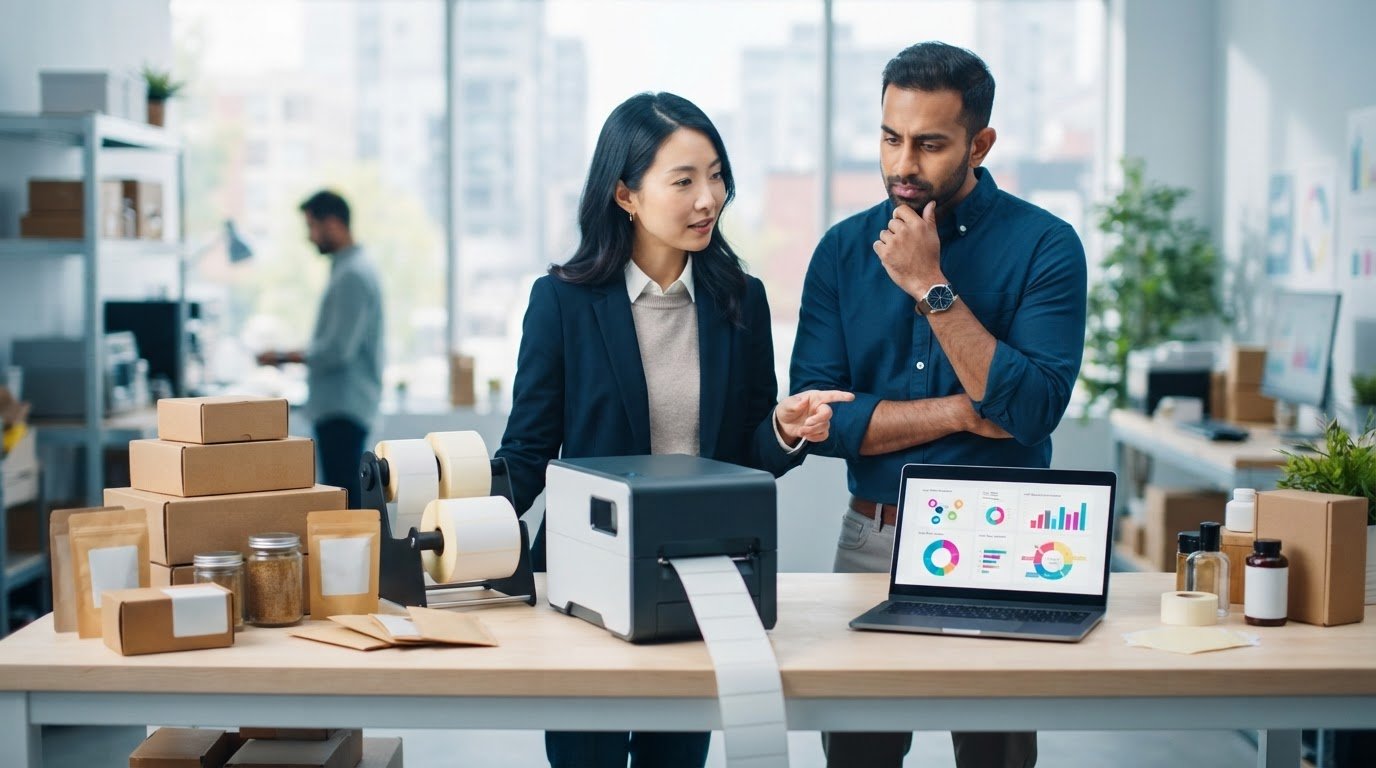
What if the best reason to buy a label printer isn’t the printer itself, but the time and flexibility it could add to your workflow? Working out how to justify buying a label printer for a small business starts with practical questions: what do you print, how often, and what does your current process involve?
It’s sensible to question the investment. A printer that doesn’t suit your label format or expected volume can sit unused, while equipment that doesn’t fit your workflow can add steps. The purchase price is only part of the picture. Media, ink or ribbon, labour, and ongoing supply needs also matter.
This article will help you build a business case around your workflow, compare costs and operational value, and identify a suitable printing approach. You’ll assess current and future label volumes, match label types to printer categories, and outline practical next steps for evaluating equipment and compatible supplies before you commit.
Key Takeaways
- Assess recurring demand, label changes, workflow friction, and quality needs before deciding whether in-house printing fits your business.
- Learn how to justify buying a label printer for a small business by comparing equipment, compatible supplies, software, labour, and other operating assumptions.
- Compare your current workflow with in-house printing using consistent label specifications, quantities, and turnaround requirements.
- Build an approval-ready case that shows the evidence, options, calculation period, and uncertainties behind your recommendation.
- Match printer technology to your label material, colour needs, variable data, volume, and finishing requirements before evaluating equipment and supplies.
When does buying a label printer make sense for a small business?
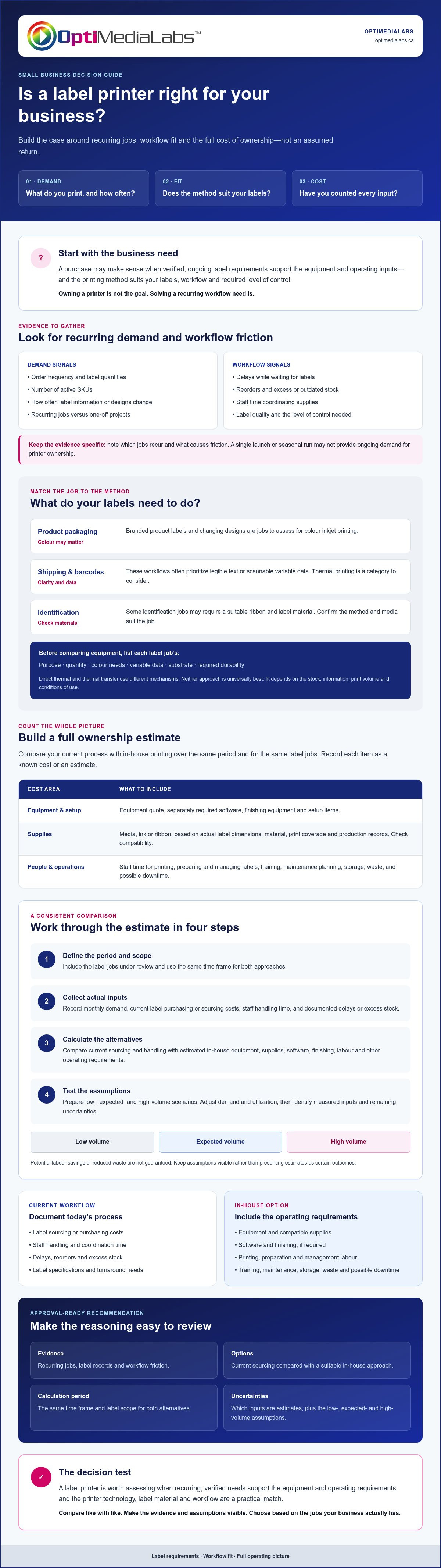
Assess recurring demand, workflow friction, label quality, and the level of control your business needs. Owning a printer isn’t the goal. A purchase may make sense when verified, ongoing label requirements support the equipment and operating inputs, and the printing method suits the work.
A label printer purchase is justifiable when recurring, verified business needs make the equipment and operating requirements a practical fit for your labels, workflow, and required level of control. Use this as a starting point for how to justify buying a label printer for a small business: build the case around real jobs, not an assumed return.
What business signals suggest an in-house printer could help?
Track order frequency, label quantities, the number of active SKUs, and how often label information or designs change. Frequent revisions, short runs, and varied products can make on-demand printing worth assessing because labels can be produced as requirements change. These signals don’t prove that buying equipment is the right choice. Compare them with the full workflow and supply needs.
Record delays waiting for labels, reorders, excess or outdated stock, and staff time spent coordinating supplies. Separate recurring jobs from one-off projects. A single launch or seasonal run may not provide the ongoing demand needed to support printer ownership. Keep the evidence specific by noting which jobs recur and what causes friction.
Which label jobs need colour, thermal, or barcode printing?
Start with each label’s purpose. Product packaging may call for full-colour branding, while shipping, barcode, and identification labels often prioritize legible text or scannable variable data. Some identification jobs may also require a suitable ribbon and label material. The right method depends on the stock, information, print volume, and conditions of use.
Colour inkjet printing is one option to evaluate for branded product labels and changing designs. Thermal printing is a category to consider for shipping or barcode workflows. Direct thermal and thermal transfer use different label printer mechanisms, so confirm that the method and media suit the job. Neither approach is universally best. Compare colour label printer options against the actual label format and supply requirements before narrowing your choices.
For a first-pass assessment, list each label job’s purpose, quantity, colour needs, variable data, substrate, and required durability. This inventory helps distinguish a recurring printing need from an occasional task and gives you a clearer basis for evaluating equipment.
How to calculate the full business case for a label printer
Build the estimate from your label records, supplier information, and workflow. To answer how to justify buying a label printer for a small business, compare the current process with an in-house option over the same period and for the same label jobs. Keep assumptions visible. Potential labour savings or reduced waste aren’t guaranteed.
Which costs belong in the printer ownership estimate?
Include the equipment quote and any separately required software, finishing equipment, or setup items. Estimate recurring media and ink or ribbon costs using actual label dimensions, material, print coverage, and production records. Check that supplies are compatible with the equipment under consideration.
Account for staff time spent printing, preparing, and managing labels, along with training, maintenance planning, storage, waste, and possible downtime. Record each item as a known cost or estimate rather than hiding it in a broad per-label figure. For supply-cost research, consult this professional guide to label printer consumables.
How can you calculate a realistic break-even scenario?
Use a consistent comparison period, such as the period your business normally uses for equipment planning. Then build the estimate in four steps:
- Define the period and scope. Include the label jobs under review and use the same time frame for both approaches.
- Collect actual inputs. Record monthly demand, current label purchasing or sourcing costs, staff handling time, and any documented delays or excess stock.
- Calculate alternatives. Compare current sourcing and handling with estimated in-house equipment, supplies, software, finishing, labour, and other operating requirements.
- Test assumptions. Prepare low-, expected-, and high-volume scenarios. Adjust demand and utilization, then note which inputs are measured and which remain uncertain.
Compare like with like: the same label material, dimensions, finish, print quality, quantity, and required turnaround. If an in-house scenario assumes less staff time or waste, explain why and show how you estimated the difference. Include unused capacity too. A printer with more capacity than recurring demand may not improve the business case.
Payback depends on actual volume, supplies, workflow, and equipment use. There’s no reliable universal threshold to use instead of your own inputs. A clear comparison can show whether the case holds across more than one demand scenario, or whether you need more operating evidence before deciding.
If you’re assessing equipment and compatible supplies, you can contact OptiMediaLabs Canada with your requirements as part of your product research.
How to compare in-house printing with your current label workflow
Compare what each workflow lets your team do, not just how labels are produced. A fair assessment uses equivalent label material, dimensions, finish, print quality, quantity, and required turnaround. Otherwise, differences in the finished label can skew the comparison.
Short runs and frequent revisions may make in-house production more flexible. A stable, predictable requirement may fit an established sourcing process just as well. Use the criteria below to identify where control matters to your operation.
| Decision factor | Compare in your current workflow | Assess for in-house printing |
|---|---|---|
| Lead time | How far ahead must labels be planned, and what happens if timing changes? | Can the team print when needed, and can an operator fit that task into the schedule? |
| Order flexibility | Are minimum quantities or reorders difficult to match to changing demand? | Can equipment handle the required small batches and revisions? |
| Colour needs | Does the job require consistent brand colours or full-colour graphics? | Can the candidate printer and compatible media meet the expected output? |
| Storage | How much space is used for label stock, including versions that may become outdated? | What media and finished-label storage will still be needed? |
| Quality control | How are print quality, barcode readability, and label durability checked? | Who will check output and manage revisions before labels are used? |
| Staff effort | Who coordinates orders, receives labels, and tracks inventory? | Who will prepare jobs, operate equipment, and manage supplies? |
When does in-house printing offer useful control?
In-house printing may be worth assessing if production timing, small batches, or frequent information changes create recurring constraints. Check that an operator has capacity and that printing can fit existing responsibilities. Define requirements for brand colour, variable information, barcode readability, and durability too. These determine whether the added control is useful and which equipment category may fit.
When should a small business avoid buying equipment?
Pause if demand is low or unpredictable, label changes are infrequent, or no one has time to operate the equipment. A candidate printer may also be unsuitable if it can’t support the required material, finish, print quality, or production volume. In those cases, keeping the current workflow may be more practical. Base the recommendation on collected evidence, not an assumption that either approach is always cheaper.
This comparison helps clarify how to justify buying a label printer for a small business: identify the workflow requirements that matter, then check whether a specific in-house option can meet them without creating new constraints.
How to present a label-printer purchase case for approval
Give an approver a clear decision, not a product pitch. A one-page summary should explain the business need, show evidence from the current workflow, outline the options assessed, and state your recommendation. When explaining how to justify buying a label printer for a small business, make the reasoning easy to verify and the assumptions easy to question.
What evidence should the proposal include?
Attach recent order or label-volume records, examples of label revisions, and documented delays or handling issues. Include label samples and the requirements for each application, such as product, barcode, or shipping labels. Note the material, dimensions, finish, colour, variable information, and any durability or readability requirements.
Show current supplier or production costs beside estimated internal costs, and identify the source of each figure. Keep the calculation period and scope consistent. List the inputs, scenarios, exclusions, and uncertainties so the approver can see what is measured and what is estimated. Present costs in Canadian dollars (C$), and confirm current equipment specifications and compatible media before recommending a solution.
How should you explain risk and uncertainty?
State what the estimate assumes about demand, staff time, consumable use, equipment fit, and future product changes. Identify risks that could change the outcome, such as lower-than-expected volume, a new label material, or limited operator capacity. If you cite faster revisions, improved stock control, or more flexible production scheduling as benefits, connect each claim to observed workflow evidence.
Include an implementation checklist: assign an equipment operator, confirm compatible media and software, plan for workspace and training, and document maintenance responsibilities. Set a review point after implementation to compare actual usage, supply consumption, and staff effort with the forecast. This makes the proposal a testable decision rather than a promise of savings.
For category research, consult this Canadian Afinia printer buyer's guide. Before approval, validate demand against current records and obtain up-to-date product specifications and quotes for the equipment and supplies being considered.
Once you have the label requirements and comparison ready, contact OptiMediaLabs Canada to discuss relevant printer and supply options.
How to choose the right label printer and take the next step
Let the label job, not a preferred printer type, guide your selection. Match the print method to the label material, colour requirements, variable data, expected volume, and operating conditions. Full-colour product labels, shipping labels, and barcode labels may require different equipment and consumables, so assess each recurring job before comparing options.
Then check the complete workflow. Confirm that the printer supports the intended media and label dimensions, and review software, connectivity, and finishing needs. A cutter or finisher may be relevant for some production setups. Include compatible labels, ink or ribbon, and other supplies in the operating assessment. This fit check turns the question of how to justify buying a label printer for a small business into a practical equipment decision based on documented requirements.
What should you confirm before requesting a quote?
Prepare a concise specification for each label job. Include its dimensions, material, colour needs, print volume, and any barcode or variable-data requirements. Note how labels will be used and any relevant durability or finish expectations.
Ask which media and consumables are compatible, what components are included, and whether separate software or finishing equipment is needed. Confirm current product specifications and availability directly before making a decision. Gathering requirements in advance helps keep comparisons focused on equipment that can support the intended workflow.
How can OptiMediaLabs Canada support equipment evaluation?
OptiMediaLabs Canada is a Canadian distributor of professional colour and thermal label printers, along with label media, ink, ribbons, finishing equipment, barcode hardware, and software. For colour equipment comparisons, review the Afinia printer category. Verify model specifications and media compatibility for the specific application.
Once you’ve assembled the business requirements and decision criteria, share them with OptiMediaLabs Canada to discuss relevant product categories and supplies. This is product evaluation, not a substitute for confirming technical compatibility, and it doesn’t assume that one option will fit every workflow.
Contact OptiMediaLabs Canada to discuss your label-printer requirements with your label specifications, expected volumes, and questions about compatible media, software, or finishing needs.
Make your next printer decision with confidence
A strong case for a label printer starts with evidence: recurring label demand, documented workflow needs, and a fair comparison of current and in-house options. Include the full operating requirements, then match printer technology and compatible supplies to the labels you actually produce. That’s how to justify buying a label printer for a small business without relying on generic savings claims.
Before choosing equipment, confirm label material, dimensions, colour and data needs, volume, software, and finishing requirements. OptiMediaLabs Canada is a Canadian distributor of professional colour label printers and related supplies, including printer media, ink, ribbons, finishing equipment, and barcode solutions. Confirm current specifications and compatibility for the products under consideration.
Have your requirements ready? Discuss your label-printer requirements with OptiMediaLabs Canada as part of your equipment evaluation. A clear set of business needs gives you a practical starting point for choosing a solution that fits your workflow.
Frequently Asked Questions
How do you justify buying a label printer for a small business?
Justify the purchase by showing that recurring label needs, workflow requirements, and expected operational value support the full cost and responsibilities of owning equipment. Compare your current process with an in-house option over the same period, using actual label volumes and documented costs. Include compatible media, ink or ribbon, software, staff time, and maintenance assumptions. Explain why the selected printer fits your label types and production needs.
Is it cheaper to print product labels in-house?
Not necessarily. In-house printing may suit frequent design or information changes, short runs, or varied SKUs, but the result depends on equipment, media, ink, software, labour, waste, storage, and utilization. Compare equivalent labels, including material, dimensions, finish, quality, quantity, and turnaround. If demand is infrequent or predictable, another workflow may be more appropriate. Use your own records and current quotes rather than assuming in-house printing will cost less.
What costs should a small business include when buying a label printer?
Include the equipment quote and any required software, finishing equipment, and setup items. Add compatible label stock and expected ink or ribbon use based on your actual label specifications and print records. Account for staff time, training, maintenance planning, waste, storage, and possible downtime. Identify which figures are documented and which are estimates. For Canadian accounting or expense-treatment questions, confirm the appropriate approach with a qualified Canadian professional.
How many labels do you need to print to justify a label printer?
There’s no universal label-count threshold that proves a printer is worthwhile. The decision depends on actual volume, how often labels change, the time and coordination involved, equipment and supply requirements, and how consistently the printer would be used. Build low-, expected-, and high-demand scenarios from monthly records. If the case only works at a volume your business can’t substantiate, gather more evidence before committing to equipment.
Should a small business buy a colour or thermal label printer?
Choose based on the label job. Colour inkjet printers can be considered for full-colour product labels and branding. Thermal categories are often evaluated for shipping, barcode, and identification labels, with the specific method and media matched to the application. Check label material, variable-data needs, required durability, volume, and operating conditions. Confirm current printer specifications and media compatibility before choosing, since neither category suits every workflow.
What information should I provide when asking for a label-printer quote?
Provide label dimensions, material, finish, colour requirements, expected print volumes, and examples or samples of the labels you need to produce. Note whether labels include barcodes or changing information, and describe the intended application and operating conditions. Include software, connectivity, and finishing requirements if known. Ask which media and consumables are compatible, what components are included, and how to verify current specifications and product availability.
Can a label printer print both product labels and barcodes?
It depends on the printer, software, media, and required output. Some workflows may combine product information, graphics, and barcodes on one label, while other businesses use separate printers for colour product labels and monochrome shipping or barcode jobs. Confirm that the candidate equipment supports the label material, print format, and barcode requirements. Test barcode readability with the intended workflow, and verify compatibility before selecting a printer or supplies.