
How to Print Product Labels In-House: 2026 Canadian Guide
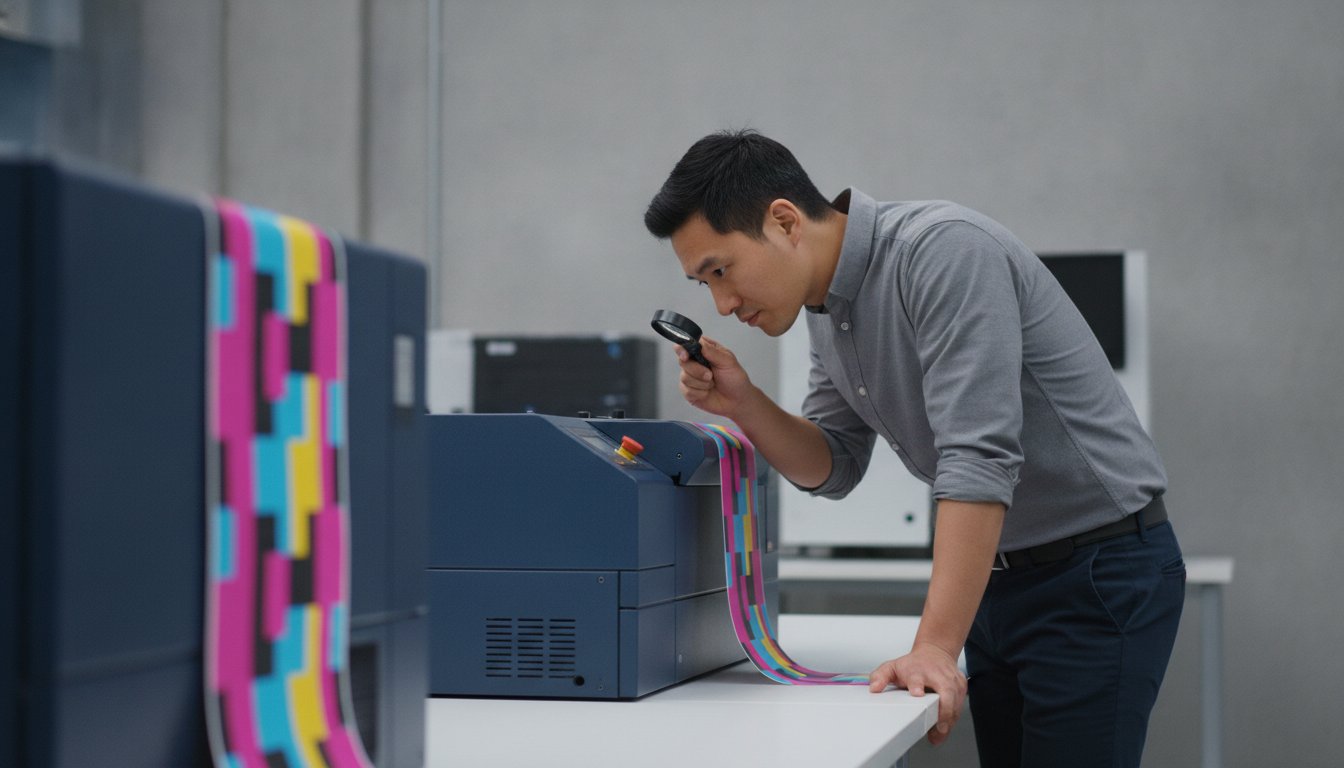
Waiting three weeks for a shipment of labels that could be obsolete before they even arrive isn't just an inconvenience; it's a direct hit to your profit margins. If you're managing tight production schedules in the 2026 Canadian market, you likely realize that outsourcing small batches is becoming an expensive bottleneck. You're not alone in feeling frustrated by high minimum order quantities and the waste caused by sudden regulatory updates. Learning how to print product labels in-house is the most effective way to eliminate these delays and take full control of your packaging process.
This guide provides a professional roadmap to mastering your own label production. We'll show you how to achieve retail-ready quality that meets strict GS1 Canada standards and the latest Health Canada front-of-package nutrition labelling requirements. You'll learn how to select the right Afinia or Epson hardware, choose the best software for your workflow, and significantly lower your cost per label. We'll walk through the essential equipment and technical specifications you need to turn your facility into a high-efficiency printing centre.
Key Takeaways
- Eliminate minimum order quantities and long lead times by transitioning to on-site production to reclaim your profit margins.
- Select the optimal technology for your specific volume, balancing vibrant inkjet colour with the industrial durability of thermal transfer.
- Master how to print product labels in-house by following a structured calibration and design workflow to ensure retail-ready quality.
- Maintain brand consistency and equipment health by utilizing high-resolution assets paired with brand-specific ink cartridges and media.
- Scale your operations efficiently using automated finishers and cutters to produce custom label shapes without relying on pre-die-cut stock.
The Strategic Shift: Why Print Product Labels In-House?
In-house label printing is the process of producing professional-grade packaging labels on-site using digital equipment. Historically, Canadian businesses relied on external print houses, which required high Minimum Order Quantities (MOQs) and long lead times. Today, manufacturers are shifting toward digital colour label printers to reclaim their production schedules. Learning how to print product labels in-house allows you to move from a three-week wait time to a three-minute print job. This agility is vital for modern e-commerce and retail brands that need to respond to market trends instantly.
The strategic benefit extends to product development and inventory management. Instead of committing to 5,000 labels for a trial scent or seasonal flavour, you can print exactly what you need. This eliminates the financial risk of testing new variations. Every product label you produce becomes a tool for growth rather than a sunk cost sitting in a storage bin. Eliminating MOQs means you no longer have to stockpile thousands of units just to get a reasonable price. You can print 50 labels for a limited-run collaboration or 500 for a standard production batch, keeping your cash flow liquid.
Reclaiming Your Profit Margins
Outsourcing labels often looks cheaper on a per-unit basis until you account for the hidden costs of waste and shipping. When product details change or new regulations take effect, thousands of pre-printed labels become obsolete. In-house production focuses on the direct cost of ink and media, which results in significant long-term savings. On-demand printing is a tool for inventory lean-management that ensures you only produce what you are prepared to ship. By using professional hardware like Primera label printers, you reduce the capital tied up in useless inventory and avoid the premium fees associated with rush orders from external vendors.
Total Control Over Brand Consistency
Maintaining a professional aesthetic is crucial for retail success in a competitive market. In-house systems provide immediate control over colour accuracy across different product lines in real-time. You don't have to wait for a physical proof from a third party to see if your brand's signature blue looks correct on a new synthetic stock. This oversight is especially important for compliance. With Health Canada’s 2026 front-of-package nutrition labelling requirements now in full effect, businesses must be able to update their designs instantly. Printing in-house ensures your packaging remains compliant without disrupting your supply chain or sacrificing the quality that rivals major national brands.
Choosing the Right Labelling Technology for Your Volume
Selecting the right hardware is the most critical decision when learning how to print product labels in-house. A common mistake is assuming a standard office printer can handle the rigours of commercial packaging. Commercial systems are engineered for speed, colour depth, and adhesive compatibility. While inkjet technology is the gold standard for vibrant retail branding, thermal solutions are indispensable for industrial tracking and logistics. Your choice depends on your specific environment, the surface of your container, and the expected lifespan of the product.
However, for the broader administrative and high-volume document needs that support your production line, sourcing reliable office technology through an expert like UIQ ensures your facility remains efficient on all fronts.
Digital Colour Inkjet: The Afinia and Epson Advantage
Professional inkjet systems like Afinia Color Label Printers are built for high-resolution output and continuous operation. Unlike consumer models, these machines utilize sophisticated printhead technology to deliver consistent results across thousands of labels. Many high-speed models incorporate Memjet technology, which uses a stationary printhead that spans the entire width of the media. This allows for incredible speeds without sacrificing the 1600 DPI resolution required for fine text and complex graphics. Matching your printer to your monthly volume is essential for equipment longevity. If you're printing 5,000 labels a month, an entry-level unit is sufficient; however, larger operations require industrial-grade engines to keep the cost per label low and minimize maintenance downtime.
Your technology choice must also align with Canadian Labeling and marking requirements. High-resolution inkjet allows you to include bilingual text and mandatory metric units clearly, even on small containers. This ensures your products pass inspection at the border or on retail shelves while maintaining a premium aesthetic.
Thermal Solutions for Barcoding and Logistics
Not every label requires full colour. When your priority is durability and high-contrast barcodes, a thermal transfer label printer is the superior choice. These machines use a heated printhead to melt a thermal transfer ribbon onto the label surface. This creates a bond that resists smudging, chemicals, and extreme temperatures. Choosing the right ribbon is vital; wax ribbons are cost-effective for standard paper labels, while resin ribbons provide the maximum durability needed for synthetic stocks in harsh environments. For short-term logistics, direct thermal printers offer a ribbon-free alternative that is perfect for shipping labels and packing slips.
For specific chemical resistance needs, laser or LED toner-based solutions provide another layer of durability, particularly for GHS-compliant industrial labelling. If you're unsure which technology fits your specific production environment, you can speak with a labelling expert to review your requirements.
Essential Supplies: Professional Media and Software
Mastering how to print product labels in-house requires a synchronized approach to supplies. Your choice of media and ink directly impacts the durability and visual appeal of your packaging. Professional production relies on high-quality matte, gloss, or synthetic materials that are engineered to absorb digital inks without bleeding. Selecting the wrong adhesive or a low-grade paper stock can lead to labels peeling in cold storage or smudging under retail lights. You must match the material to the chemical properties of your product and its expected environment.
Ink consistency is equally vital for brand integrity. Using third-party ink often results in mismatched colours and potential hardware damage. Utilizing brand-specific ink cartridges ensures that your printer’s colour management system remains accurate batch after batch. This reliability is essential for maintaining brand identity across different product sizes and variations. Beyond the ink, you must select an adhesive that fits your application; permanent adhesives are standard, but freezer-grade options are necessary for the cold chain, and removable adhesives are ideal for temporary promotional items.
For brands looking to extend their identity beyond standard labels, you can discover Iris DTF to find custom UV DTF stickers and film transfers that adhere to a wide range of rigid materials and promotional goods.
Professional Label Design Software
Generic design tools or office software cannot handle the complexities of commercial labelling. Professional solutions like BarTender software are non-negotiable for retail compliance. These platforms allow you to manage variable data and automate barcode generation across thousands of SKUs. If your workflow requires complex logic or database integration, NiceLabel provides a streamlined interface to manage these requirements efficiently. Both tools ensure your barcodes meet GS1 standards and remain scannable throughout the supply chain. This precision is critical for meeting Canadian labeling requirements, which mandate specific bilingual text and metric unit placements.
Matching Media to Environment
Media selection should be driven by the end-use environment. For example, Afinia labels are specifically coated to work with the high-speed printheads found in Afinia hardware. If you are labelling cosmetics or food items rich in oils, synthetic materials like BOPP (Biaxially Oriented Polypropylene) provide the necessary resistance to prevent the label from degrading. Matte paper is excellent for a natural, artisanal look, while high-gloss finishes provide the vibrant "pop" expected in the health and beauty sector. For more technical specifications on adhesive bonds and material durability, refer to our guide on durable label materials to ensure your selection stands up to moisture and friction.
Step-by-Step: How to Print Your First Professional Batch
Executing your first production run requires precision to avoid material waste. When you first learn how to print product labels in-house, the transition from a digital screen to a physical roll can present technical hurdles. Success depends on following a methodical setup process that prioritizes calibration and proofing. By establishing a repeatable workflow, you ensure that every batch meets the high standards required for Canadian retail shelves.
- Step 1: Design with precision. Create your label using high-resolution assets. Ensure your workspace is set to 300 DPI and the CMYK colour space. This prevents pixelation and ensures the printer interprets your brand colours accurately. Use vector graphics for logos and barcodes to maintain crisp edges at any scale.
- Step 2: Calibrate the hardware. Every roll of media has specific dimensions and sensor requirements. You must configure your printer to recognize either a "gap" sensor, which detects the space between die-cut labels, or a "black mark" sensor on the liner. Failing to do this will result in the printer skipping labels or misaligning the design.
- Step 3: Perform a colour test. Print a single copy to verify that the physical output matches your digital expectations. Lighting in your facility can affect how colours appear, so inspect the sample under the same conditions as your retail environment.
- Step 4: Load your media. Install your blank inkjet labels and run a small proofing batch. Start with five to ten units rather than a full roll. This allows you to check for tracking issues or mechanical errors before committing your entire inventory.
- Step 5: Inspect for alignment and smudge resistance. Rub the surface of the printed label to ensure the ink has cured correctly. If the ink smears, you may need to adjust your media settings or drying time.
Design Best Practices for Digital Printing
To achieve a professional finish, always include a "bleed" area. This involves extending your background colour 1.5mm to 3mm beyond the final cut line. This prevents thin white edges if the printer or cutter shifts slightly during production. Keep all critical text and logos within a "safe zone" at least 2mm inside the edge. For legibility, avoid fonts smaller than 5 points, especially on textured materials where ink might spread slightly.
Troubleshooting Common In-House Issues
Misalignment is usually caused by incorrect sensor sensitivity. If your printer isn't stopping at the correct point, clean the sensor path and re-run the auto-calibration routine. Smudging often occurs when the ink saturation is too high for the chosen media. Realize optimal print speeds without sacrificing quality by selecting the correct media profile in your software driver. This ensures the printer applies the precise amount of ink that the substrate can absorb. If you encounter persistent technical roadblocks during your setup, contact our technical support team for expert assistance.
Scaling Up: Finishing and Automation Solutions
Scaling your production allows you to move beyond standard rectangular shapes and basic paper stocks. When you first explore how to print product labels in-house, you likely start with pre-die-cut labels. These are convenient but limit you to specific sizes. Transitioning to continuous rolls paired with a digital finisher unlocks total design freedom. This setup allows you to print any shape or size on a single roll of media, which significantly reduces your inventory of blank stock. You no longer need to stock dozens of different die-cut sizes for every product variation.
Adding a lamination module during the finishing process provides a premium feel and essential protection. For products exposed to moisture, oils, or heavy handling, a thin film of laminate prevents the ink from degrading. This is particularly important for the Canadian food and beverage sector where condensation can ruin a standard paper label. For high-volume lines, integrating automated label applicators ensures that your perfectly printed and finished labels are applied with machine precision. This eliminates the inconsistencies and labour costs of manual application.
Digital Finishing: Total Shape Flexibility
Digital cutters utilize a blade controlled by software rather than a physical metal die. This eliminates the significant cost and lead time associated with ordering custom dies for every new product. You can create unique "boutique" shapes that help your products stand out on crowded Canadian retail shelves. Whether it is a hexagonal honey jar label or a custom wrap for a craft beer can, digital finishing provides the agility to experiment with packaging aesthetics. Refer to our Afinia finishing guide for a deep dive into these advanced professional workflows.
When to Invest in a Professional Finishing System
The decision to invest in Afinia label cutters and finishers usually depends on your monthly volume. Once your production exceeds a few thousand labels per month, the savings from using continuous rolls instead of pre-die-cut media often pays for the equipment. Professional finishers also handle "matrix removal," which is the process of stripping away the waste material around the cut labels. This leaves a clean roll of labels ready for high-speed application. Slitting allows you to print multiple labels across a wide roll and then cut them into individual narrow rolls in a single pass, further increasing your throughput.
A complete in-house labelling centre should include:
- A high-resolution digital colour printer for primary branding and compliance.
- Professional design software for GS1 and regulatory data management.
- A digital finisher for custom shapes, lamination, and matrix removal.
- A reliable supply of brand-specific ink and media for consistent quality.
Mastering how to print product labels in-house transforms your packaging from a logistical hurdle into a competitive advantage. By controlling the entire process from design to application, you ensure your brand remains agile and professional in a fast-moving market.
Take Control of Your Production Schedule
Transitioning to an on-site production model is a strategic investment that pays dividends in both flexibility and cost savings. By mastering how to print product labels in-house, you eliminate the delays of external vendors and ensure your brand remains compliant with evolving Canadian regulations. You've seen that the right combination of high-resolution hardware, professional design software, and digital finishing can transform your packaging from a fixed expense into a scalable asset. This shift allows you to respond to market trends and regulatory updates in minutes rather than weeks.
OptiMediaLabs Canada is here to support this transition as your national Canadian distributor. We provide expert technical support for all hardware and maintain a deep inventory of in-stock consumables for Afinia, Epson, and Primera systems. Whether you're starting your first batch or scaling up with automated finishing, our team ensures your operations remain efficient and secure. Find the perfect Afinia or Epson printer for your business at OptiMediaLabs Canada and start reclaiming your profit margins today. Your journey toward total production control begins with the right partner.
Frequently Asked Questions
Is it cheaper to print my own product labels or outsource them?
Printing in-house is typically more cost-effective for small to medium batches because it eliminates minimum order quantities (MOQs) and expensive shipping fees. You also avoid the financial loss of obsolete inventory when product details or Canadian regulations change. While there is an initial hardware investment, the lower cost per label and reduced waste often lead to a rapid return on investment for growing brands.
What kind of printer do I need for professional-looking product labels?
You require a commercial-grade digital colour label printer, such as models from Afinia, Epson, or Primera, to achieve retail-ready results. These systems offer higher resolution and better colour management than standard office equipment. They are designed to handle heavy rolls of adhesive media and use specialized inks that bond with various substrates for a professional, durable finish.
Can I print waterproof labels in-house for my cosmetics or food products?
Yes, you can produce waterproof and oil-resistant labels by pairing pigment-based ink systems with synthetic media like BOPP or polyester. This combination is essential for cosmetics, chilled foods, and chemical products that face moisture or abrasion. Learning how to print product labels in-house with these specific materials ensures your branding remains intact throughout the entire product lifecycle.
Do I need a special computer or software to print product labels?
While a standard Windows PC is sufficient for the hardware connection, professional design software like BarTender or NiceLabel is necessary for commercial compliance. These programs handle variable data, automated barcode generation, and precise alignment that generic design tools cannot manage. This setup ensures your labels meet GS1 Canada standards and remain scannable across all retail environments.
How much does it cost to get started with in-house label printing in Canada?
The initial investment varies based on your production volume and the level of automation required for your facility. A basic setup includes a digital printer, professional design software, and a starting inventory of blank media and ink. Moving to a professional system requires a higher upfront cost but significantly reduces the long-term cost per label compared to outsourcing small runs to a third-party print house.
What is the difference between inkjet and thermal label printers for products?
Inkjet printers use liquid ink to create high-resolution, full-colour branding for primary retail packaging. Thermal transfer printers use a heated ribbon to produce durable, high-contrast black images, which is ideal for barcodes, shipping labels, and industrial tracking. Choose inkjet for aesthetic appeal and thermal for maximum durability in harsh environments or logistics applications where colour is not required.
How do I ensure my barcodes are scannable when printing myself?
Ensure scannability by using professional software to generate barcodes as vector graphics rather than low-resolution images. Calibrate your printer's darkness and speed settings to prevent ink bleed, which can soften the edges of the bars. Regular printhead maintenance and using high-quality blank inkjet labels also prevent the streaks or gaps that cause scanning failures at the checkout counter.
Can I print labels on a roll or do they have to be on sheets?
Commercial in-house systems utilize rolls because they are more efficient for high-volume production and compatible with automated label applicators. While sheets are common for home offices, rolls allow for continuous printing and integrated finishing, such as lamination or custom die-cutting. This format is the standard for any business looking to scale their labelling operations professionally and reduce manual labour.