
Label Printer for Food Packaging: Choose the Right Setup
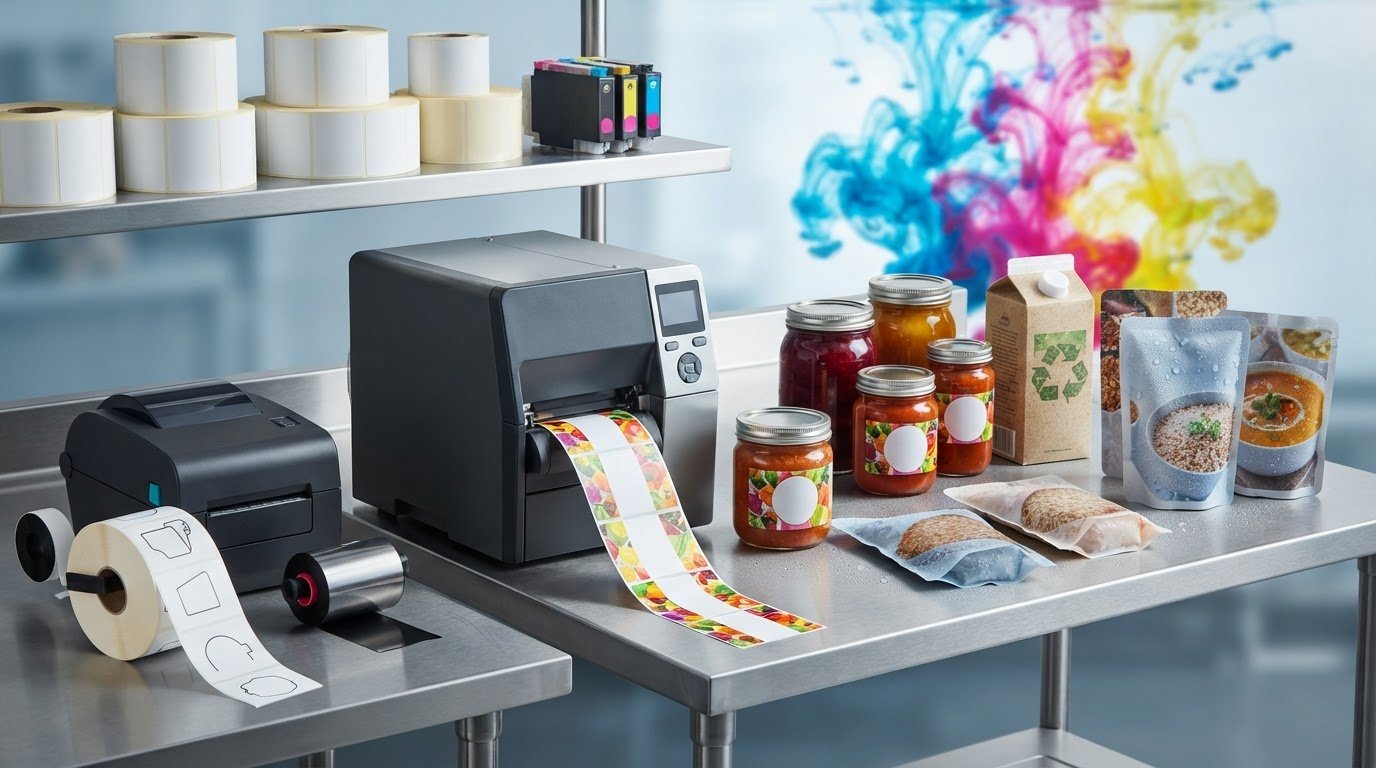
What if the sharpest, most colourful label isn’t the right one for your food product? A label printer for food packaging must do more than produce clear graphics. The print method, label stock, adhesive and package environment all affect how a label performs through refrigeration, condensation and handling.
If you’re comparing colour inkjet with thermal printing, start with what the label needs to show and how it will be used. Colour inkjet can support full-colour branding, while thermal printing can suit workflows centred on changing information. Neither is right for every application, and the printer, consumables and label media need to work together.
This guide explains how to match printer technology and label materials to your production volume and conditions. It also covers what to document before choosing equipment and why a printer cannot ensure compliance on its own. For Canadian products, review current CFIA and Health Canada guidance for applicable labelling requirements.
Key Takeaways
- Choose a label printer for food packaging based on label content, colour needs and production workflow, not print quality alone.
- Compare colour inkjet and thermal options by how labels are produced and used. Direct thermal and thermal transfer are different methods.
- Match label stock and adhesive to the package surface, moisture, refrigeration and handling conditions.
- Document SKU details, label dimensions, content, colour requirements, and routine and peak print volumes before specifying equipment.
- A printer doesn’t determine label compliance. Plan for compatible media and review current Canadian requirements with CFIA and Health Canada guidance.
What a Label Printer for Food Packaging Needs to Do
A label printer for food packaging puts content onto compatible stock in-house, allowing a producer to print labels as needed instead of relying only on finished, pre-printed labels. This can support changing information across batches, seasonal runs and multiple SKUs. The right setup depends on what each label must show, how often details change and how the label will be handled after application.
A label printer produces printed labels; it is not, by itself, a source of finished, compliant packaging. The printer transfers content to label media. Businesses remain responsible for checking that the content and materials suit their product and packaging requirements.
When does in-house food label printing make sense?
On-demand printing can suit short or changing runs, such as when product variants, batch details or seasonal designs call for different labels. It can also help a producer manage multiple SKUs without holding the same quantities of every finished label. Pre-printed labels may suit a more consistent workflow. The better fit depends on the operation’s run patterns and supply needs.
Consider the full production process. A food producer may print labels close to packing, while a co-packer may handle products for multiple brands with distinct label content, schedules or approval processes. Their printer and media needs can differ even when the products use similar packaging. Record routine and peak volumes, package surfaces and handling conditions to define the setup.
Which information and design elements affect printer choice?
Start with the content, not just the package appearance. Labels may include colour branding, ingredients, allergen information, dates, batch details and barcodes. Some information stays consistent across a product line; other details change between runs. That mix affects what needs to be printed together and how the workflow is organized.
Check dense text and small graphics at the intended label size. Review an actual print at its final dimensions, especially if the layout combines ingredient text, a barcode and brand elements. A nutrition panel also has a defined role in food labelling. The Nutrition facts label overview provides background on its purpose and formats, but use current CFIA and Health Canada guidance to review Canadian requirements.
Colour requirements can help narrow the printer category, but label stock and package conditions also affect print performance. Explore colour label printer options as one part of matching equipment to the workflow. Before choosing, note label dimensions, content, SKU variations, expected print volumes, package surface and likely exposure to refrigeration, condensation and handling.
Inkjet vs. Thermal: Compare Food Packaging Label Printer Technologies
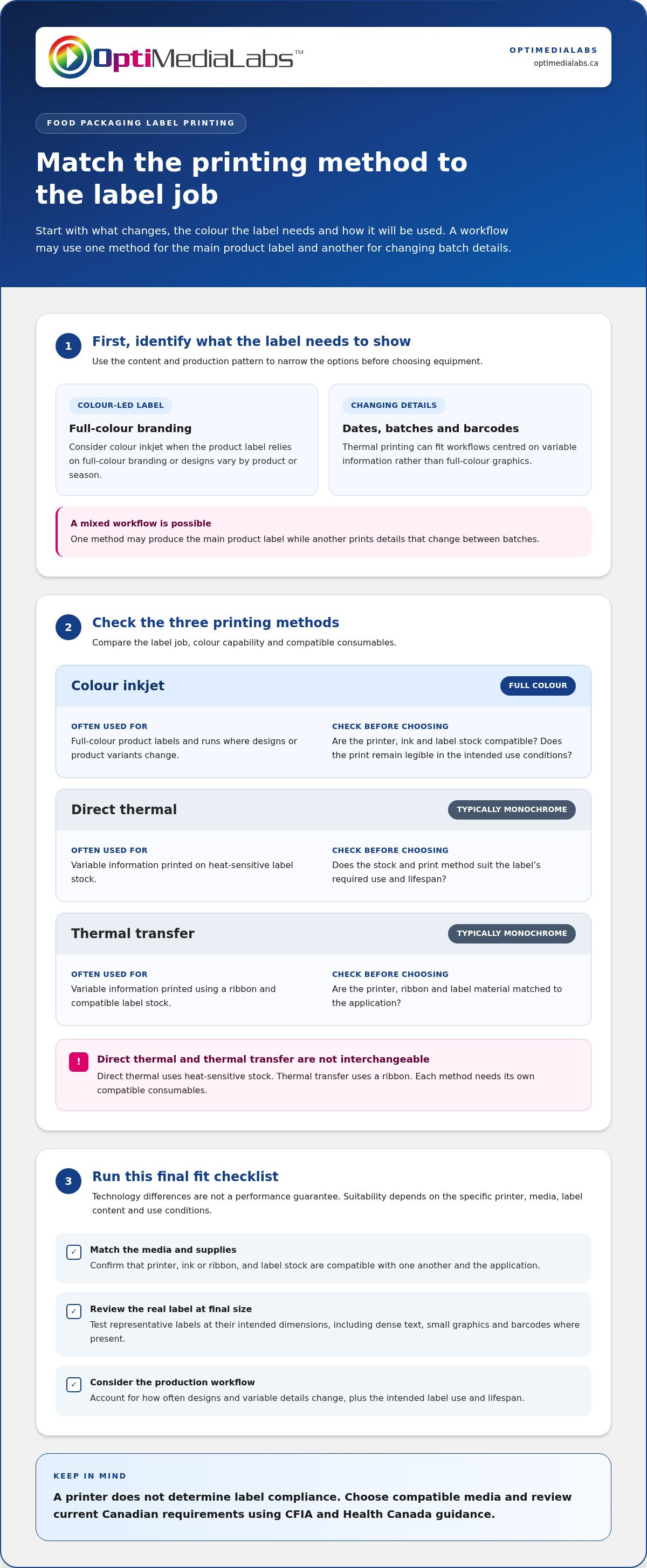
Choose a printing method based on what changes, the colour the label needs and how printing fits into production. Colour inkjet can produce full-colour branding and other label content in-house. Thermal printing is often used for variable information such as dates, batch identifiers and barcodes. A workflow may use one method for a main product label and another for details that change between batches.
Colour inkjet
Typical use: Full-colour product labels and runs where designs or product variants change.
Colour capability: Full-colour printing.
Check: Are the printer, ink and label stock compatible, and does the print remain legible in the intended use conditions?
Direct thermal
Typical use: Variable information printed on heat-sensitive label stock.
Colour capability: Typically suited to monochrome information.
Check: Does the label stock and print method suit the label’s required use and lifespan?
Thermal transfer
Typical use: Variable information printed using a ribbon and compatible label stock.
Colour capability: Typically suited to monochrome information.
Check: Are the printer, ribbon and label material matched to the application?
These are technology-level distinctions, not a performance guarantee. Suitability depends on the specific printer, media, label content and use conditions. Test representative labels at their intended size and consider the full workflow, including how often designs or variable details change.
When is colour inkjet a practical fit?
Consider colour inkjet when a label relies on full-colour branding or when you need different designs for product variants and seasonal runs. Ink and label compatibility matter together: even a suitable printer needs media intended for that printing method and application. Compare Afinia colour label printers when assessing in-house colour equipment.
When should a business consider thermal printing?
Thermal printing can fit a workflow where the main need is changing information, such as a date, batch identifier or barcode, rather than full-colour graphics. Direct thermal printing uses heat-sensitive stock; thermal transfer uses a ribbon. The methods require different consumables, so they aren’t interchangeable. Match the method to the label content and expected use, then include compatible printer supplies in the setup.
Printer selection and label compliance are separate decisions. For context on U.S. requirements, the FDA Food Labeling Guide is a reference, but Canadian products should be assessed using current Canadian guidance. Share your application requirements when discussing printer and media choices with OptiMediaLabs Canada.
Label Material, Moisture, and Compliance: What the Printer Cannot Decide
A printer can reproduce content, but it can’t determine whether that content or the materials meet requirements for a particular food product. A label printer for food packaging is one part of the setup. Label stock, ink or ribbon, adhesive, package surface and use conditions all affect the result.
The printer, ink or ribbon, label stock and application conditions must work together for a food label to print clearly and perform as intended. First, distinguish a label applied to the outside of packaging from a material intended to contact food directly. Expected contact and use matter. Don’t assume that a label is suitable for food contact or that a package label is compliant based on print quality alone. Review relevant product documentation for the printer and media.
How should label stock be matched to food packaging?
Start with the package surface and the conditions the label will face. Consider whether the package is refrigerated, whether condensation may form and how much friction or handling the label will experience. Stock and adhesive that work on one package may not adhere or remain legible on another.
Test before committing to a workflow. Print a sample using the intended printer and supplies, apply it to the actual package, then assess adhesion and readability through representative storage and handling conditions. Check small text and barcodes for clarity. Explore Afinia label media options as part of matching media to an in-house printing setup.
What should Canadian businesses review for label compliance?
Review current requirements from the Canadian Food Inspection Agency (CFIA) and Health Canada, as applicable to the product. Bilingual information, allergen declarations and Nutrition Facts information are areas that may need product-specific review. Requirements can depend on the food and its circumstances, so don’t assume one label layout fits every product.
The FDA food labelling guidance addresses U.S. requirements; it isn’t a substitute for Canadian guidance. Use current CFIA and Health Canada resources to assess Canadian labels. Then check that the intended content fits the label dimensions and prints legibly with the selected printer and media. Equipment can support the workflow, but it doesn’t determine whether the label meets applicable rules.
How to Specify a Food Packaging Label Printer for Your Workflow
A useful specification starts with the labels your operation actually produces, not a printer’s headline speed or features. Document what needs printing, how often it changes and where labels go. This gives you a practical basis for matching the printer, media, ink or ribbon and software to the job.
What production details should buyers document first?
Build a requirements list before comparing equipment. Separate what you need today from expected growth so the setup supports your workflow without being based on assumptions.
- List SKUs, label dimensions, content and required colour. Note which details stay fixed and which change between products or batches.
- Record print demand. Track labels per run, runs per week, routine volume and peak volume, along with how often label information changes.
- Specify the label format. Note whether you need rolls or sheets, the print orientation and any artwork or variable fields the label must accommodate.
- Describe the package and application. Record the package shape and surface, how labels are applied, and whether application is manual or part of a production line.
- Document storage and handling. Include refrigeration, condensation, friction and other conditions labels may encounter after application.
- Map the workflow. Identify the software used to prepare or manage labels, and how the printer will receive fixed and changing information.
How can a business test print quality before choosing?
Prepare a representative test label, not a simplified sample. Include small text, colour elements, a barcode if used, and fields that change between batches. Print it on the intended media with the relevant ink or ribbon, then apply it to the actual package.
Review the sample under realistic storage and handling conditions. Check text and barcode readability, colour appearance and whether the label stays attached. This test can reveal issues that a printer specification alone won’t show, including poor fit on a curved surface or reduced legibility after handling.
Use the results to confirm that the printer, media, consumables and software work as a connected setup. If you’re specifying a label printer for food packaging, bring your SKU list, sample label content, volume notes and package details together before settling on equipment. Discuss your food-label workflow and requirements to narrow the setup around your application.
Build an In-House Food Label Printing Setup with OptiMediaLabs Canada
Turn your workflow notes into a connected equipment and supply plan. Match the printing method to label content and production needs, then select compatible stock and consumables for the printer and application. The goal is a workable in-house setup, not simply a printer that can produce a sample label.
OptiMediaLabs Canada distributes professional colour label printers and related supplies, including equipment from top manufacturers like Afinia and VIPColor. Printer, media, ink or ribbon, and workflow software each play a part. Requirements depend on the chosen printer and intended label application, so compare product documentation rather than assuming supplies are interchangeable.
Which equipment and supplies belong in the setup?
Plan for the complete workflow: a printer suited to the label content and production pattern, compatible label stock, the required ink or thermal transfer ribbon, and software to prepare or manage label information. If labels include variable fields or barcodes, include those needs in the workflow plan. Consider a colour label printer alongside its media, just as thermal equipment needs compatible stock and, where applicable, ribbon.
OptiMediaLabs Canada offers printer categories alongside labels, ink cartridges, thermal transfer ribbons and barcode software. Use your documented workflow to define what needs to work together. A professional food label printing setup should be evaluated against actual package samples and label requirements, not assumed suitable based on printer type alone.
What should readers prepare before discussing their requirements?
Bring practical examples. Sample artwork and label dimensions show the layout and available space; packaging samples provide context for the surface and shape. Note routine and peak production volumes, how often information changes, required colour, variable fields, storage conditions and barcode needs. These details give the equipment and supply discussion a clear starting point.
Keep compliance review separate from equipment selection. A printer can reproduce the content you provide, but it doesn’t establish whether the content or materials meet requirements for a particular product. Review current Canadian guidance for your application, then specify the printing workflow around those requirements.
With those details organized, you can narrow the printer technology and compatible media around your team’s actual workflow. Discuss your food-label printing requirements with OptiMediaLabs Canada to take the next step toward an in-house setup.
Put Your Food Label Workflow into Practice
The right label printer for food packaging fits your label content, production pattern and package conditions. Colour inkjet and thermal printing serve different needs, and the printer must be paired with compatible media and consumables. Test representative labels in your workflow, and review product-specific requirements separately from equipment selection.
OptiMediaLabs Canada distributes professional colour label printers from Afinia, Epson, Primera and VIPColor, along with label media and printer consumables. Bring together your label dimensions, sample artwork, SKU details, print volumes and packaging conditions to define a practical in-house setup.
Contact OptiMediaLabs Canada to discuss your food packaging label-printing requirements. With a clear understanding of your application, you can move forward with greater confidence in your equipment and supply choices.
Frequently Asked Questions
Can I use an inkjet printer for food packaging labels?
Yes, an inkjet label printer can suit food packaging labels that need colour graphics, product information or changing designs. The result depends on the specific printer, compatible ink and label stock, and the conditions the package will face. Test a representative label on the intended packaging and check readability and adhesion after handling. Printer capability alone doesn’t establish that the label materials or printed information meet applicable requirements.
What type of label printer is best for food packaging?
There isn’t one best label printer for food packaging for every business. Colour inkjet may suit labels that rely on branded graphics, while thermal printing may fit workflows centred on changing information such as dates or batch details. Compare the label content, print volume, compatible media, package surface and storage conditions. Test a sample in the intended workflow, and confirm that the selected printer and supplies suit the application.
Are inkjet food packaging labels waterproof?
Not automatically. Water resistance depends on the printer, ink, label material and any finishing used together. Refrigeration, condensation, handling or cleaning can also affect the printed label. Test a sample on the intended package under conditions that reflect expected use. Check whether text and graphics stay readable and the label remains attached. A general description of a material shouldn’t replace testing the complete printed label.
Does buying a food label printer make my labels compliant in Canada?
No. A printer produces the label, but it doesn’t verify that the information, language, format or materials meet requirements for a specific product. Review current guidance from the Canadian Food Inspection Agency and Health Canada, as applicable, and assess product label content separately from printer selection. A successful print test can confirm print quality and fit, but it can’t establish regulatory compliance.
What information should I prepare before choosing a food label printer?
Gather your SKU count, label dimensions, required colours, print volumes and details that change between runs. Include sample artwork, packaging samples and notes about application, refrigeration, moisture and handling. Record whether the label needs variable fields such as dates, batch identifiers or barcodes. This information helps compare printer technologies and compatible media. Testing representative artwork at its intended size can reveal legibility or fit issues early.
Can one label printer handle different food products and label sizes?
It may, but the practical range depends on the printer’s specifications and compatible media. Compare the dimensions, material and colour needs of each label, along with differences in content and package conditions. Test a representative label for each distinct application, including the most demanding layout or package surface. Confirm that the printer and supplies support the intended jobs before standardizing one setup across multiple products.
Should a food business print labels in-house or order them pre-printed?
Choose based on how often label content or designs change, the volume of each run and the value of printing on demand. In-house printing can support changing product information and varied runs; pre-printed labels may suit stable, repeat production. Compare the full workflow, including printer equipment, compatible supplies, inventory and quality checks. Consider routine and peak demand before deciding which approach best fits your operation.