
NeuraLabel Callisto vs. Epson C7500: Choosing a High-Speed Label Press
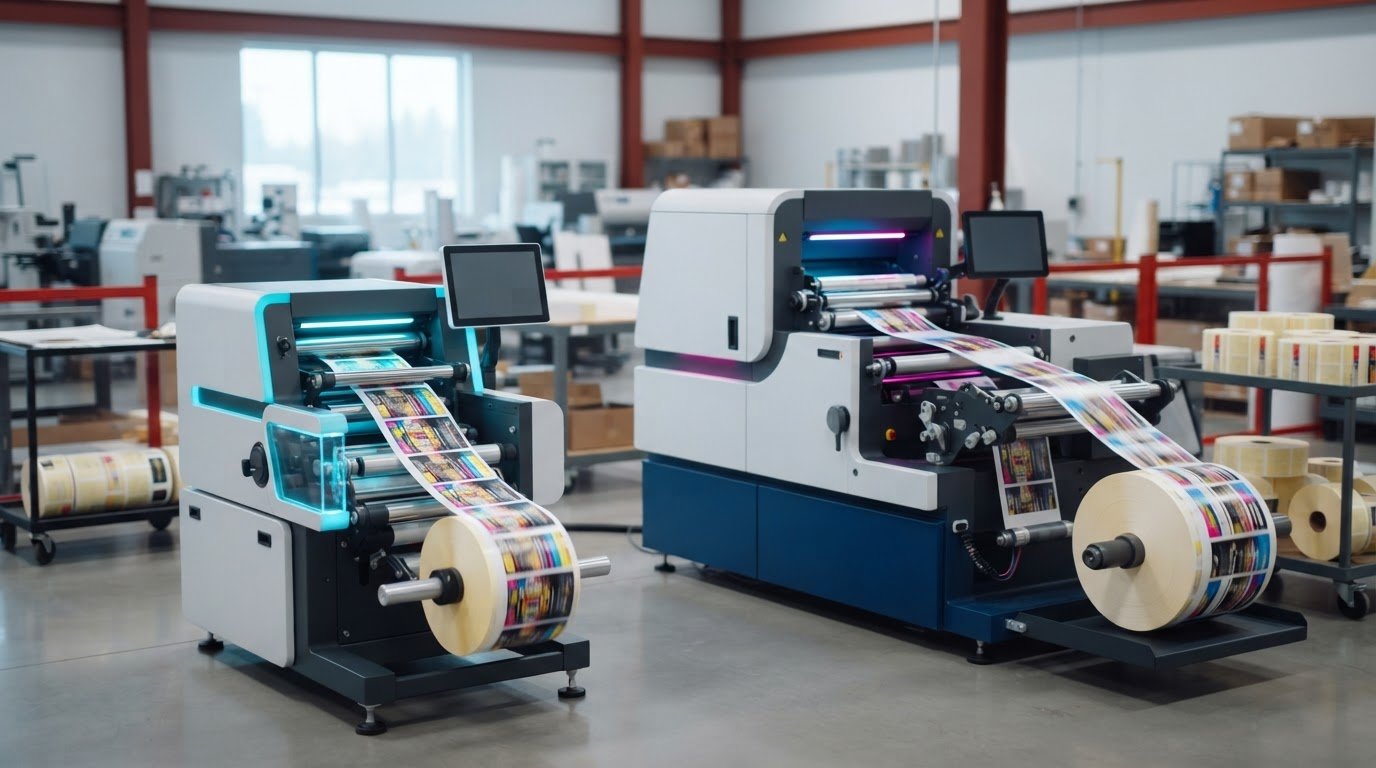
The press with the higher rated speed isn’t automatically the faster choice for your production line. If you’re researching “NeuraLabel Callisto vs Epson C7500 high speed label press,” note that Epson has discontinued the C7500 series. Its replacement is the CW-C8000.
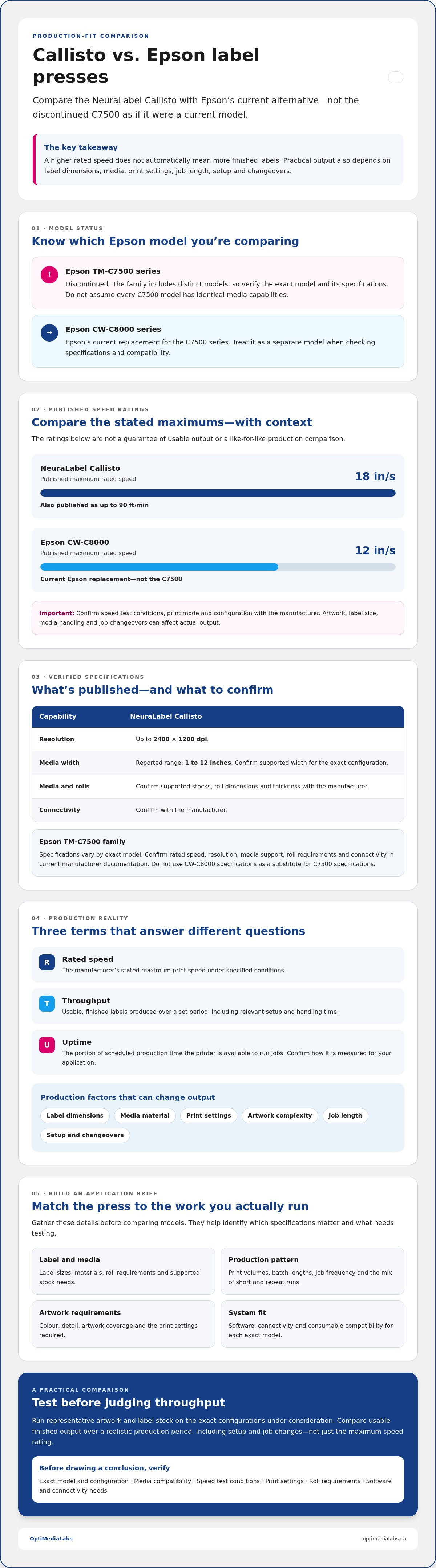
The Callisto is rated at up to 18 inches per second, while the CW-C8000 is rated at up to 12 inches per second. Those maximums don’t tell you how many finished labels your workflow can produce. Usable throughput also depends on label dimensions, media, print settings, job length and changeovers.
This comparison will help you assess the Callisto alongside the current Epson alternative, rather than treating the discontinued C7500 as a current model. We’ll look at published specifications and production factors that can affect output, media fit and workflow compatibility. You’ll also learn what details to gather about your label stock, print volumes and software before requesting product information.
Key Takeaways
- The NeuraLabel Callisto vs Epson C7500 high speed label press decision starts with your jobs, media and production demands, not headline speed alone.
- Keep the C7500’s discontinued status in view and assess whether the current Epson alternative fits your requirements.
- Compare verified specifications, including media support and print width, and confirm configuration-dependent details with the manufacturer.
- Test representative artwork and label stock to estimate practical throughput before selecting equipment.
- Prepare details about batch length, job frequency, label variation and software to make a product enquiry more useful.
NeuraLabel Callisto vs. Epson C7500: What Should a Buyer Compare First?
Start with the labels you need to produce, not the printer with the most impressive speed figure. The right press must suit your job lengths, label materials, roll requirements and production schedule. For the NeuraLabel Callisto vs Epson C7500 high speed label press decision, compare each option against the work your team actually runs, including frequent short jobs and longer repeat batches.
Both printers use Digital printing, but their rated speeds aren’t necessarily a like-for-like measure. The Callisto is rated at up to 90 feet per minute, or 18 inches per second. That maximum doesn’t show how many finished labels will be ready in a shift. Results depend on test conditions, artwork, label dimensions, media handling and time spent setting up or changing jobs.
What does high-speed label printing mean in production?
Separate the printer’s rated engine speed from practical throughput. A press may print quickly once a job is running, while setup, artwork complexity, roll changes and job changeovers add time. Compare equipment using the same representative artwork and media, then assess usable output over a realistic production period.
Three terms to compare
- Rated speed: The manufacturer’s stated maximum print speed under specified conditions.
- Throughput: The quantity of usable, finished labels produced over a set period, including relevant setup and handling time.
- Uptime: The portion of scheduled production time the printer is available to run jobs. Confirm how this is measured for your application.
Which details should buyers confirm before comparing models?
Build a short application brief before reviewing specifications. Record label sizes, whether jobs run from rolls, media materials, print volumes and the daily mix of repeat and variable jobs. Include colour and detail requirements for the artwork. These details help identify which specifications matter and what to test.
- Confirm the exact model and configuration. The Epson TM-C7500 family includes distinct models, so don’t assume every specification or media capability is identical.
- Check supported media, roll requirements, operating conditions and connectivity in current manufacturer documentation.
- Ask how speed ratings were measured and whether they reflect your label size, print settings and artwork.
The C7500 series has been discontinued, and Epson’s current replacement is the CW-C8000 series. If you’re comparing an installed C7500 with a new purchase, distinguish that model from current Epson label printer options. Verify specifications and consumable compatibility for each exact model before drawing conclusions.
Callisto vs. Epson C7500 Specifications: Compare Verified Capabilities
Use specifications to screen for fit, then confirm them against current documentation for the exact printer model and configuration. The Epson TM-C7500 family is discontinued, so this comparison may involve an installed C7500 and a new Callisto purchase. Epson’s replacement, the CW-C8000, is a separate model and shouldn’t be used as a source for C7500 specifications.
The table separates published Callisto figures from details that require model-specific confirmation. A maximum speed isn’t a production guarantee. Print mode, artwork coverage, label dimensions and job length can affect output. The Callisto’s published maximum is up to 90 feet per minute, or 18 inches per second. Without matching test conditions, don’t treat that rating as directly comparable with another printer’s speed.
| Specification | NeuraLabel Callisto | Epson TM-C7500 family |
|---|---|---|
| Rated speed | Up to 90 feet per minute (18 inches per second); confirm print mode and test conditions with the manufacturer. | Confirm with the manufacturer for the exact model and print mode. |
| Resolution | Up to 2400 × 1200 dpi. | Confirm with the manufacturer. |
| Media width | Reported range: 1 to 12 inches; confirm supported width for the configuration. | Confirm with the manufacturer. |
| Media and roll requirements | Confirm supported stocks, roll dimensions and thickness with the manufacturer. | Confirm supported stocks, roll dimensions and thickness for the exact model. |
| Connectivity | Confirm with the manufacturer. | Confirm with the manufacturer. |
How do rated speed and usable throughput differ?
A speed rating describes printing under stated conditions, not the number of acceptable labels completed during a shift. Dense colour coverage or complex variable data may require different settings than a simple label. Short runs also involve setup and changeover time. Ask for the conditions behind each published rating, then test representative jobs on compatible media. This makes the NeuraLabel Callisto vs Epson C7500 high speed label press comparison more useful for production planning.
Which media and print requirements need a model-by-model check?
Confirm media compatibility, ink configuration, print technology and durability claims using current manufacturer documentation. Don’t assume a claim for one model, ink set or label stock applies to another. For colour-critical work, define the required process controls. ISO 12647 process control addresses print process control, but it isn’t a printer certification. Check the Epson consumable required for your model, including TM-C7500 matte ink cartridges.
For product and consumable questions, share the exact model, label dimensions, media details, artwork and expected job mix. Contact OptiMediaLabs Canada with your printer and consumable questions, and confirm relevant specifications for your application.
Which Printer Fits Your Label Jobs, Volume, and Production Workflow?
Compare each printer against the work it must handle: how often jobs run, how long each batch lasts, how much labels vary and how much downtime your operation can tolerate. A recurring, consistent batch may benefit more from sustained production capacity than a schedule of short, frequently changing jobs. The NeuraLabel Callisto vs Epson C7500 high speed label press choice depends on your production pattern, not a universal ranking.
Separate a new equipment decision from an installed-printer decision. Epson has discontinued the C7500 series, so buyers considering that model should verify the specific unit, support and consumable requirements. Don’t assume information for a C7500 applies to its replacement or every printer in the family.
When might the Callisto suit a production-focused operation?
The Callisto may warrant evaluation where labels run repeatedly in longer batches and a faster rated print engine could support the production plan. First, confirm current specifications against the materials, label widths and print settings your jobs require. Then assess the whole line: how labels are supplied and collected, whether downstream finishing is needed, how the printer fits existing software, and what training or operator attention the workflow requires.
Run a representative job rather than relying on a speed claim. Include typical artwork and media, then track setup, printing, handling and finishing steps. This will show whether a production-focused printer improves usable output for your specific work mix.
When might the Epson C7500 fit the operation?
An installed C7500 may remain practical if its exact model and configuration meet current job requirements. Compare its supported label stock, ink, software and output needs with your production process. Confirm consumable supply and compatibility for the precise model before planning continued use. Don’t infer either from a family name or information for another Epson printer.
For new equipment, account for the C7500’s discontinued status and assess the current replacement separately. Check specific Epson label media against manufacturer guidance rather than assuming stock used with one model will work with another. Confirm ink and software requirements for the exact printer, too.
Use these workflow questions to guide a side-by-side assessment:
- Job frequency: Are jobs scheduled regularly or triggered by changing demand?
- Batch length: Do you print long repeats, short runs or a mix?
- Label variation: How often do dimensions, artwork or data change?
- Downtime tolerance: What happens if the printer needs a setup change or a compatible supply isn’t available?
Choose only after the candidate printer meets confirmed requirements and performs on representative jobs. Weigh any differences against your actual run sizes, operator process and tolerance for interruptions.
How to Evaluate Total Workflow Fit Before Selecting a Label Press
A printer decision affects more than the print station. Review how a candidate fits your scheduling, operator responsibilities, software environment and supply planning. Document who will approve technical requirements, operate the equipment and confirm consumable needs. A shared record helps keep purchasing, production and supply enquiries aligned.
What production information should buyers collect?
Gather the information your team uses to plan label work: dimensions, substrates, colour coverage, batch quantities and how often jobs change. Add output targets and acceptable production downtime. Note the design files and software involved, who prepares and releases jobs, and what happens after printing, such as cutting or other finishing. These details give an equipment supplier useful context for responding to your questions.
How should a fair printer evaluation test be structured?
Agree on an evaluation plan before testing. Use representative artwork, stock and acceptance criteria for each candidate, provided the media is confirmed as compatible with both exact configurations. Record test settings and who operated each printer. Track setup time, usable output, reprints and operator steps, then review differences with the supplier before drawing conclusions.
Use this checklist to keep the review organized:
- 1. Define the sample jobs. Select work that reflects your regular production schedule and the label variations your team handles.
- 2. Record application requirements. Document label sizes, substrates, roll needs, output targets and downtime tolerance.
- 3. Map responsibilities. Identify who prepares files, operates the printer, schedules runs and manages consumables.
- 4. Check workflow dependencies. List software, file formats, job-release steps and downstream finishing processes for the supplier to review.
- 5. Agree on test criteria. Set the settings and quality standards in advance, and record setup, usable labels, reprints and operator steps.
- 6. Confirm open questions. Ask the equipment supplier to verify specifications, compatibility, consumable availability, and service and support arrangements for the proposed configuration.
Document unresolved items rather than treating assumptions as confirmed facts. This makes it easier to compare supplier responses and identify what still needs manufacturer verification before a purchase decision.
For printer and consumable enquiries, contact OptiMediaLabs Canada with your application details. Keep any recommendation conditional on confirmed specifications and your production requirements.
Choose Between NeuraLabel Callisto and Epson C7500 With Expert Guidance
Make the decision against your documented requirements, not a general claim that one printer is better. Distinguish between evaluating an existing C7500 and selecting equipment for a new purchase. The C7500 series is discontinued, so confirm the status and support arrangements for any specific unit under consideration.
What should you ask before requesting a recommendation?
Send the candidate model names and the details needed to resolve outstanding questions. Ask which specifications are confirmed, which require manufacturer verification and what further information is needed to assess fit.
- Which requirements can each exact configuration meet, and what remains unverified?
- Are the proposed media and consumables confirmed for the specific model?
- What support arrangements apply to the equipment being considered?
How can OptiMediaLabs Canada help with the next step?
OptiMediaLabs Canada is a Canadian distributor of professional label printers and consumables, including NeuraLabel printers, Epson printers and Epson ink cartridges. The company can answer product and supply enquiries. Confirm availability, compatibility and support details for the specific equipment directly. Any recommendation should depend on your application and verified information.
Bring your remaining questions to the discussion and use the answers to identify what needs confirmation before proceeding. Discuss your label printer requirements with OptiMediaLabs Canada.
Make Your Next Label Press Decision With Confidence
The NeuraLabel Callisto vs Epson C7500 high speed label press decision comes down to more than rated speed. Use verified specifications to narrow your options, then compare performance with representative artwork and media. The practical test is whether a printer can meet your output needs while fitting your job mix, operators and production schedule.
Before moving ahead, confirm the exact model, supported label stock, consumables and remaining compatibility questions. Since the Epson C7500 series has been discontinued, distinguish an existing C7500 workflow from a new equipment purchase, and assess replacement options using their own current documentation.
OptiMediaLabs is a Canadian distributor of professional label printers and consumables, with offerings that include NeuraLabel printers, Epson printers and Epson ink cartridges. Share your application details to discuss relevant equipment and supply questions. Discuss your label printer requirements and take the next step with a clearer basis for your decision.
Frequently Asked Questions
Is the NeuraLabel Callisto faster than the Epson C7500?
The Callisto has a published maximum speed of up to 90 feet per minute, but that alone doesn’t establish that it will be faster in your production workflow. A verified, comparable C7500 speed and matching test conditions are needed for a fair comparison. Print mode, artwork, media and job length can affect output. The C7500 series is discontinued, so confirm specifications for the exact model using manufacturer documentation.
What is the main difference between the NeuraLabel Callisto and Epson C7500?
The main difference for a buyer is how each exact model fits the required jobs, media and production process, not a single headline specification. The Callisto and C7500 family may differ in supported configurations and workflow requirements, so verify these against current manufacturer documentation. The C7500 series is discontinued, while the CW-C8000 is its replacement. Treat the replacement as a separate model, not an update to C7500 specifications.
Can the Epson C7500 handle high-volume label production?
An Epson C7500 may suit production work if its confirmed capabilities match the label jobs and output demands. Assess typical batch length, job frequency, media compatibility, setup and changeover needs, and acceptable downtime. Test representative artwork and stock to measure usable labels, not just print-engine speed. Since the C7500 series is discontinued, confirm the exact unit, compatible consumables and relevant support arrangements before planning ongoing production.
What should I compare when choosing a high-speed label printer?
Compare specifications that affect your labels: supported media and roll dimensions, print width, resolution, speed conditions, connectivity, ink and software compatibility. Then assess the full workflow, including artwork, job setup, batch size, changeovers, operator steps and downstream finishing. A long repeat run and a schedule of short, frequently changing labels place different demands on a printer. Confirm model-specific details with the manufacturer before deciding.
Does the NeuraLabel Callisto print at 90 feet per minute?
The Callisto is reported to have a maximum print speed of up to 90 feet per minute, equivalent to 18 inches per second. Treat this as a rated maximum, not a guaranteed production rate. Realized output can vary with print mode, artwork coverage, media and job length. Before using the figure to plan capacity, ask for the manufacturer’s test conditions and verify that they apply to your intended configuration.
How do I know whether the Callisto or Epson C7500 suits my labels?
Prepare details about label dimensions, stock, roll requirements, artwork, print volume and job frequency. Confirm each printer’s compatibility with those requirements, along with ink, software and operating needs. Then test the same representative artwork and media on the candidate configurations, recording setup time, usable output, reprints and operator steps. The NeuraLabel Callisto vs Epson C7500 high speed label press choice should follow verified requirements and test results, not assumptions about a model family.
Where can I get help comparing NeuraLabel and Epson label printers in Canada?
OptiMediaLabs is a Canadian distributor of professional label printers and consumables, with offerings that include NeuraLabel printers, Epson printers and Epson ink cartridges. Contact the company with your candidate models, label requirements and production targets for product and consumable enquiries. Confirm specifications, compatibility, availability and support arrangements for the exact configuration before making a purchase decision. Product enquiries don’t replace manufacturer confirmation or a representative job test.