
UL Labelling Requirements for In-House Printing in Canada
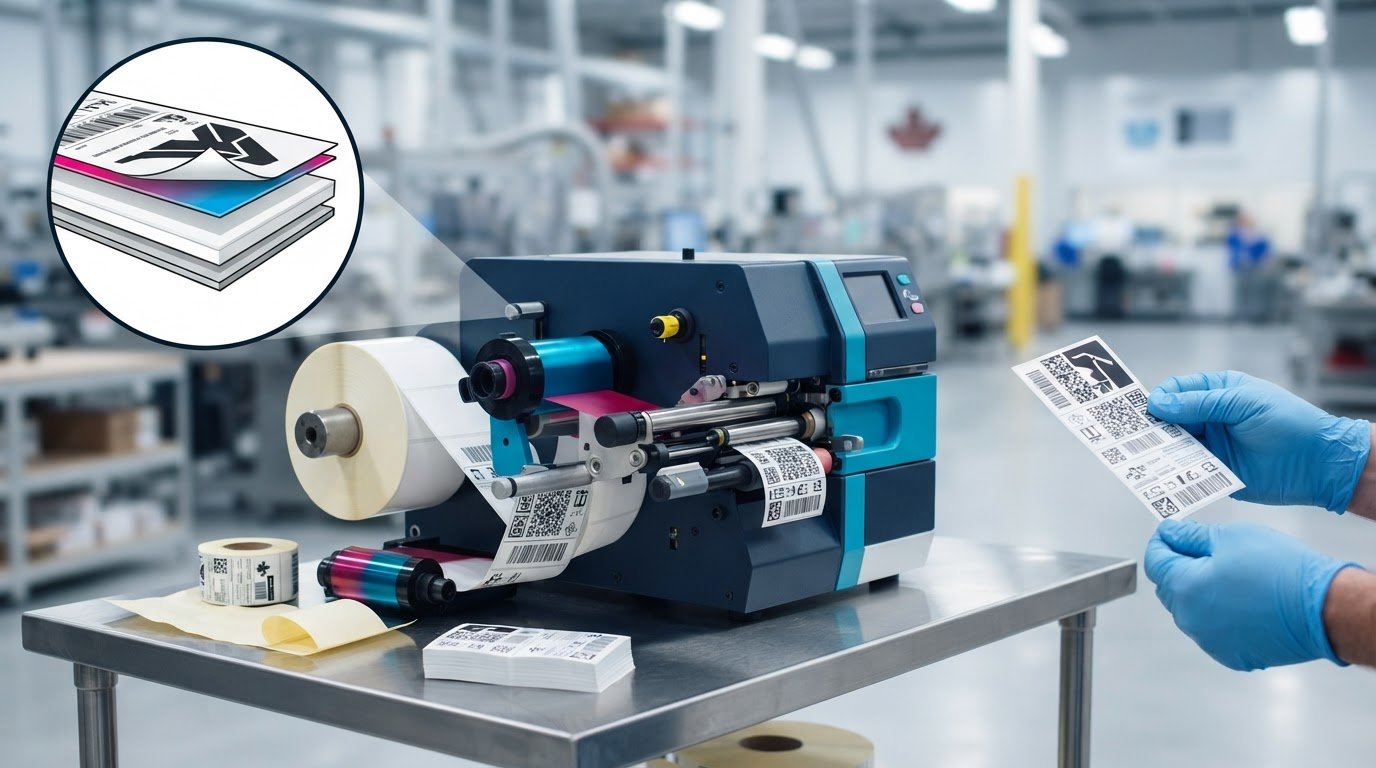
What if the printer is the least important part of in-house UL labelling? For manufacturers assessing UL certification labeling requirements in-house, the key question isn’t simply whether a printer can produce a clear mark. It’s whether the label materials and print process fit the marking system evaluated for the product and its intended Canadian use.
That distinction can make equipment decisions feel uncertain. Do the label, printer, ink or ribbon, and substrate need to be evaluated together? Could changing a consumable or print setting affect compliance? A UL-certified product doesn’t automatically make every label printed for it compliant. The evaluated conditions and product-specific requirements matter.
This guide explains how to plan an in-house workflow around those requirements. You’ll learn what UL 969 and the relevant Canadian requirements for adhesive labels address, which product and process details to review, and how to shortlist printers, label stock, and printing consumables. The goal is a controlled workflow that supports the evaluated marking system, not the assumption that equipment alone confers certification.
Key Takeaways
- Start with the product certification file and intended marking conditions to clarify which requirements apply to your label.
- Consider how label material, adhesive, ink or ribbon, print method, and application surface relate to the evaluated marking system.
- Compare in-house and preprinted workflows based on variable data, inventory, process records, and evaluation scope.
- Use the UL certification labeling requirements in-house to guide a controlled workflow, not as a reason to assume a printer or consumable grants approval.
- Shortlist printers, label stock, and software based on format, production needs, and media compatibility within the applicable requirements.
What UL Certification Labelling Requirements Cover for In-House Printing
In-house printing isn’t automatically acceptable just because the finished mark is legible or the printer carries a certification mark. A marking and labelling system is an evaluated construction used to apply product identification or safety-related information. Depending on the application, that construction can include the label material, adhesive, printing materials, printing method, and the surface receiving the mark.
The applicable requirements depend on the end product, what the marking needs to communicate, where it will be applied, and the product’s certification conditions. A label suitable for one product or surface may not be suitable for another. Start with the product’s certification documentation, rather than assuming there is one universal definition of a “UL label.”
Keep product certification separate from evaluation of a marking system. Product-level certification applies to the product within its defined scope. The label or marking system is assessed for its own intended use and conditions. Choosing a printer, ink, ribbon, or label stock supports production, but those equipment and supply choices don’t independently certify the label or finished product.
What does UL 969 evaluate?
UL 969 focuses on permanence of marking, not on a universal label recipe. Performance depends on relevant variables such as the substrate, adhesive, printing materials, print method, application surface, and end-use conditions. The evaluated construction must suit the specific application. A material or process that works in one setting cannot automatically be assumed suitable in another.
UL 969, Edition 6, was published on July 28, 2025. For Canadian adhesive-label applications, CSA C22.2 No. 0.15 is also relevant, with methods and requirements that differ from UL 969. Before setting a workflow, verify the current edition, applicable standard, and scope against the product’s certification conditions.
How do UL Listed and UL Recognized labels differ?
UL Listed applies to a stand-alone end product evaluated for its intended application. UL Recognized applies to a component or material intended for use within a larger product, subject to stated conditions of acceptability. A Recognized label component doesn’t make the product containing it Listed, and the two statuses aren’t interchangeable.
For in-house production, this distinction matters because label stock may be evaluated as a component for specific conditions, including how it is printed and used. A product-level mark identifies the certification status of the finished product; it isn’t a separate approval of every label later printed for it.
For Canadian use, don’t assume a U.S. evaluation alone settles the requirements. Canadian recognition for adhesive labels may involve CSA C22.2 No. 0.15, while UL 969 addresses the U.S. standard. The applicable Canadian certification and marking conditions depend on the product and evaluation scope. Review those details in the certification documentation before selecting materials or changing a print process. This is the foundation for applying UL certification labeling requirements in-house without confusing printer capability with system suitability.
How an In-House UL Marking System Is Evaluated
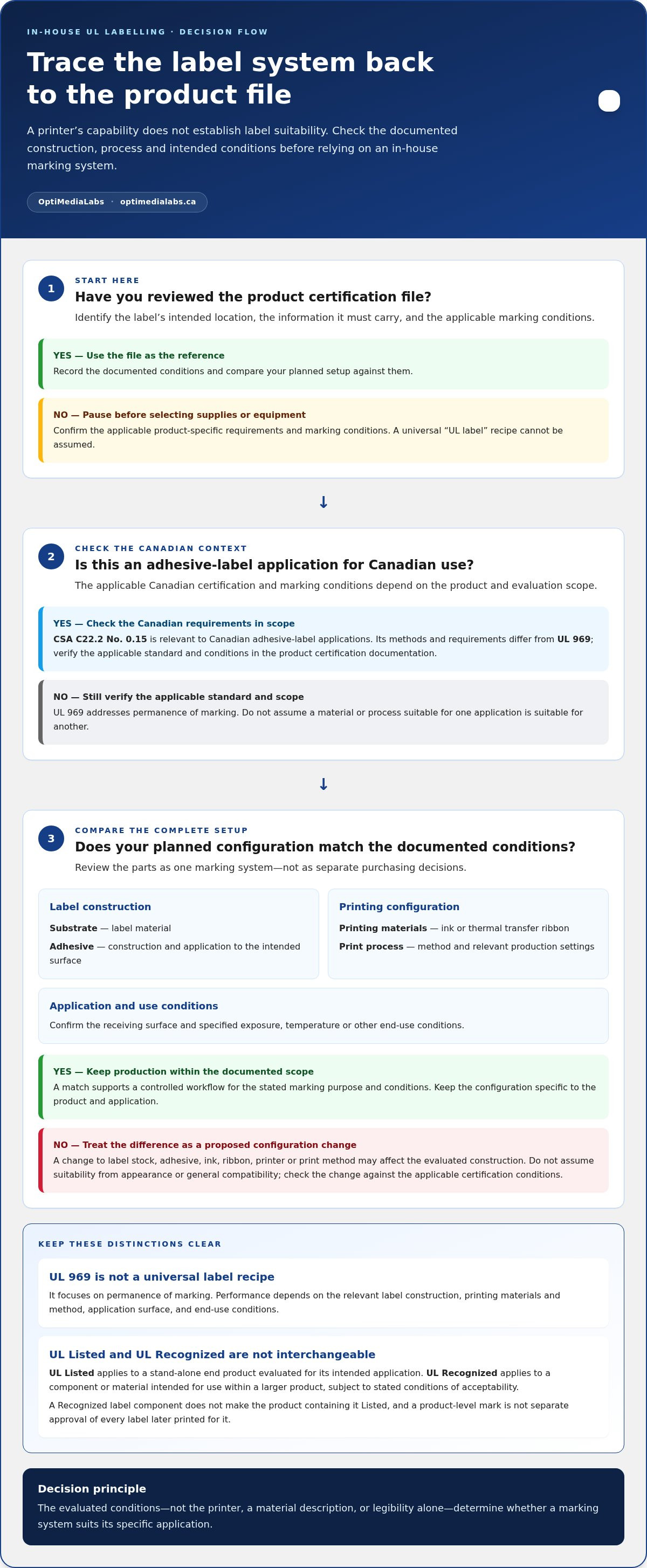
Begin with the product certification file. Identify where the label will go, what information it must carry, and any limits on its construction or printing process. Compare those documented conditions with the setup you plan to use. This gives your team a practical way to apply UL certification labeling requirements in-house without treating a material description or printer specification as proof of suitability.
An evaluated marking system is the defined combination of label construction, printing method, application surface, and use conditions assessed for a specific marking purpose. Acceptance applies only within its documented scope and conditions. Keep the review specific to the product. A system evaluated for one surface or environment shouldn’t automatically be assumed suitable for another.
Which label construction details matter?
Record the production configuration as a complete set, rather than as separate purchasing choices. The product file or evaluation conditions may specify or limit:
- Substrate and adhesive: the label material and adhesive construction, including how the label is applied to the intended surface.
- Printing materials: the ink or thermal transfer ribbon used for text, symbols, or codes.
- Print process: the printing method and relevant production settings used to create the marking.
- Application conditions: the surface type and specified exposure, temperature, or other use conditions.
A material’s recognition or listing doesn’t automatically approve every combination that uses it. For example, specified label stock paired with a different ribbon or ink may not match the evaluated construction. Don’t substitute materials based only on similar appearance or general-purpose compatibility. The documented conditions, rather than a universal material recommendation, determine suitability for the application.
What changes can affect the evaluated system?
Treat changes to label stock, adhesive, ink, ribbon, printer, or print method as proposed configuration changes. They may affect how the marking performs on the product surface or under its intended conditions. A new consumable that feeds correctly and produces readable output isn’t necessarily within the evaluated scope.
Use a controlled review before making production changes:
- Describe the proposed change and its purpose.
- Compare the new configuration with the product file and documented evaluation conditions.
- Record the decision, supporting documentation, and approved materials or process parameters.
- Keep purchasing and production records aligned with the approved configuration, and control substitutions.
Specific approval routes and notification duties depend on the applicable certification programme and product file. Verify those requirements before implementing a change. OptiMediaLabs Canada supplies printing equipment and consumables for production workflows, including printers and consumables. The objective is a traceable setup that matches the evaluated construction, not simply a printer capable of producing the mark.
In-House Printing or Preprinted Labels: Compare the Compliance Workflow
Choose a production method only after checking how the label will be used and what the product’s certification documentation permits. In-house printing can provide control over timing and variable information. Finished, preprinted labels can simplify production when content is fixed. Neither approach bypasses the need for the label construction and use to meet the applicable product requirements.
A capable printer alone doesn’t establish UL compliance. Nor is a label suitable for every product simply because it was printed in advance. Compare the workflows against the controls your team will need to maintain:
| Workflow consideration | In-house printing | Finished, preprinted labels |
|---|---|---|
| Control | Your team controls print timing, output, and production settings. | Labels arrive printed; production applies the finished marking. |
| Inventory | Stock blank or partially printed labels and the required printing consumables. | Plan inventory around the required finished label versions. |
| Variable data | Can support information that changes at production, if the evaluated use allows it. | Fixed content may suit labels that don’t need additional information at the line. |
| Process records | Document materials, print settings, substitutions, and production checks. | Maintain records for the label version used and its applicable documentation. |
| Evaluation scope | The label construction and end-user printing process must fit the applicable conditions. | The finished label must suit the specific product and application; added printing may not be covered. |
When can in-house printing fit the workflow?
In-house output may suit a production line that needs controlled, on-demand labels or changing information. The advantage is operational flexibility, not an exemption from product-specific requirements. Keep the media and consumables consistent, use repeatable print settings, and document the production configuration. Confirm that the applicable evaluation covers the actual end-user printing method and intended use.
When may finished labels be the simpler option?
Finished labels may suit production where the content is stable and variable in-house printing isn’t needed. They can reduce print-process steps at the line, while requiring planning for label versions and inventory. Don’t assume a finished label can accept extra printing: that change may fall outside its evaluated use. Check the product’s certification documentation for the label’s scope and conditions.
Use the exact UL certification labeling requirements in-house as a workflow decision, not a printer-shopping shortcut. Whether labels are printed at your facility or supplied finished, the documentation must align with the product, label construction, and intended application. If requirements allow in-house printing, build controls around the approved setup. If they don’t, changing equipment or consumables won’t resolve the mismatch on its own.
A Step-by-Step Checklist for Planning In-House UL Label Printing
Build the workflow from the product’s requirements outward. Before choosing a printer or ordering supplies, establish what the marking must communicate, where it will appear, and which documented conditions apply. This sequence turns UL certification labeling requirements in-house into practical decisions for production, verification, and change control.
Prepare the product and label requirements
Use the product’s current certification documentation as your reference point. Capture the applicable marking conditions and resolve gaps before treating any printer, media, or print setting as part of the approved workflow.
- Identify the product and certification scope. Record the product category and locate its current certification file or other applicable documentation.
- Define the marking. Document required text, symbols, codes, and any variable information. Keep mandatory safety information distinct from branding or production details.
- Record the application. Specify the label location, receiving surface, and intended use conditions. These details help determine whether the documented construction fits the actual product.
- Identify applicable requirements. Note the relevant standard, label construction, and conditions stated in the product documentation. Refer unresolved technical questions to the appropriate certification documentation or authority rather than filling gaps with assumptions.
Control production, verification, and changes
Once requirements are defined, create a controlled production record. Make the approved setup clear to operators and establish a basis for checking routine output and reviewing proposed changes.
- Match the production setup. Document the printer, print method and settings, label stock, and ink or ribbon. Use a configuration that aligns with the applicable requirements.
- Set verification checks. Define how operators will check legibility, placement, and consistency against the specified marking. Record results according to your production procedures.
- Maintain traceable records. Keep the approved configuration, media identification or lot details, verification records, and print-process changes together. This helps link a production label to the materials and process used.
- Review changes before use. Assess substitutions and process adjustments against the documented conditions before applying them to production. Record the change, review outcome, and any resulting approved configuration.
Checklist summary: Confirm the product file, marking content, surface, and use conditions; match the printer and consumables to documented requirements; verify output; record materials and results; and review changes before production use.
A controlled workflow depends on suitable equipment and disciplined process records. OptiMediaLabs offers labelling equipment and supplies for production workflows, including through its equipment and supply range.
Choose In-House Printing Equipment Without Confusing It with Certification
Once you’ve identified the marking requirements and workflow, shortlist equipment around the job it needs to perform. Consider label format and dimensions, expected print volume, whether content changes between products or batches, and which media the documented process allows. This keeps UL certification labeling requirements in-house grounded in production needs, rather than treating a printer’s specifications as evidence of compliance.
Match printers, media, and software to the job
Colour inkjet and thermal printing support different production workflows. Colour inkjet may suit labels that need colour graphics alongside text; thermal workflows may suit text, codes, or variable information produced through a thermal print process. These are equipment-selection considerations, not claims that either method suits a particular evaluated label system. Match the method and consumables to the applicable product documentation.
For a colour workflow, Afinia colour label printers are one equipment category to consider. Afinia label stock is a media option. Neither category establishes that a particular printer, label, or combination has been evaluated for your application. Treat compatibility as a production requirement to align with the documented construction.
Where label content includes managed fields or production data, barcode labelling software can be considered as part of the workflow. Assess how content is controlled and how changes are handled. Software can support consistent label production, but it doesn’t determine whether a marking system meets its evaluation conditions.
Keep equipment decisions separate from compliance decisions
Compare options against a practical shortlist: required label format, output volume, data requirements, print method, media compatibility, and the controls needed to repeat production. A printer’s resolution, speed, or other specification describes equipment capability. It doesn’t establish evaluation of the complete label system or certification of the finished product.
Before finalizing a setup, map the proposed printer, label stock, ink or ribbon, and print process to the product’s applicable documentation. Keep approved configurations and process changes controlled. If the documentation doesn’t resolve a technical question, treat it as an open compliance issue rather than making an equipment substitution by assumption.
OptiMediaLabs supplies labelling equipment, media, consumables, and software for production workflows. This range can inform an equipment shortlist, while the product’s certification documentation remains the reference for applicable marking conditions. Bring your label format, print needs, and media requirements together to make equipment decisions practical.
OptiMediaLabs Canada provides information about in-house label printing equipment. Production tools support the workflow; they don’t grant certification approval.
Make Your Next Equipment Decision with Confidence
Before committing to an in-house setup, bring the people responsible for product certification and production into the same planning conversation. Aligning documented marking conditions with operational needs can help your team build a practical equipment shortlist without mistaking printer capability for approval. That’s the core of applying UL certification labeling requirements in-house: make production choices that support the applicable evaluation, then keep the process controlled as needs change.
OptiMediaLabs is a Canadian distributor of professional colour label printers and printing supplies, including label stock, printer consumables, and barcode software. Use that equipment and supply range to inform production planning, while relying on the applicable product documentation for certification decisions.
Plan your in-house printing setup with OptiMediaLabs. A clear, well-supported equipment plan is a strong next step towards a consistent workflow.
Frequently Asked Questions
Can I print UL-related labels in-house?
Yes, if the product’s certification documentation and applicable evaluation conditions cover the proposed label construction and in-house print process. For example, adding a batch code may be possible only if the evaluated use allows that variable information and printing method. Treat a new material or process as a change to review, not as an automatic extension of an existing approval. Keep the scope and production setup documented.
Does a UL-certified printer make the labels UL compliant?
No. A printer’s certification applies to the equipment within its defined scope; it doesn’t establish that a label printed on it meets marking-system requirements. The same printer could be used with different label stock, ink, or ribbon, and those combinations may not share the same evaluation status. Select equipment for the production task, then assess the label construction and print process against the product’s applicable documentation.
What is UL 969, and how does it relate to in-house label printing?
UL 969 is the Standard for Marking and Labelling Systems, with permanence of marking as a central performance focus. Its current edition is the 6th Edition, published July 28, 2025. For Canadian adhesive-label applications, CSA C22.2 No. 0.15 is also relevant, and its requirements differ from UL 969. Identify which standard and edition apply to the product and market before planning a print workflow.
Are UL Recognized Component labels the same as UL Listed labels?
No. UL Listed applies to an evaluated end product, while UL Recognized applies to a component or material intended for use within a larger product and subject to conditions of acceptability. For instance, recognition of label stock doesn’t make the finished equipment containing it UL Listed. Check the component’s use conditions alongside the finished product’s certification scope; the two statuses serve different purposes.
Can I print additional information on a preprinted UL label?
Only if the label’s evaluated use and the product’s certification conditions allow the added printing. A finished label may be evaluated for use as supplied, without further printing by the product manufacturer. Adding a serial number, date code, or other variable field can change the print process or construction. Review the documentation for that label and product before adding information, even if the extra text is small.
Does UL certification automatically meet Canadian labelling requirements?
No. Confirm that the product’s certification covers Canadian requirements and that the mark indicates Canadian evaluation, such as cUL, cULus, or ULC where applicable. Other Canadian labelling rules may apply separately: federal consumer packaging requirements call for English and French information on most consumer goods, and Quebec has additional French-language requirements. The applicable obligations depend on the product and where it’s sold.
What should I document when printing labels in-house?
Keep a controlled record linking each production setup to its product and marking requirements. Include the approved label stock, adhesive construction where specified, ink or ribbon, printer and print method, relevant settings, label location, and intended use conditions. Record material lot details, routine checks, and changes or substitutions with their review outcomes. For example, a new ribbon should be traceable to the configuration and decision authorizing its use.