
Zebra 5095 Resin vs. Standard Resin Ribbon: Compatibility Guide
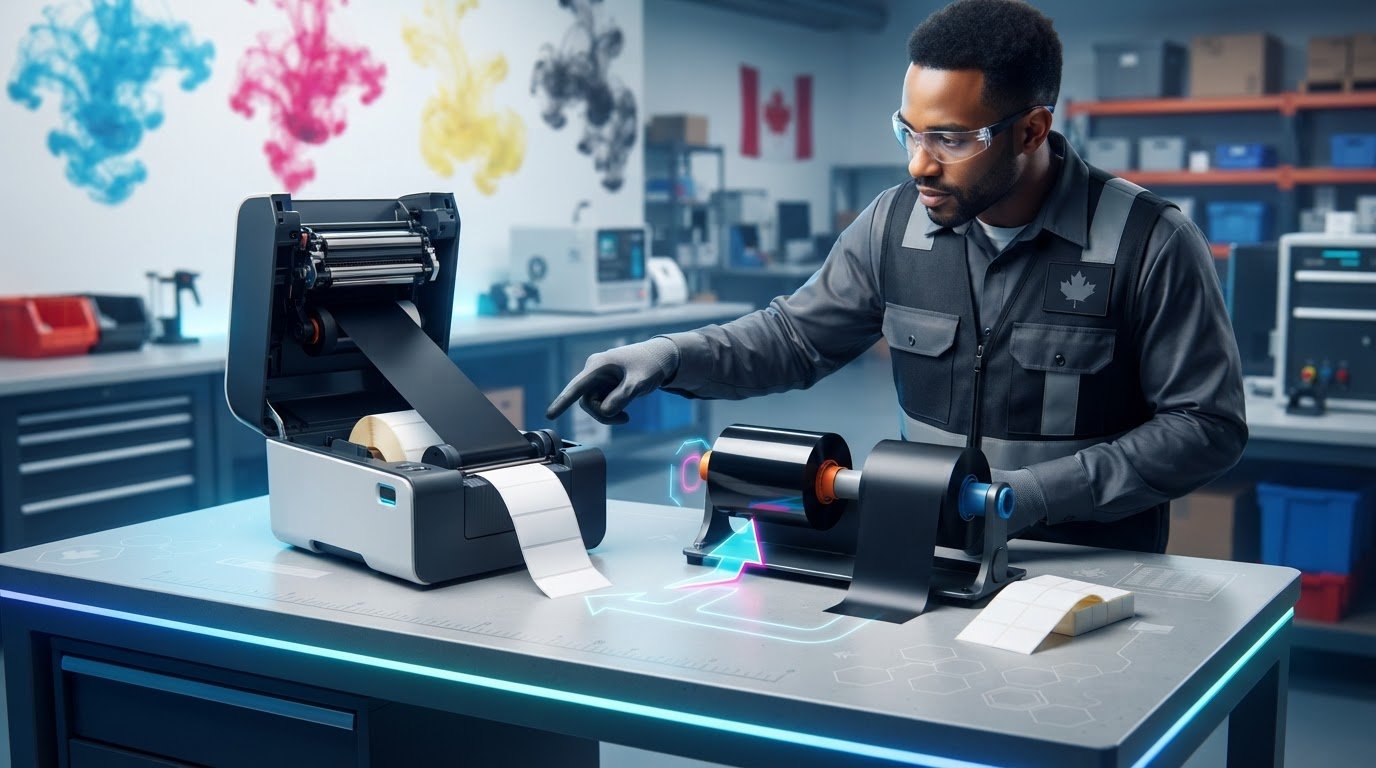
The higher-performance ribbon isn’t automatically the right ribbon. Zebra ribbon 5095 resin vs standard resin ribbon compatibility depends on more than the resin label. A mismatch with the printer, ribbon path or label stock can lead to wasted supplies and poor print results.
It’s easy to see why choosing can feel uncertain. Product listings may leave out key details, and “standard resin” can describe a broad category rather than one specific ribbon. The 5095 and a standard resin option may differ in intended use, but the right choice depends on your labels and application, not the name alone.
This guide compares the two options and explains what to check before ordering. You’ll learn how to confirm printer requirements, including ribbon width, length, core size and winding direction; match ribbon chemistry to the label face stock; and account for exposure to moisture, abrasion, chemicals or temperature. We’ll also cover how a print test can help confirm performance before you commit to larger quantities. Use the checklist to make a more informed selection.
Key Takeaways
- Zebra ribbon 5095 resin vs standard resin ribbon compatibility depends on the exact ribbon specification, printer requirements and label stock, not resin classification alone.
- Check the printer manufacturer’s guidance, then confirm ribbon width, length, core, roll diameter and ink-side orientation before ordering.
- Ask for the specific product details behind “standard resin” so you can make a meaningful comparison.
- Document your label material and application conditions, then verify that the ribbon manufacturer recommends the combination.
- Test a sample before placing a larger order, and compare available Zebra ribbon options against your verified requirements.
Zebra 5095 resin vs. standard resin ribbon: what does compatibility mean?
A ribbon can fit inside a printer and still be unsuitable for the job. Thermal-transfer printing uses heat to transfer a coating from a ribbon onto a substrate, as explained in Thermal-transfer printing. For dependable results, check three things separately: whether the roll physically fits, whether the printer supports that ribbon, and whether the ribbon prints effectively on the chosen label stock.
Compatibility means the ribbon’s formulation, physical format and print performance are suitable for the specific printer, label material and application. Resin describes the ink formulation. It doesn’t confirm that the complete printer-and-label combination will work. That distinction matters when assessing Zebra ribbon 5095 resin vs standard resin ribbon compatibility.
What does Zebra 5095 resin ribbon refer to?
Zebra 5095 is a product designation for a full-resin ribbon. Treat current manufacturer product documentation as the authority for its intended applications, supported media and technical specifications. Don’t infer a particular level of chemical, temperature or abrasion resistance from “resin” or the product name alone. Check the current data sheet against the requirements of your use.
The designation also doesn’t prove that a roll fits every Zebra printer. Printer models can have different ribbon requirements, so confirm the exact model and its manufacturer guidance before choosing a ribbon.
What do buyers mean by standard resin ribbon?
“Standard resin” isn’t a complete technical specification. It may refer to different products, so a comparison based only on that description can be misleading. Ask for the manufacturer, exact product code and technical data sheet. Compare the documented formulation, media recommendations and printer requirements with those for the 5095. Don’t assume all standard resin ribbons share the same properties.
Resin, wax-resin and wax identify different ribbon formulations. The category helps narrow the options, but it doesn’t establish suitability or guarantee a particular print result. Use manufacturer guidance and test the ribbon on your label stock to assess performance.
Keep the compatibility checks distinct:
- Physical fit: Verify roll width, length, core, maximum roll diameter and ink-side orientation against the printer’s requirements.
- Printer support: Check the exact printer model’s documentation for supported ribbon types and configurations.
- Print performance: Confirm the ribbon is recommended for the label face stock, then test whether the print meets your application’s needs.
A positive result on one check doesn’t settle the others. A roll may physically fit but not be supported by the printer, or a supported ribbon may not deliver suitable results on a particular label. Compare documented specifications first, then verify the full combination with a print test.
Which printer and ribbon specifications determine Zebra 5095 compatibility?
Start with the printer’s exact model number, not just its brand or product family. Consult the model’s manual or current manufacturer specifications for supported ribbon types and loading requirements. Two printers from the same brand can have different ribbon paths or roll limits, so a ribbon that fits one model may not fit another.
For Zebra ribbon 5095 resin vs standard resin ribbon compatibility, verify the physical details against the printer documentation and the ribbon’s current specification sheet. Check:
- Width and length: Confirm that the ribbon fits the printer’s stated limits and is suitable for the label width being printed.
- Core and roll diameter: Match the core size and maximum roll diameter to the printer’s holder and ribbon path.
- Winding and ink-side orientation: Confirm whether the printer requires the coated side in or out. Don’t assume orientation is universal.
- Printhead configuration: Check manufacturer guidance for ribbon-type support and any relevant printhead requirements.
Don’t infer dimensions or orientation from a product name. If a listing doesn’t specify them, check the manufacturer’s documentation or request the exact details before ordering.
How do you confirm physical fit in a Zebra printer?
Record the complete printer model, then compare its manual with the ribbon’s width, length, core, maximum roll diameter and winding orientation. Also check the printer’s permitted label width. A ribbon that is too narrow for the media may not provide suitable print coverage. Treat every measurement as something to verify, not as a standard shared by all Zebra printers.
How does label material affect resin-ribbon compatibility?
Identify the label face stock from the label supplier’s documentation. Then check whether the ribbon manufacturer recommends that formulation for the specific media construction. A broad description such as “synthetic” may not provide enough detail to confirm a match, so use the documented material and product specifications.
Media and printer settings affect the result too. If supplier guidance doesn’t confirm the combination, or labels will face demanding use conditions, test the ribbon on the actual stock with representative print settings. Check that the print is legible and that barcodes scan as required.
Checklist: Verify the printer model, ribbon dimensions, winding, media and application conditions before ordering. To compare available options, review the Zebra ribbon category and check each product’s specifications against your printer and label requirements.
Zebra 5095 resin vs. standard resin ribbon: how should you compare them?
Make the comparison product by product. Zebra 5095 is a specific ribbon designation, while “standard resin” can refer to different products. It isn’t a reliable comparison category on its own. Use current manufacturer documents to confirm each option’s specifications, then assess them against your printer, label media and operating conditions.
Which comparison criteria matter most?
Use the same checklist for both ribbons. Record the source and date of each technical document, and mark details as unconfirmed if the manufacturer hasn’t published them. Don’t fill gaps with assumptions based on a product name or resin category.
Product identity: For 5095, verify the designation in current Zebra documentation. For the other option, obtain its exact manufacturer and product code.
Printer support: Check documented compatibility for your exact printer model. A ribbon’s name or brand doesn’t establish support.
Physical specifications: Compare published width, length, core, roll diameter and winding orientation. Use manufacturer data for both products.
Media guidance: Check the label face-stock recommendations and any stated limitations for the specific construction.
Application requirements: Note exposure conditions, barcode scanning needs, and text or graphic legibility requirements. Look for relevant manufacturer guidance rather than assuming one resin ribbon will meet them.
Documentation: Keep the product data sheet or manufacturer reference with your comparison so the decision can be checked later.
If a detail is missing for either ribbon, treat the comparison as incomplete. Ask the supplier or manufacturer to confirm it before purchase.
When might either resin ribbon be the better fit?
Choose based on verified media recommendations and the actual demands of the label’s use. A 5095 designation or a “standard” label doesn’t, by itself, prove which option is more suitable. One may be a better fit when its documented printer support and media guidance align with your requirements. The other may be appropriate when its own verified specifications do.
Consider how labels will be handled, stored and read. If barcodes must scan reliably or small text must remain legible, test a sample on the intended stock and assess the output against your requirements. Don’t infer print quality, resistance or service life from the word “resin.”
For Zebra ribbon 5095 resin vs standard resin ribbon compatibility, the lower-risk choice is the one with confirmed printer support, suitable dimensions and manufacturer-recommended media for the application. If the product identity or technical data is unclear, request clarification before ordering.
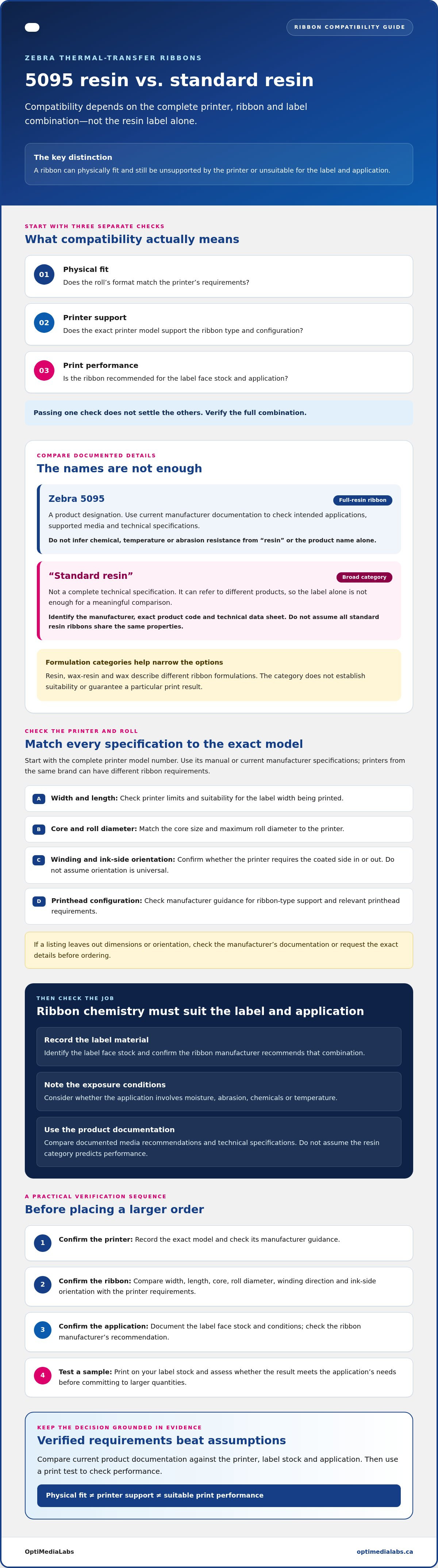
How to verify ribbon compatibility before ordering
Use a consistent process before placing an order. For Zebra ribbon 5095 resin vs standard resin ribbon compatibility, gather the printer, ribbon, label and application details, then compare them with current manufacturer documentation. A complete record makes it easier to identify missing specifications before they become a purchasing problem.
- Identify: Record the exact printer model and the candidate ribbon’s manufacturer and product code.
- Document: Note the ribbon dimensions and winding orientation, the label face stock, and how the printed label will be used.
- Verify: Compare the information with the printer manual, ribbon data sheet and label supplier’s media guidance. Resolve any gaps before ordering.
- Test: Print on the intended label stock using the candidate ribbon and representative printer settings.
- Order: Proceed once the physical fit, manufacturer guidance and test results meet your requirements.
What information should you gather before requesting confirmation?
Write down the full printer model and any relevant configuration details from its manufacturer documentation. Photograph the current ribbon’s label, and record its dimensions and winding orientation rather than relying on memory. Identify the label material using the supplier’s documentation, then describe the print purpose and relevant handling or exposure conditions. If a product listing is unclear, note which details need confirmation.
How should you run a practical compatibility test?
Test the candidate ribbon in the intended printer with the production label stock. Use representative settings and inspect print darkness, edge definition and small text. For barcode labels, scan samples using the equipment or process used in normal operations. Also assess any application-specific handling requirements. Record the ribbon identity, media, settings and results so the test can be repeated if the ribbon, stock or application changes.
Review Zebra ribbon options as part of your selection, and compare each listing with your documented requirements. For printer details, consult the manufacturer’s specifications for your exact model. A successful test on one label stock doesn’t confirm compatibility with different media or conditions.
If you’ve collected the specifications and want to ask about ribbon products, see the OptiMediaLabs contact page. Include your printer, ribbon and label details so the product requirements can be reviewed.
Choose a compatible Zebra ribbon from OptiMediaLabs Canada
Make the choice from verified specifications, not from the word “resin” or a product name alone. Confirm that the printer supports the ribbon, its dimensions and winding suit the ribbon path, the manufacturer recommends it for your label stock, and the combination fits the label’s intended use. A test on the actual media can help validate print quality before you commit to repeat orders.
OptiMediaLabs is a Canadian supplier of thermal-transfer ribbons, including Zebra ribbon products. Product availability and specifications can vary, so check current product details rather than assuming a particular ribbon model is offered. For a complete selection, consider the printer and its consumables together, and consult the relevant manufacturers’ documentation for each component.
When should you ask a supplier to confirm a match?
Ask for clarification if the printer manual, ribbon listing or label supplier’s media recommendation leaves a key detail unclear. Include the printer’s full model, the candidate ribbon’s product code and dimensions, the label face stock, and a brief description of the application and exposure conditions. Request confirmation against current product documentation. A resin label alone isn’t enough to establish compatibility.
Ribbon length is one specification to compare with the printer’s stated capacity. Browse Zebra ribbon lengths as a reference, then check the exact product details against your printer requirements. A length category doesn’t, by itself, confirm that a particular roll will fit your equipment.
What should a purchasing-ready decision include?
Keep a simple record of the selected manufacturer and product code, the documentation used to verify printer and media suitability, and the print test results. Note the label stock and printer settings as well. This helps you check future orders against the tested configuration and spot changes in the ribbon, media or application that may require another review.
For Zebra ribbon 5095 resin vs standard resin ribbon compatibility, a sound purchasing decision rests on confirmed printer fit, ribbon dimensions, media recommendations and application needs. If you have those details but still need product information, the OptiMediaLabs contact page is available for enquiries about ribbon products.
Make your next ribbon choice with confidence
The right option isn’t determined by “5095” or “standard resin” alone. For Zebra ribbon 5095 resin vs standard resin ribbon compatibility, confirm the exact printer model, ribbon dimensions and winding, manufacturer guidance for your label stock, and the demands of your application. A representative print test can help validate the choice before you place a larger order.
OptiMediaLabs supplies thermal-transfer ribbons and Zebra-related products to customers across Canada. Availability and specifications vary, so share your requirements rather than assuming a particular ribbon model is offered. Include your printer model, current ribbon details, label material and intended use when reviewing product options.
With the specifications documented and the print tested on your actual media, you can make a more informed selection and plan future orders with greater confidence. Contact OptiMediaLabs with your printer and label details to enquire about Zebra ribbon products.
Frequently Asked Questions
Is Zebra 5095 resin ribbon compatible with every Zebra printer?
No. The 5095 designation doesn’t confirm fit or support across every Zebra printer. Check your exact printer model’s manual or current manufacturer specifications, then compare the ribbon’s width, length, core, roll diameter and winding orientation with the printer’s requirements. Also confirm that the printer supports the ribbon type. If a product listing omits a key detail, verify it before ordering.
Can Zebra 5095 resin ribbon be used with standard resin labels?
Possibly, but “standard resin labels” doesn’t identify a specific label material or construction. Check the label supplier’s documentation for the face stock, then consult current ribbon manufacturer guidance to see whether the 5095 is recommended for that media. If the recommendation is unclear, test the ribbon on the intended label stock and assess the result for your application before ordering larger quantities.
What is the difference between Zebra 5095 and standard resin ribbon?
Zebra 5095 is a specific ribbon designation, while “standard resin” is a broad description that may refer to different products. For a valid comparison, identify the manufacturer and product code for the standard resin option, then compare current technical documents. Review supported printer models, dimensions, media recommendations and application guidance. Don’t assume that a resin category or product name alone establishes performance or suitability.
How do I check whether a resin ribbon fits my Zebra printer?
Start with the printer’s complete model number and manufacturer documentation. Compare the ribbon’s width, length, core, maximum roll diameter and ink-side orientation with the stated requirements, and confirm the printer supports that ribbon type. Then check that the ribbon is recommended for your label face stock. If the documentation or listing leaves a specification uncertain, ask the supplier to verify it before purchase.
Does resin ribbon compatibility depend on the label material?
Yes. The label face stock affects whether a ribbon is recommended and whether the printed result meets the application’s needs. Identify the material using the label supplier’s documentation, then check the ribbon manufacturer’s guidance for that specific media. A general term such as “synthetic” may not be enough to confirm a match. Test the ribbon on the actual stock if guidance is incomplete or conditions are demanding.
Can I use a different ribbon width or roll length in my Zebra printer?
Only if the alternative dimensions meet the printer’s documented requirements. Check width, length, core and maximum roll diameter against the manual or current manufacturer specifications. The ribbon also needs to suit the label width and load correctly in the printer. Don’t assume a different size will work because it looks similar to the current roll. Confirm the exact dimensions and orientation before ordering.
How can I test a Zebra ribbon before placing a larger order?
Print a sample using the candidate ribbon, intended printer and production label stock. Use representative printer settings, then inspect darkness, edge definition and small text. Scan barcode samples with the equipment or process used in normal operations. Record the ribbon product, media and settings alongside the results. If the stock, printer setup or application changes, test again to confirm the new combination meets your requirements.